Chapter : Bar Code Reader
Components
Operator’s Guide 191
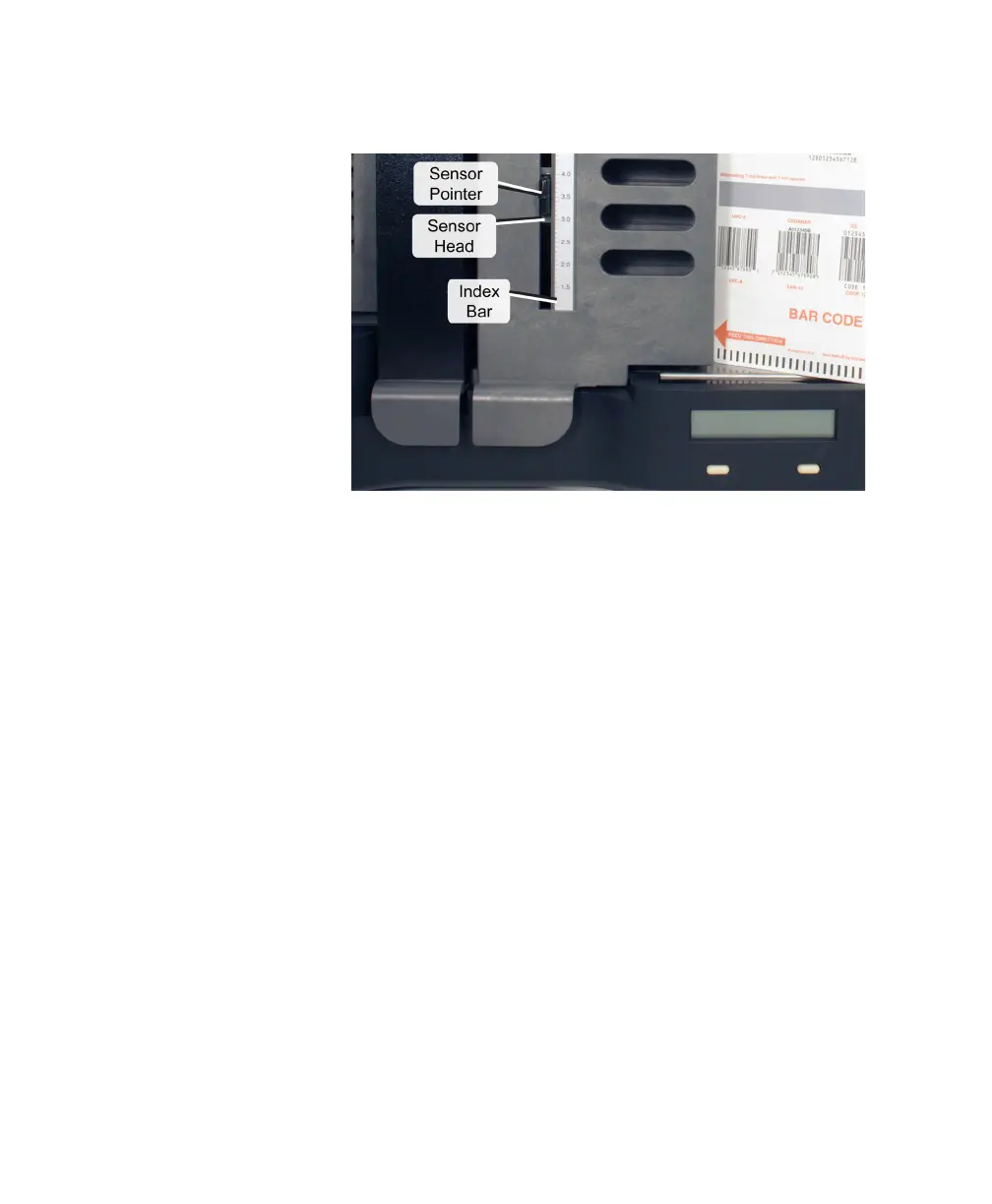
Each of these parts is illustrated and described below.
Index Bar
The index bar is located on top of the cover of the bar
code reader. It resembles a ruler and spans the width
of the transport bed below.
The index bar shows ruled markings in tenths of
inches, measured from the guide edge of the scanner.
It shows numbers marked every half inch, beginning at
1.5 inches and ending at 8.0 inches.
Sensor Head
The sensor head is located on the underside of the
sheet deflector. It contains a sensor that reads bar
codes on each sheet as the sheet passes through the
scanner.
Sensor Pointer
The sensor pointer is located on top of the cover of
the bar code reader. It indicates, through its position
on the index bar, the location of the sensor head. It is



 To Next Page