Chapter 1: Scanner Basics
Scanner Components
4 Scantron OpScan 4ES and iNSIGHT 4ES Scanners
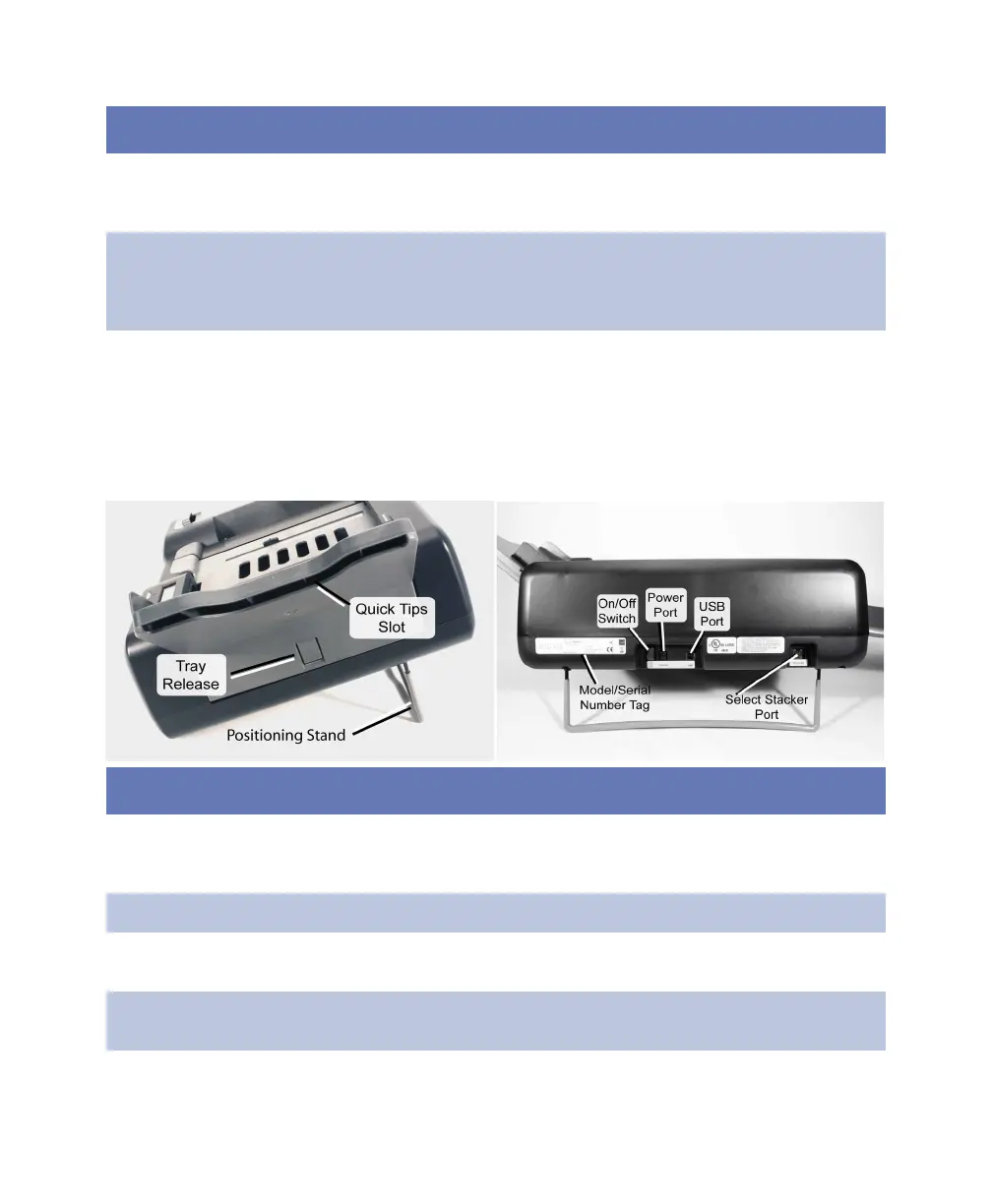
Side and Back Views
Paper guide Aligns sheets in the input tray. Prior to scanning, the paper
guide should be manually adjusted to the width of the
sheets being scanned.
Read head Captures data from sheets. (A label on the end of the read
head shows the type of read head you have.) The read
head must be down and latched for the scanner to function
properly.
Sheet deflector Keeps a sheet flat as it starts through the scanner. Acts as a
cover for the optional bar code reader (if used). The sheet
deflector must be down and latched for the scanner to
function properly.
Component Function
Component Function
Model and
serial number
tag
Provides model and serial number information. You will be
asked for these numbers when calling Scantron Customer
Support for assistance.
On/Off Switch Turns scanner on (1) and off (0).
Positioning
stand
Must be extended to position the scanner at the proper
angle for scanning.
Power port Provides a connection point for power input from the
power supply.



 To Next Page