Chapter 1: Scanner Basics
Scanner Components
Operator’s Guide 3
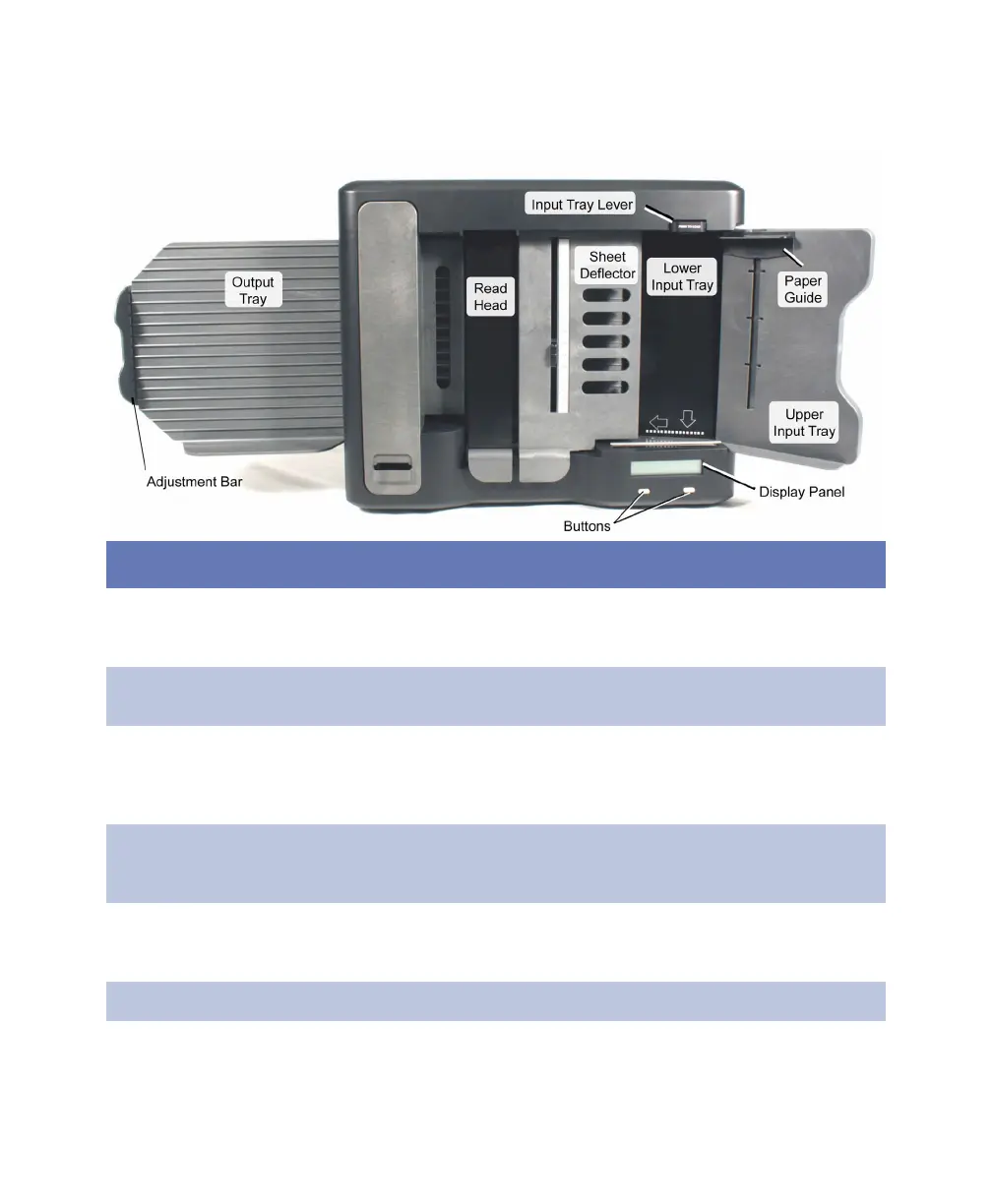
Transport Bed Closed View
Component Function
Adjustment bar Stops the sheet in the output tray as the sheet leaves the
transport bed. Prior to scanning, the adjustment bar needs
to be adjusted to the length of the sheets being scanned.
Buttons Enable you to start and stop the scanner and perform other
menu driven functions.
Display panel Displays messages from the scanner and the host
computer. Shows the status of the scanner and provides
messages on how to change the status and resolve a
scanner condition.
Input trays
(upper and
lower)
Hold up to 100 sheets of paper for scanning. The lower
input tray rises automatically as sheets feed. The upper tray
has a pocket to hold the Quick Tips guides.
Input tray lever Retains the input tray in the down position for easy loading
of sheets. The input tray lever must be released for the
scanner to function.
Output tray Holds up to 100 sheets after they have been scanned.



 To Next Page