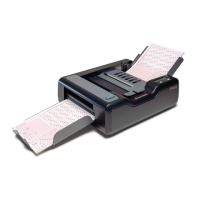
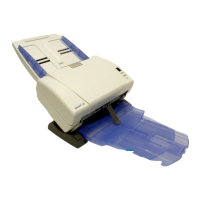
220 Scantron OpScan 4ES and iNSIGHT 4ES Scanners
Positioning the Printer(s)
. . . . . . . . . . . . . 175
Power . . . . . . . . . . . . . . . . . . . . . . . . . . . . . 111
Power Saver . . . . . . . . . . . . . . . . . . . . . . . . 111
Preparing for Recalibration . . . . . . . . . . . . 163
Press START to continue scanning after taking
corrective action. . . . . . . . . . . . . . . . . . . . . . 93
Print Offset= . . . . . . . . . . . . . . . . . . . . . . . . 125
Printer . . . . . . . . . . . . . . . . . . . . . . . . . . . . . 109
Printer Features . . . . . . . . . . . . . . . . . . . . . 170
Procedure . . . . . . . . . . . . . . . . . . . . . . 146, 217
Procedure Overview . . . . . . . . . . . . . . . . . 161
Processing Sheet . . . . . . . . . . . . . . . . . . . . . 85
R
Read Capability . . . . . . . . . . . . . . . . . . . . . 193
Ready . . . . . . . . . . . . . . . . . . . . . . . . . . . . . . 86
Reasons to Recalibrate . . . . . . . . . . . . . . . 161
Recalibrate/See Manual . . . . . . . . . . . . . . . 86
Reconfigure Host/See Manual . . . . . . . . . . 87
Reverse Printing . . . . . . . . . . . . . . . . . . . . 110
RS-232 Error . . . . . . . . . . . . . . . . . . . . . . . . . 87
S
ScanMark Emulation Mode . . . . . . . . . . . . . 51
ScanMark Init Reqd . . . . . . . . . . . . . . . . . . . 88
Scanner Components . . . . . . . . . . . . . . . . . . 2
Scanner Information . . . . . . . . . . . . . . . . . 105
Scanner Model . . . . . . . . . . . . . . . . . . . . . . 105
Scanner Paper Path . . . . . . . . . . . . . . . . . . . 75
Scanning Bar Codes . . . . . . . . . . . . . . . . . 196
Scanning Procedure . . . . . . . . . . . . . . 38, 213
Schedule . . . . . . . . . . . . . . . . . . . . . . . 144, 216
Scoring Forms . . . . . . . . . . . . . . . . . . . . . . 142
Select Stacker Messages . . . . . . . . . . . . . . 215
Selecting a Good Location . . . . . . . . . . . . . 18
Selecting ES/ScanMark Mode . . . . . . . . . . 136
SelfScore Mode . . . . . . . . . . . . . . . . . . . . . . 55
Sensor 1 Blocked . . . . . . . . . . . . . . . . . . . . . 88
Sensor Head . . . . . . . . . . . . . . . . . . . . . . . . 191
Sensor Pointer . . . . . . . . . . . . . . . . . . . . . . 191
Services . . . . . . . . . . . . . . . . . . . . . . . . . . . 160
Setting Up the Scanning Software for Printing
183
Setting Up the Select Stacker . . . . . . . . . 208
Setting Up, Configuring, and Operating the
Scanner . . . . . . . . . . . . . . . . . . . . . . . . . . . . 138
Sheet Count . . . . . . . . . . . . . . . . . . . . . . . . 105
Sheet Did Not Feed/Check Input Path . . . 89
Sheet Did Not Feed/Check Sheet Deflector 89
Sheet Did Not Feed/Clean Skew Sensor . . 90
Sheet Did Not Leave Output Stacker . . . . 90
Sheet Did Not Leave Select Stacker . . . . . 91
Sheet Did Not Reach Output Stacker . . . . 92
Sheet Did Not Reach Select Stacker . . . . . 92
Sheet Skewed/Last Sheet Selected/Refeed Last
Sheet . . . . . . . . . . . . . . . . . . . . . . . . . . . . . . . 93
Sheet Too Thin/See Manual . . . . . . . . . . . . 94
Show Comm Status . . . . . . . . . . . . . . . . . . 111
Side and Back View . . . . . . . . . . . . . . . . . . . . 4
Specifications . . . . . . . . . . . . . . . . . . . . . 8, 11
Standard Features . . . . . . . . . . . . . . . . . . 7, 10
Standard Form Orders
Contact and Support . . . . . . . . . . . . . 157
Stopped . . . . . . . . . . . . . . . . . . . . . . . . . . . . 95
Stopping . . . . . . . . . . . . . . . . . . . . . . . . . . . . 96
Supplies . . . . . . . . . . . . . . . . . . . . . . . 145, 216
System Requirements . . . . . . . . . . . . . . . . . 13
T
Terminology . . . . . . . . . . . . . . . . . . . . . . . . 214
Testing the Bar Code Reader . . . . . . 201, 204
Testing the Printer(s) . . . . . . . . . . . . . . . . 181
Testing the Select Stacker . . . . . . . . . . . . 211
To clear a double-sheet error condition . 140
Top Head Calibrate . . . . . . . . . . . . . . . . . . 113
Top Head Calibrate Function . . . . . . . . . . 165
Top Read Validation . . . . . . . . . . . . . . . . . 128
Transport Bed Closed View . . . . . . . . . . . . . 3
Transport Bed Open View . . . . . . . . . . . . . . 2
Troubleshooting . . . . . . . . . . . . . . . . 186, 198
Troubleshooting Chart . . . . . . . . . . . . . . . 154
Turning the Printer(s) On Or Off . . . . . . . 179
Turning the Scanner On . . . . . . . . . . . . . . . 29
U
Understanding Display Panel Messages . . 42
Understanding Select Stacker Messages 214
Unexpected Sheet At Output Stacker . . . . 96
Unexpected Sheet at Select Stacker . . . . . 97
Uninstalling the Drivers and Scanner Utilities
Software . . . . . . . . . . . . . . . . . . . . . . . . . . . . 32
User Precautions . . . . . . . . . . . . . . . . . . . . . 14
User Program . . . . . . . . . . . . . . . . . . . . . . . . 98
Using the Bar Code Test Function . . . . . . 202
Utilities . . . . . . . . . . . . . . . . . . . . . . . . . . . . 113
Utilities Submenu . . . . . . . . . . . . . . . . . . . 113
V
Verifying Proper Setup . . . . . . . . . . . . . . . . 34
W
Waiting . . . . . . . . . . . . . . . . . . . . . . . . . . . . . 98
Waiting For Computer . . . . . . . . . . . . . . . . 99
Waste Electrical and Electronic Equipment
(WEEE)
. . . . . . . . . . . . . . . . . . . . . . . . . . . . 15
Z
Zone Error . . . . . . . . . . . . . . . . . . . . . . . . . . 99


 To Next Page