340 CHAPTER 12 RDI
J-Link / J-Trace (UM08001) ©
2004-2017 SEGGER Microcontroller GmbH & Co. KG
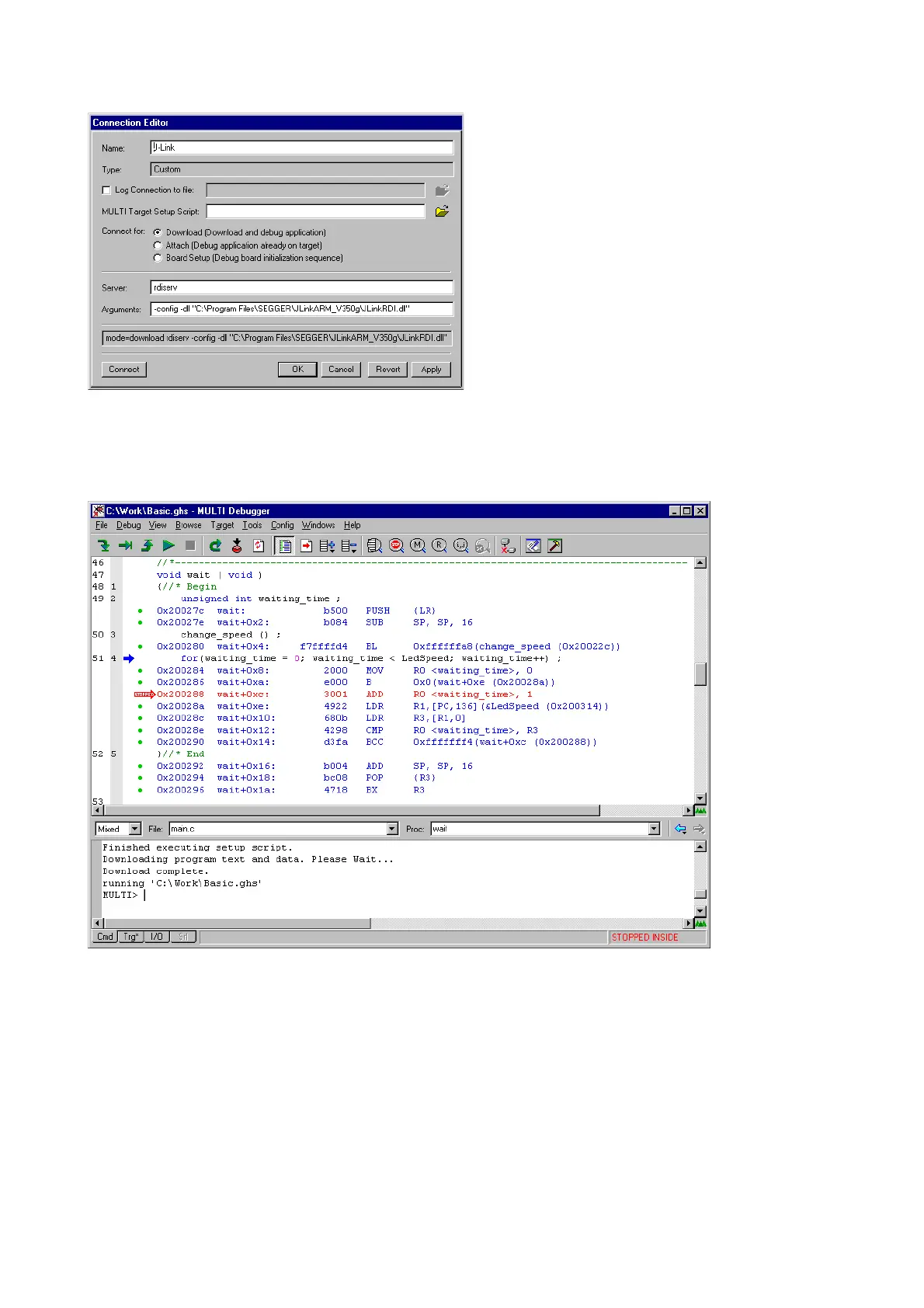
5. Confirm the choices by clicking the Apply button after the Connect button.
6. The
J-Link RDI Configuration dialog will open. For more information about the
generic setup of J-Link RDI, please refer to
Configuration on page 344.
7. Click the
OK button to connect to the target. Build the project and start the
debugger. Note that at least one action (for example
step or run) has to be per-
formed in order to initiate the download of the application.



 To Next Page