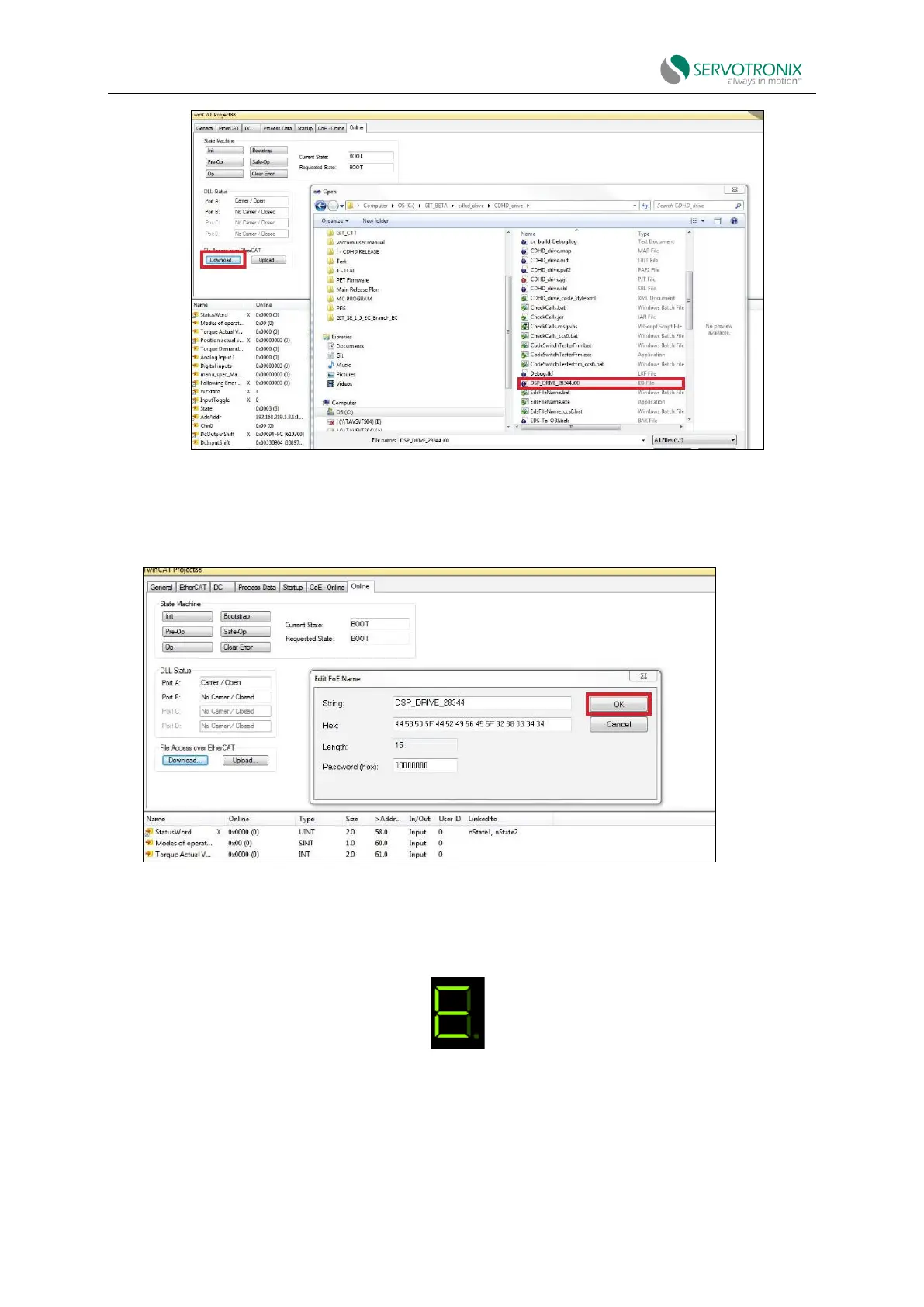
Figure 4-48
7. The Edit FoE Name dialog box will open.
8. Do not change anything in this dialog box. Click “OK”.
Figure 4-49
9. The firmware update process begins.
Digital display screen shows:
Figure 4-50
In the TwinCAT status bar at the bottom of the screen, "Downloading" is displayed on the left
and a progress bar is displayed on the right.



 To Next Page