If the motor parameters you use are not available in the default motor library series of
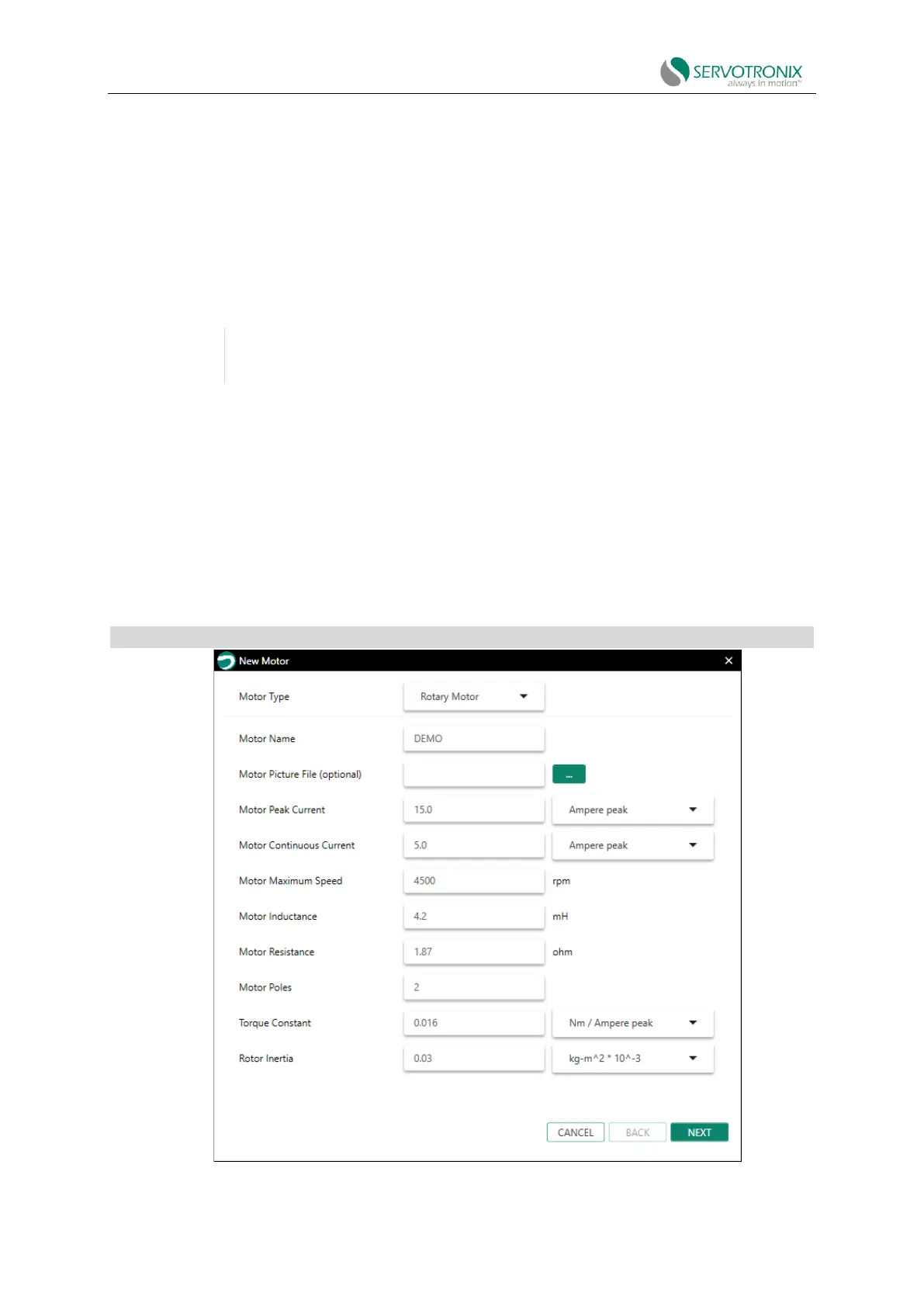
ServoStudio2, you can use the "New Motor" wizard to define your motor. Once defined, the new
motor will be added to the "User Motor" series in the motor library.
The wizard can be activated from the Motor screen or from the Motor Selection step in the
Motor Setup wizard.
Click Define New Motor Activation wizard.
It is recommended that you activate the "New Motor" wizard from the "Motor" screen,
as parameters cannot be saved to the "User Motor" library when activating the wizard
from "Motor Setup".
A series of dialog boxes will prompt you to provide motor parameters, which you can extract
from the motor data table.
The New Motor wizard allows you to select unit and enter the value based on the information
in the motor data table. In addition, the wizard includes
unit conversion function. After entering all the data in the wizard, ServoStudio2 will convert the
unit to the equivalent value used by the drive. These conversion value will be retained in the motor
library and the drive.
New Motor - Motor Specifications
Figure 5-8 New motor definition



 To Next Page