5. Click Next to continue.
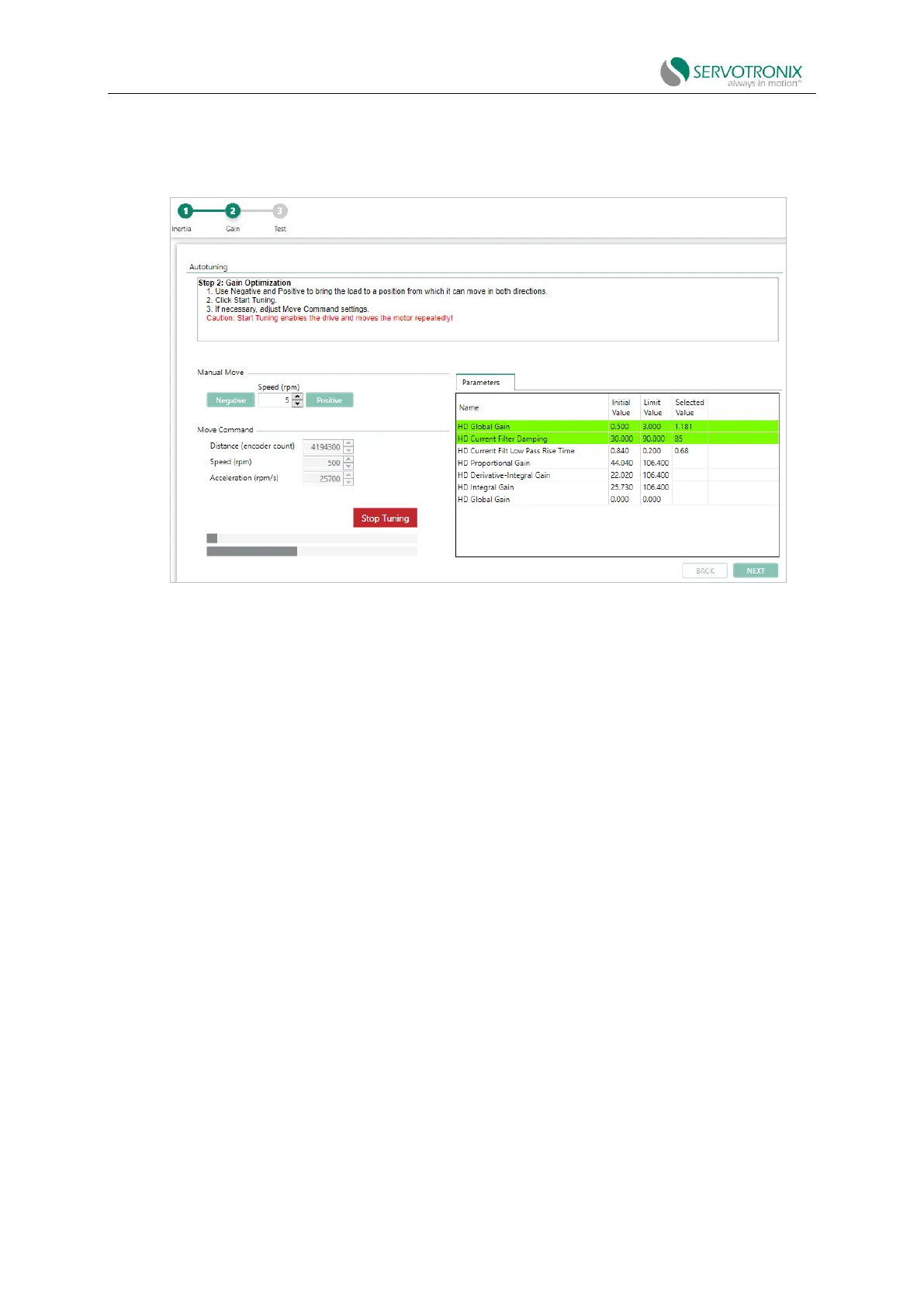
Step - Gain optimization
Figure 8-12 PC-based autotuning wizard - gain optimization
1. The Move Command values shown are recommended; based on the motor you defined in
the setup. Use the negative and positive buttons to position the load where the motor can safely
rotate a full range in each direction.
2. If necessary, adjust the Manual Move speed setting.
3. Click Start.
Start enabling the drive and running the motor repeatedly!
The motor moves continuously back and forth while testing values at intervals over the entire
range of each control loop parameter. Once optimal results are achieved, the optimal values are
displayed in the parameter table.
The top bar shows the progress of parameters currently being tested.
The bottom bar shows the progress of the entire process.
4. If necessary, adjust the "Move Command" settings, then click "Start" to repeat the test.



 To Next Page