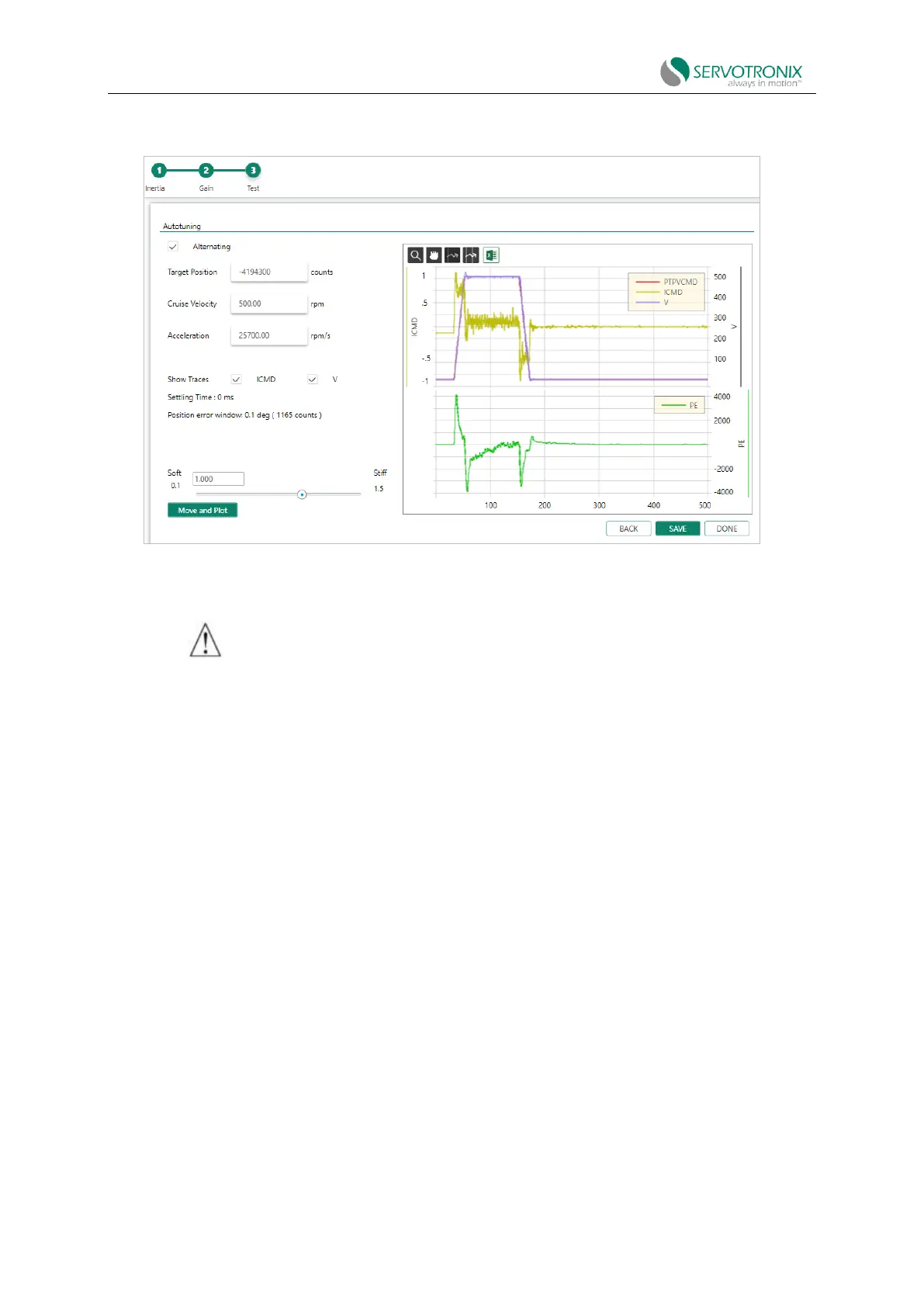
Step - Test movement quality
Figure 8-13 PC-based autotuning wizard – test movement quality
1. Click Move and Plot to send the current command to the drive and plot the response.
2. A graphic will appear. This figure shows the velocity command generated by the point-to-
point position profile map (PTPVCMD) along with the position error (PE).
The wizard also displays the system-calculated settling time and position error window values.
Toolbar buttons allow you to examine the drawing more carefully and export the results to a
spreadsheet. These functions are also found in the ServoStudio2 Range screen.
3. Modify the motion settings and/or gain settings and repeat the test under different
conditions (optional):
◼ Target position
◼ Cruising velocity
◼ Acceleration (and deceleration)
◼ HD Global Gain (KNLUSERGAIN); This is the global gain parameter of the HD control
loop. The higher the gain value, the stricter the control, and the lower the value, the
looser the control.
Step - Save
To complete the autotuning process, do all of the following:
⚫ Click Save to Drive to save the parameters in the drive RAM to its non-volatile drive
memory.



 To Next Page