Commissioning
5.4 Quick commissioning with a PC.
Converter with the CU240B-2 and CU240E-2 Control Units
Operating Instructions, 01/2016, FW V4.7 SP6, A5E34259001B AC
149
7. Proceed as follows:
• Select the inverter ☑.
• Press the "Accept" button.
Transfer the inverter into the project using the menu:
"Online - Upload device as new station (hardware and
You have transferred an inverter accessible via the USB interface into your project.
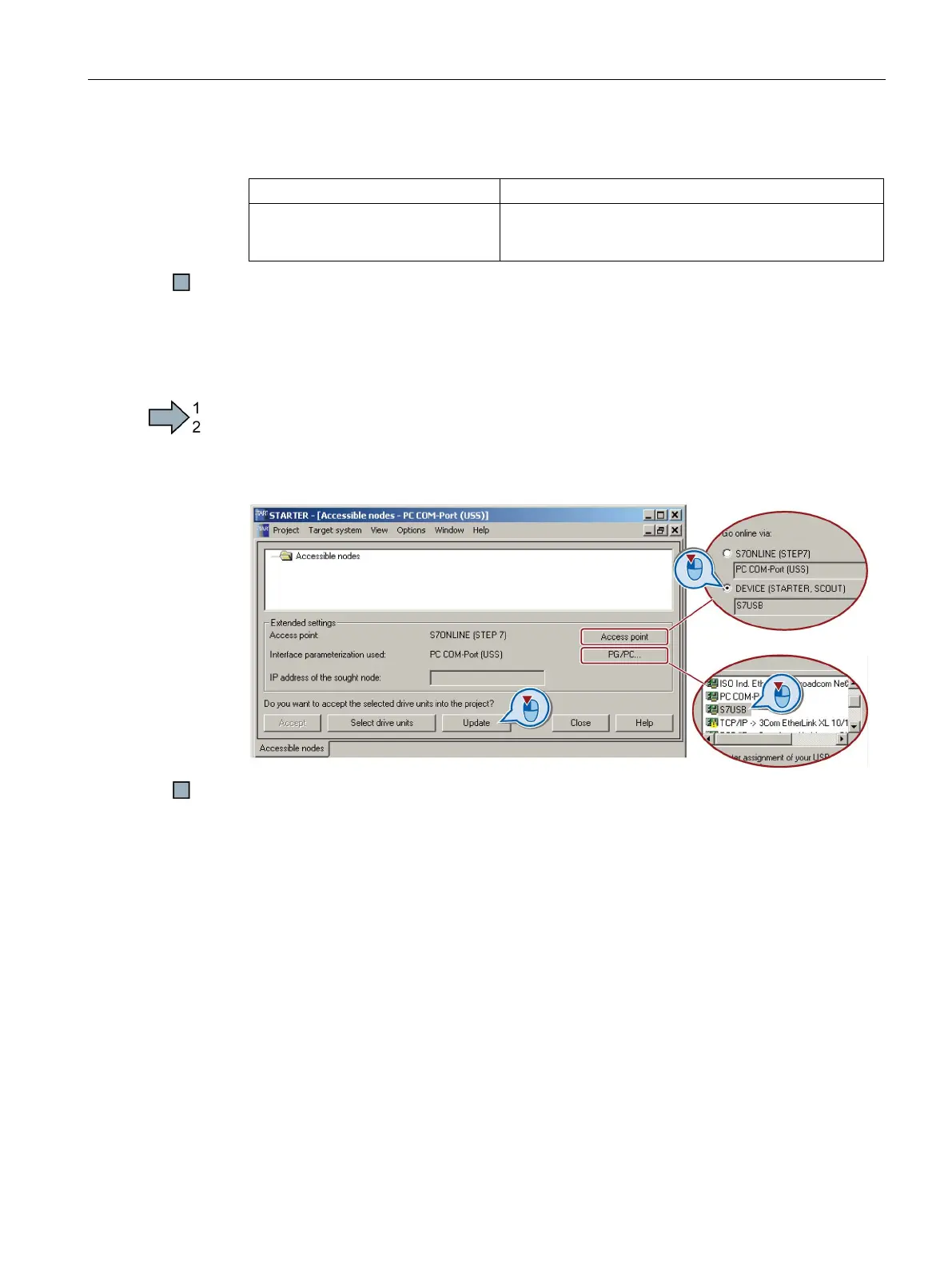
Setting the USB interface in STARTER
Procedure
Proceed as follows to set the USB interface in STARTER:
1. Set the "Access point" to "DEVICE (STARTER, Scout)" and the "PG/PC interface" to
"S7USB".
2. Press the "Update" button.
You have set the USB interface.
STARTER now shows the inverters connected via USB.

















 To Next Page