Backing up data and series commissioning
7.1 Backing up and transferring settings using a memory card
Converter with the CU240B-2 and CU240E-2 Control Units
354 Operating Instructions, 01/2016, FW V4.7 SP6, A5E34259001B AC
Manually backing up
Preconditions
The inverter power supply has been switched on.
No memory card is inserted in the inverter.
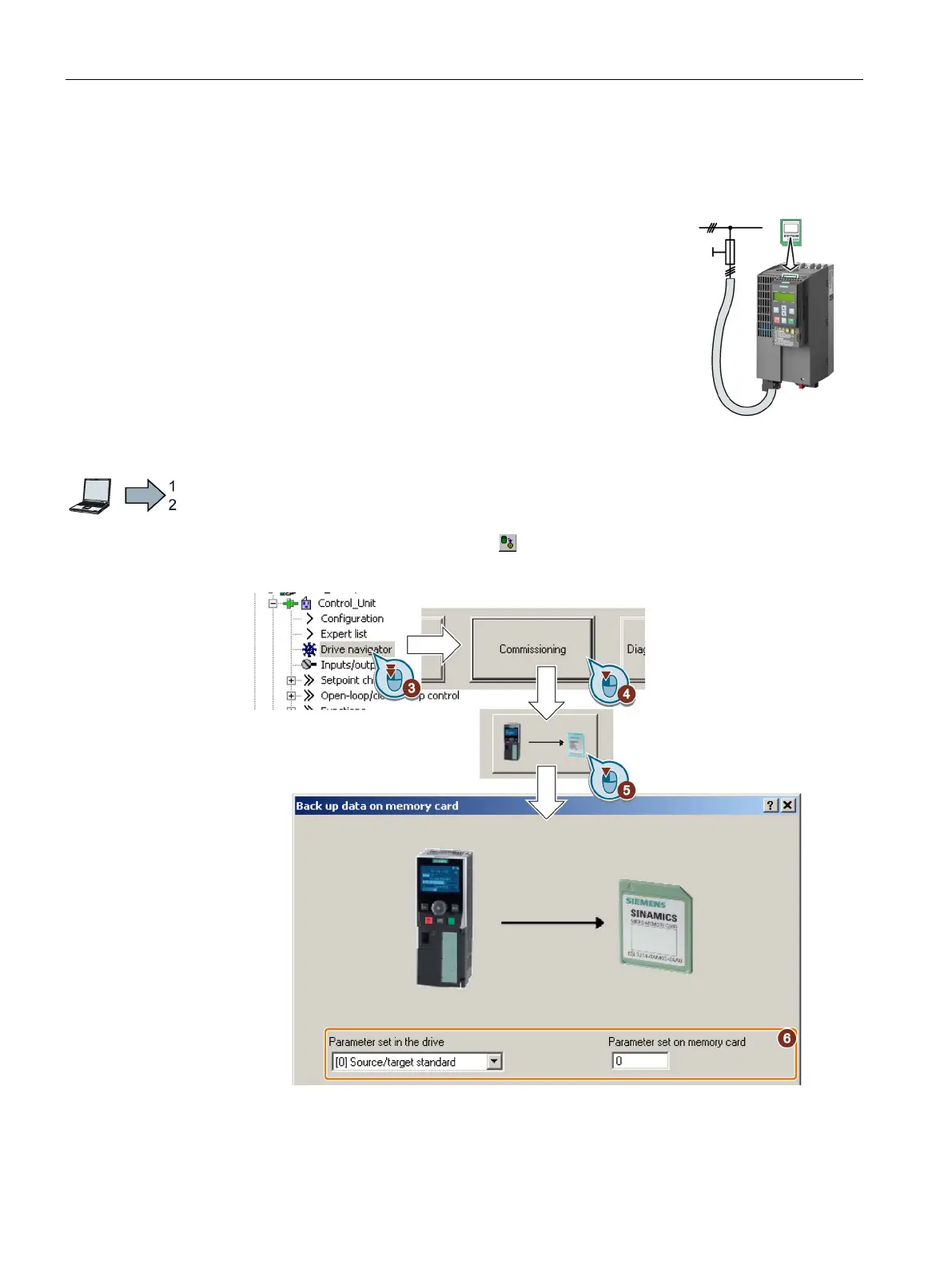
Proceed as follows to back up your settings on a memory card:
1. Go online.
2. Press the “Copy RAM to ROM” button
.
3. In your drive, select "Drive Navigator".
4. Select the "Commissioning" button.
5. Select the button to transfer the settings to the memory card.

















 To Next Page