LC700 – User’s Guide
3.112
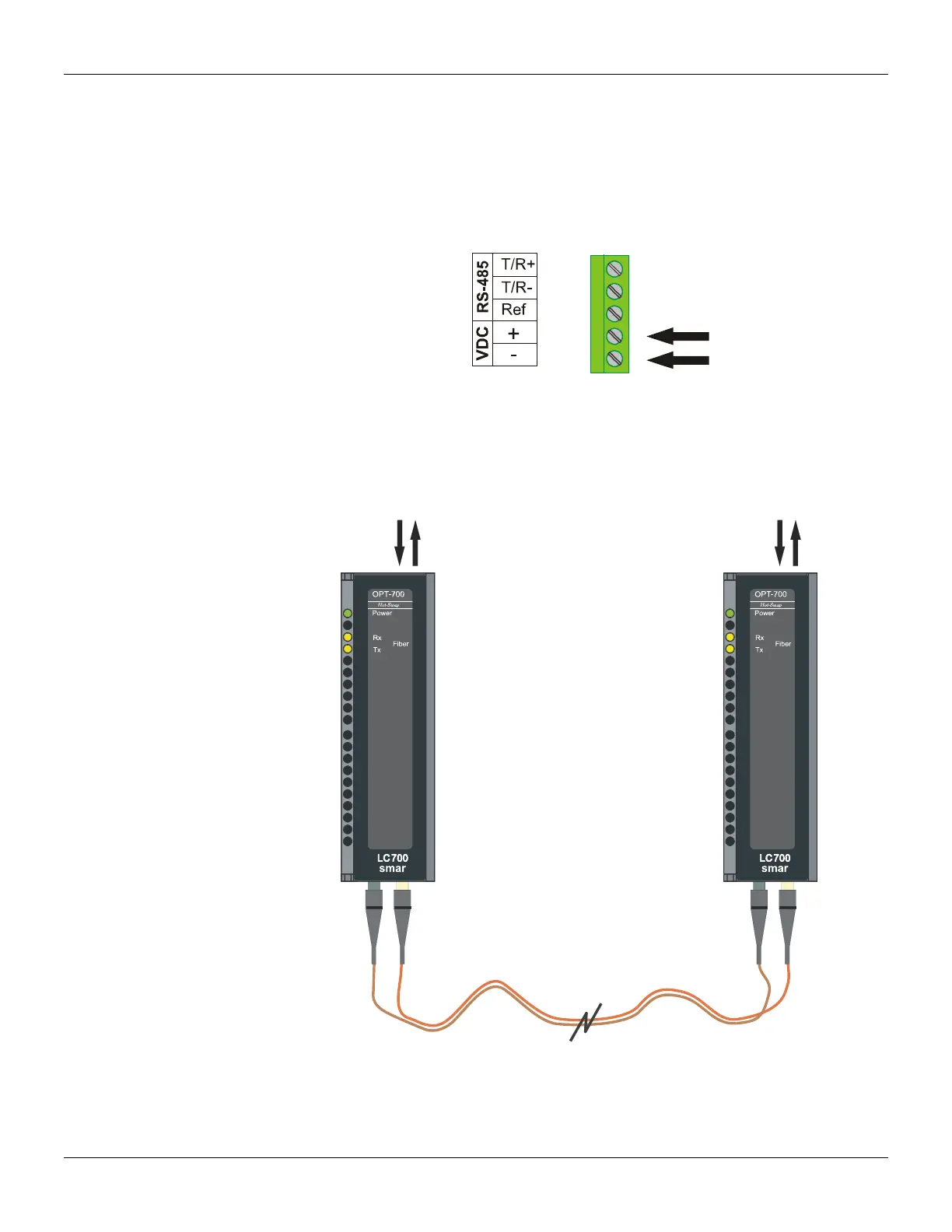
Connecting in an External Source
Using this modem as a stand-alone device requires that the internal jumper (J1) be removed from
the default position and placed into the “external PS” position. The circuit must be removed from the
box to modify the jumper configuration!
Next connect an external power supply to terminal VDC +/-. The OPT-700 can work with a range of
12 to 30 Vdc and will drain a maximum current of 200mA.
Figure 3. 70 – Connecting an external source
Point to Point Operation
It is the simplest type of link. Configure each side of the link with the appropriate RS interface and
Baud rate. Notice that the RS interfaces on both sides can be different and the baud rate on both
sides need to match. In this case both units must have the Repeat Switch #2 OFF. See figure
below.
To RS
Switch#2
OFF
To RS
Switch#2
OFF
Figure 3.71 – Point to point operation



 To Next Page