Modules And Accessories
3.43
However CONF700 has a much faster way to get the energy consumption to an application. Once
the module is selected in the Hardware page it is possible to obtain immediately the energy
consumption. To know better how to use this option, check the Note about Energy Consumption
Calculation on Chapter 2.
LC700 Power Supply System
If the LC700 requires more than one Power Supply module, each Power Supply module will supply
current to the modules located at its left up to the rack where the other Power Supply has been
placed. The following steps will help to understand how many Power Supply modules are necessary
to an LC700 system.
Observe maximum current values of the specification of the power supply module. Be
certain that the consumption of the modules to the right of the Power Supply DO NOT
exceed the maximum value.
Follow the steps of the next topic if the consumption exceeds the limit.
Adding a New Power Supply Module
1. Determine Rack and where the new Power Supply Module will be installed.
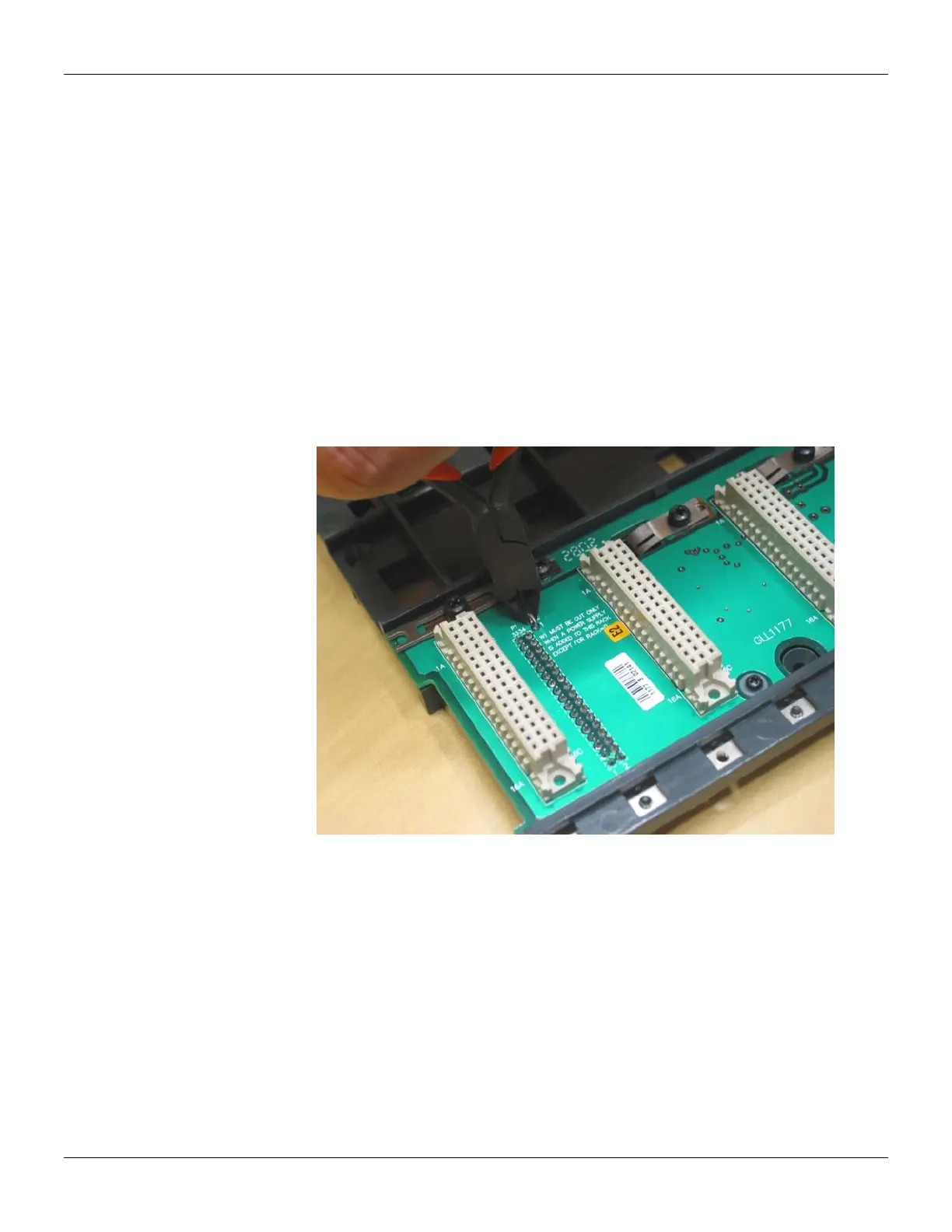
2. Cut the W1 jumper located in the rack.
3. Connect the new Power Supply in the first slot of the Rack (Slot 0).
4. In this case CH1 of all modules PS-AC-R must be set for the position E.
Figure 3.19 - Cutting the Jumper in the rack



 To Next Page