WSM6 Manual
Document Ref: UM-8270-000
Issue: A Rev 0
Section 7
October 2011 47
7.3.2 Software Installation
Use the following instructions to install the test software onto the user computer.
1. Insert the CD “WSM Utilities”.
2. Access My Computer or Windows Explorer.
3. Access the drive containing the software.
4. Run Setup.exe and follow the installation instructions.
7.3.3 Electrical Connections
Connect the PC to the Transponder as follows:
CAUTION
Make sure the WSM Charger PSU is NOT connected to the Charge/Comms Interface, as
this will inhibit the communication link.
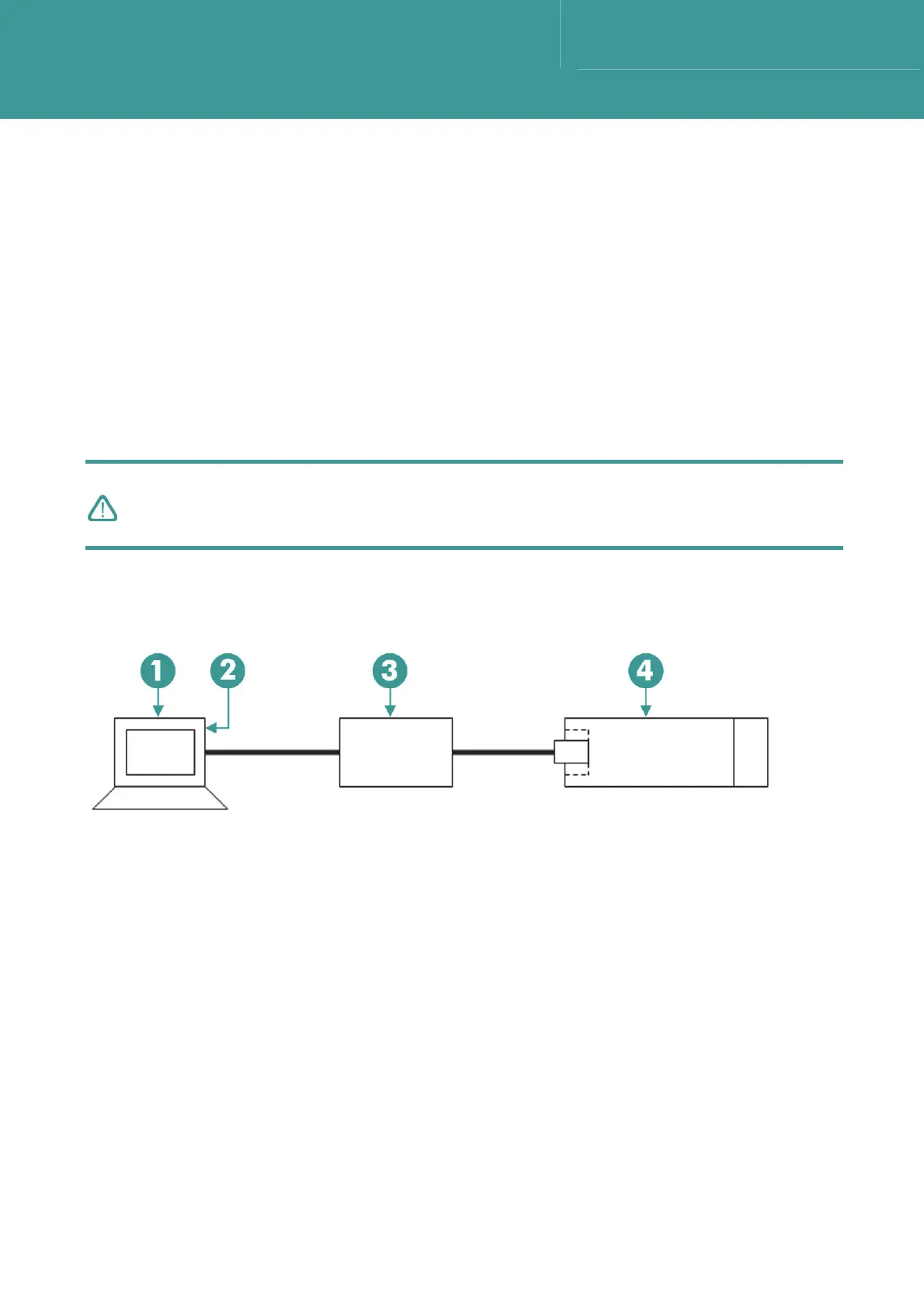
Connect the PC to the Transponder via the Type 7972-000-04 WSM Charger/Comms interface (a
simple PC to Transponder comms cable is also available (part no. 820-6586)).
Figure 7-2 – Transponder connection configuration for software installation
1 PC 3 WSM Charger/Comms Interface
2 Comm port 4 WSM Transponder



 To Next Page