WSM6 Manual
Document Ref: UM-8270-000
Issue: A Rev 0
Section 7
October 2011 49
7.4.1.1 Serial port settings
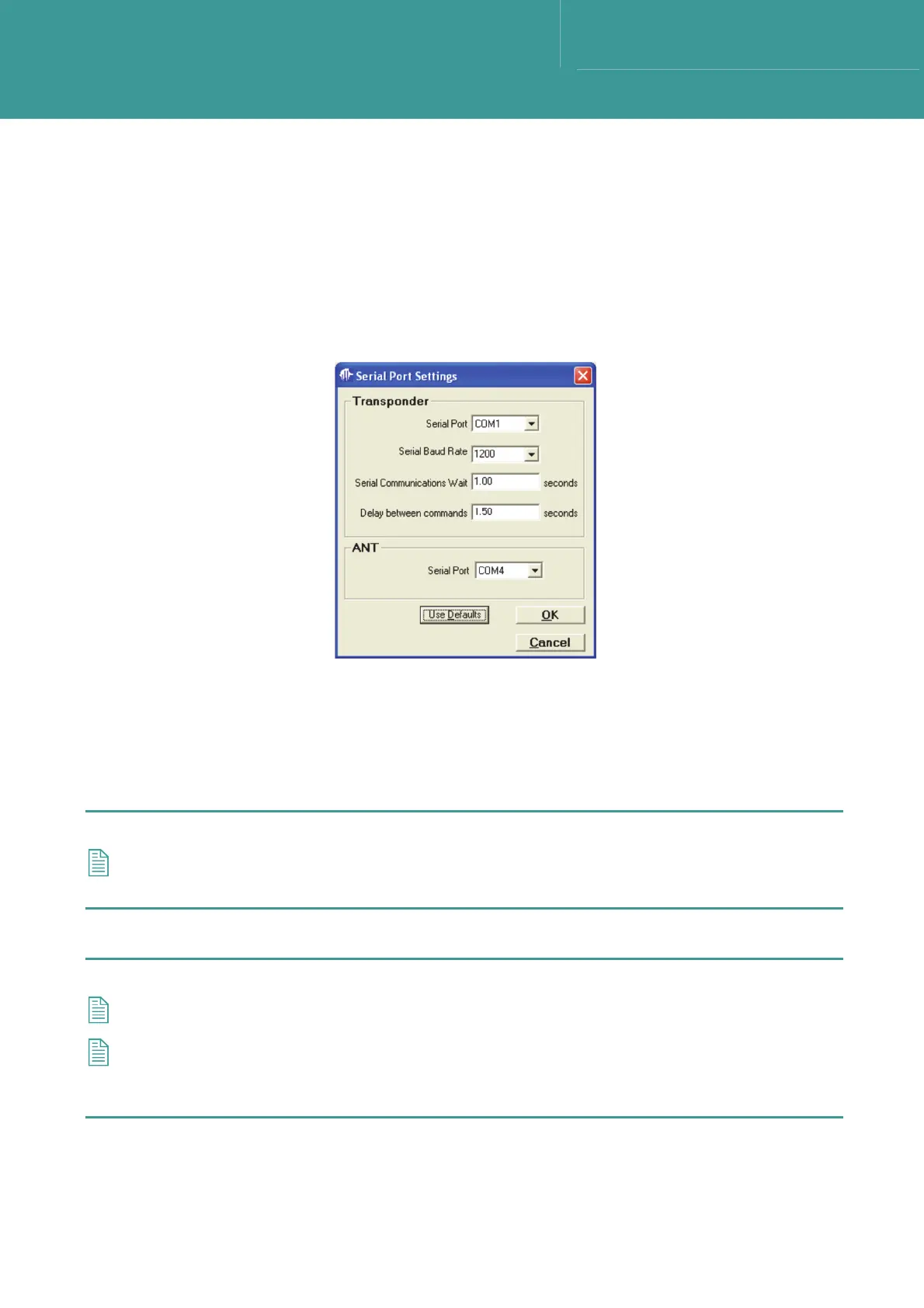
To set the serial port settings, proceed as follows, refer to Figure 7-4:
1. Select Setup from the main toolbar, then select Serial Port Settings.
2. In
the Serial Port Settings window select the correct Coms port from the Serial Port drop
down menu list.
Figure 7-4 – Serial Port Settings
3. Make sure the Serial Baud rate is set to 1200 for normal operation.
4. Set the Serial Communications Wait time to the maximum time allowed for the Transponder
to reply to an RS232 command (e.g. 1 second).
5. Set the Delay between commands time to provide a delay between adjacent commands.
NOTE
If reliability problems are experienced with the serial communication, increase the Delay
between commands time to 2.5s. Once changed the setting will be retained by the computer.
6. If the ANT serial port is not being used, set the port to Not Used.
NOTE
The ANT serial port is only used for diagnostic checks.
If the depth sensor is set to ON, communications with the unit is improved if the ‘Serial
Communications Wait’ is set to 2 seconds and the ‘Delay between commands’ set to 2.5
seconds.
7. Once all settings have been entered click on OK to return to the main screen. Entered
settings will be saved.



 To Next Page