WSM6 Manual
Document Ref: UM-8270-000
Issue: A Rev 0
Section 7
50
7.4.2 General Status
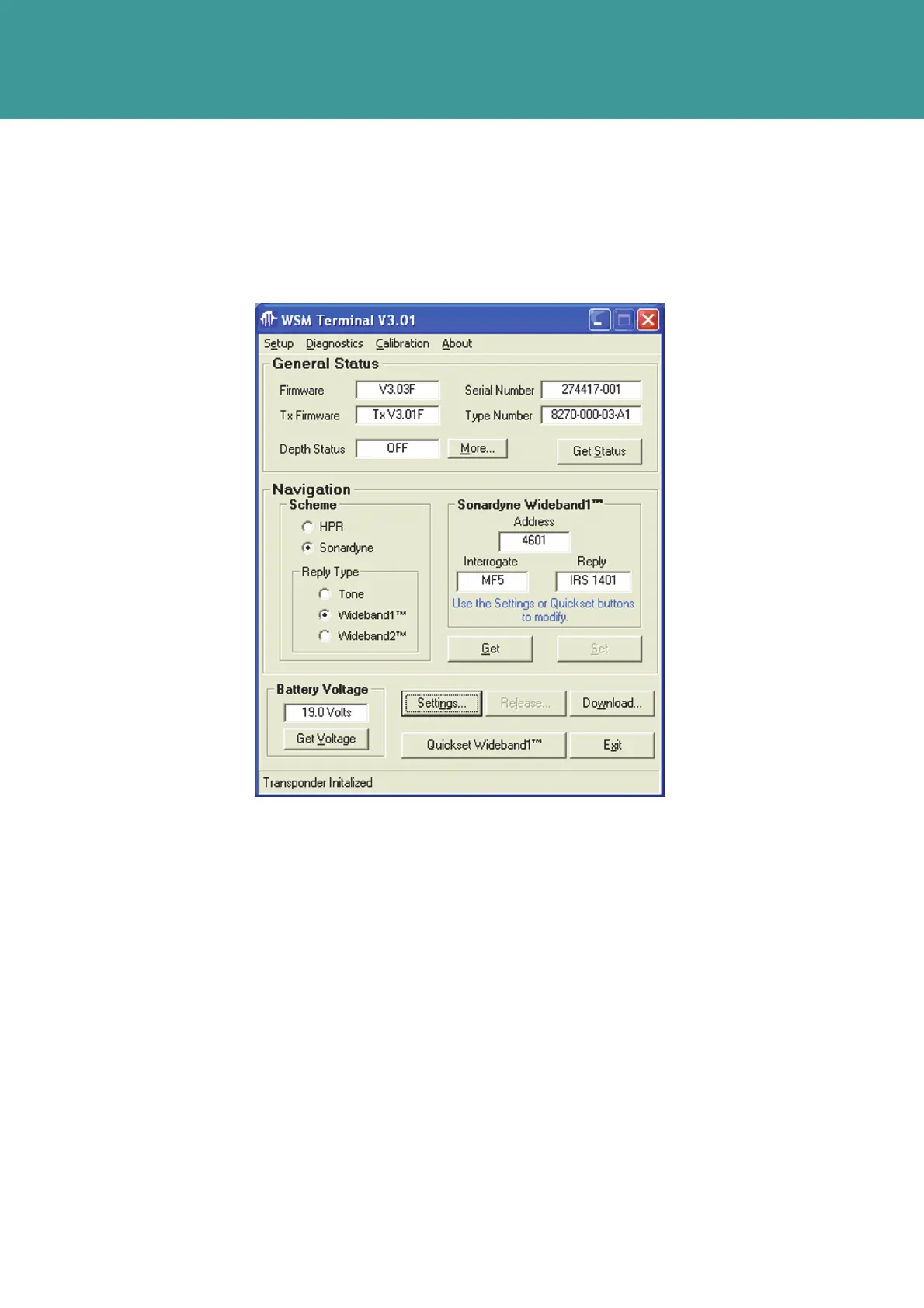
1. On the WSM Terminal main screen select the Get Status button to populate the screen with
the current configuration of the connected Transponder.
Figure 7-5 – Get Status current configuration
2. If there is no RS232 communication with the Transponder, check the following:
The WSM6 is switched on
The Serial port settings are correct, refer to Section 7.4.1.1 – Serial port settings
cable connections are clean and secure.
Check the WSM battery is charged (refer to Section 6.3 – WSM6 Battery Charging
Procedure)
3.
If a successful reply is obtained, all boxes will be populated. Table 7-1 – WSM Terminal
General Status Meanings, details all the boxes and their meanings
4.
In the Nav Scheme selection, choose between HPR or Sonardyne.
5. In the Reply Type selection, choose between Tone and Wideband.
6. With the Nav Scheme set to Sonardyne, and the Reply Type set to Wideband® 1, the current
Interrogate Channel, command Address and Wideband Individual Reply Signal (IRS) Reply
will be displayed.
October 2011



 To Next Page