WSM6 Manual
Document Ref: UM-8270-000
Issue: A Rev 0
Section 7
52
7.4.3 NAV Scheme
The WSM6 is compatible with Sonardyne Wideband® 1 and Wideband® 2, Sonardyne Tone and
Simrad HPR systems, but only one can be selected at any one time.
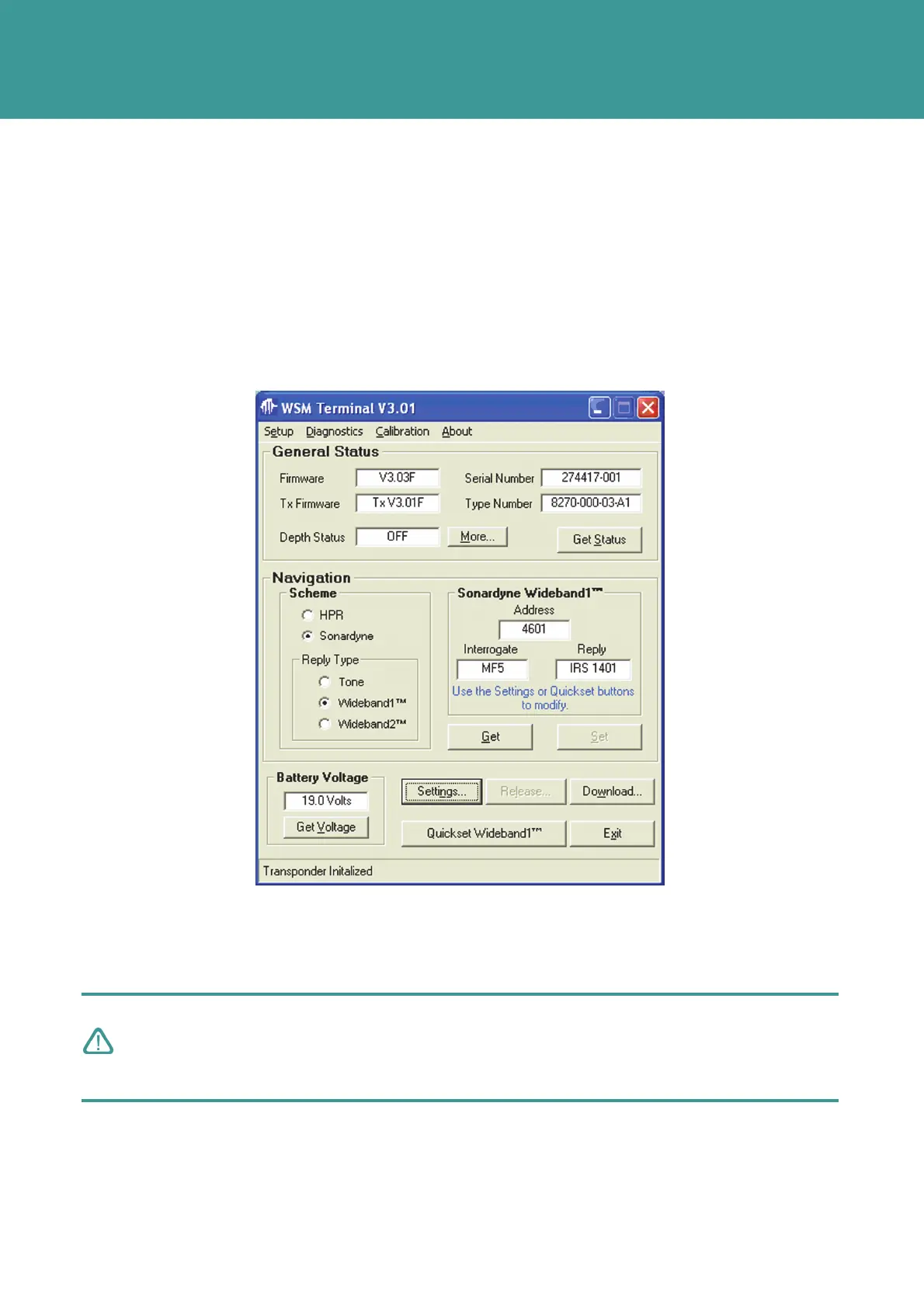
7.4.3.1 Quickset Wideband® 1
With the NAV Scheme set to Sonardyne, and the Reply Type set to Wideband 1®, the current
Interrogation channel, and the command Address (which defines the Wideband Individual
Reply Signal (IRS)) is shown.
Figure 7-6 – Quickset Wideband setting
The Interrogate and Reply configuration can be changed by selecting Settings or Quickset
Wideband® 1. This process can be used when setting up one or two Transponders in the water.
To change the Interrogate and Reply configuration proceed as follows:
CAUTION
Do not operate multiple beacons on the same Quickset Wideband® 1 settings in the
water at the same time. The address must be unique to any on e beacon operating in the
same acoustic area.
1. On the WSM Terminal home page, select Quick Wideband® 1.
2. Select one of the nine preset Wideband configurations by clicking on the button, then press
Set.
October 2011



 To Next Page