8.
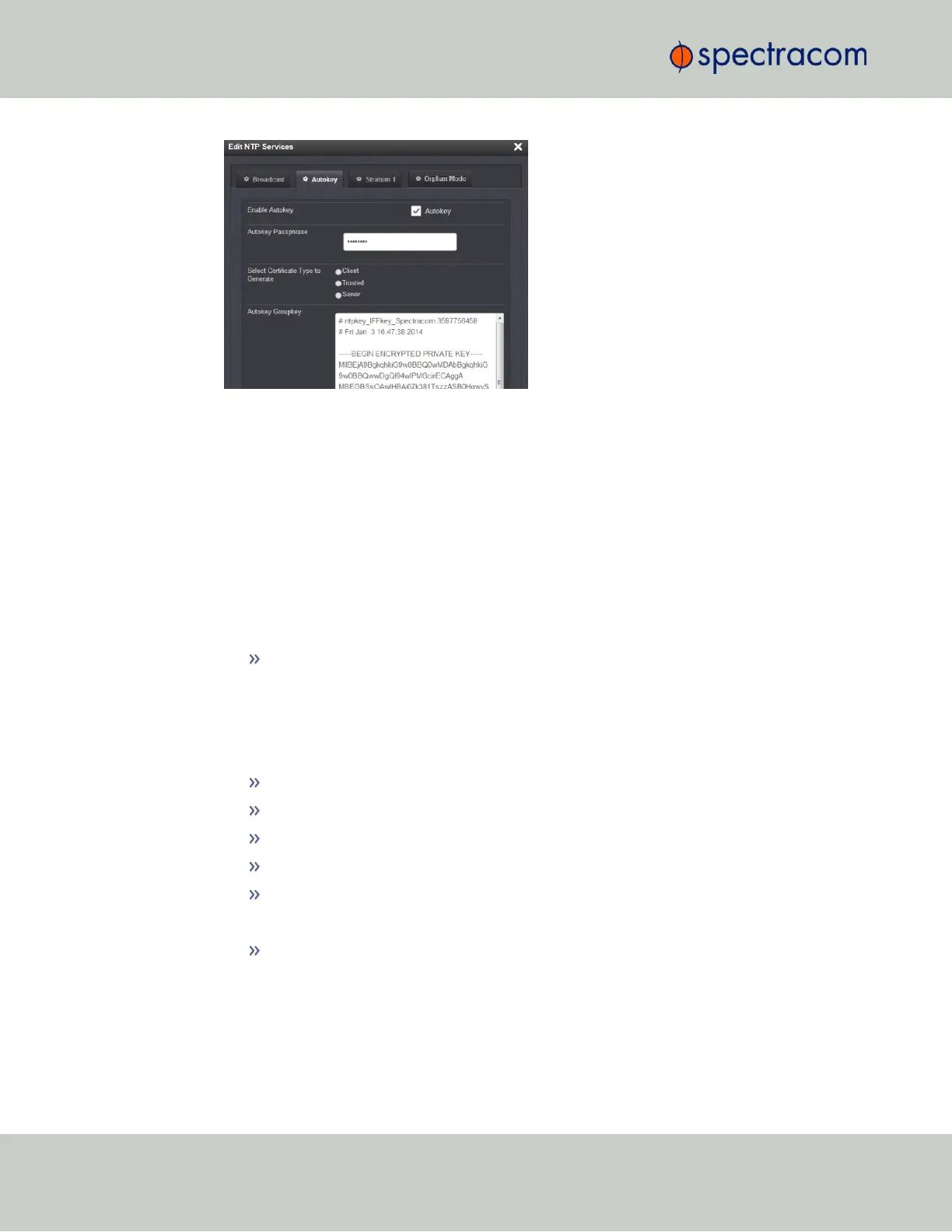
To designate a VersaSync as Trusted, click the Submit button. This will generate a new
Groupkey.
9.
To designate a VersaSync as a Client or a Server, paste the generated Groupkey into the
Groupkey box, and click the Submit button.
Configuring a Stratum-1 Server as Trusted Host
To configure an NTP Stratum-1 Server as Trusted Host with IFF Group/Client key:
1.
Define the Hostname of all NTP servers before proceeding. See "NTP Servers: Adding,
Configuring, Removing" on page89.
2.
Disable NTP.
Ensure the time is accurate to a few seconds. Use NTP or manually set the clocks to
set the system time.
3.
Verify this VersaSync is, in fact, NTP Stratum1, and its Time, and 1PPS synchronization
to GNSS are valid.
4.
Under the Autokey tab of the Edit NTP Services window:
Enable Autokey—Check the box.
Autokey Passphrase—Enter your Group members NTP Autokey password.
Select Certificate Type to Generate—Do NOT enable Client.
Select Trusted.
Click Submit.
5.
Observe the IFF Group/Client Key appearing.
This is the common IFF Group/Client Key. This key is shared between all Group
members using this NTP Servers passphrase for ALL group members.
6.
Configure NTP as requiring authentication.
7.
Enable NTP in the NTP Services panel.
8.
Verify that NTP reaches occur, and that NTP eventually reaches Stratum 1.
96
CHAPTER 2 • VersaSync User Manual Rev. 6.0
2.7 Configuring Network Settings



 To Next Page