Maintenance 153
2006792 Rev B – 200228
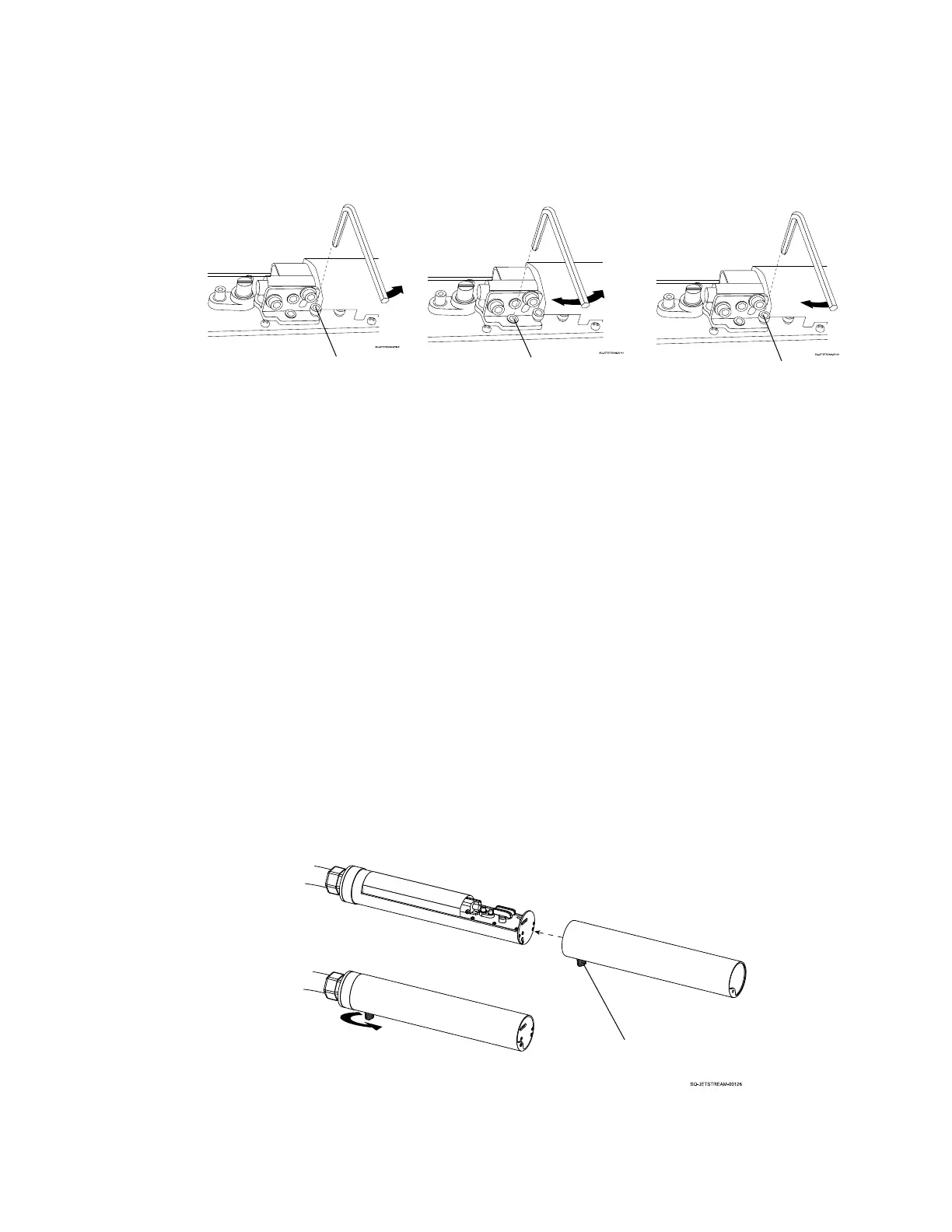
a. Using a small hex wrench, slightly loosen the Horizontal Adjustment Set Screw.
b. Observing the ink stream, use the hex wrench to slightly adjust the Horizontal
Adjustment Cam until the ink stream is horizontally aligned with the Ink Return
Gutter.
c. Retighten the Horizontal Adjustment Set Screw to lock the new adjustment in place.
7. If needed, clean the inside of the Printhead:
If ink has been missing the Ink Return Gutter, there is likely ink inside of the Printhead
that needs to be cleaned to ensure unobstructed ink flow and prevent a potentially
dangerous situation.
a. Clean the Printhead (see “Cleaning the Printhead” on page 142)
8. Replace the Printhead Cover:
a. When the ink stream is again going directly into the Ink Return Gutter and any
residual ink inside the Printhead has been cleaned, slide the Printhead Cover back
over the Printhead.
b. Secure the Printhead Cover in place by tightening the Cover Fastener.



 To Next Page