Maintenance 155
2006792 Rev B – 200228
Before adjusting the ink drop break-off point:
1. Verify proper viscosity:
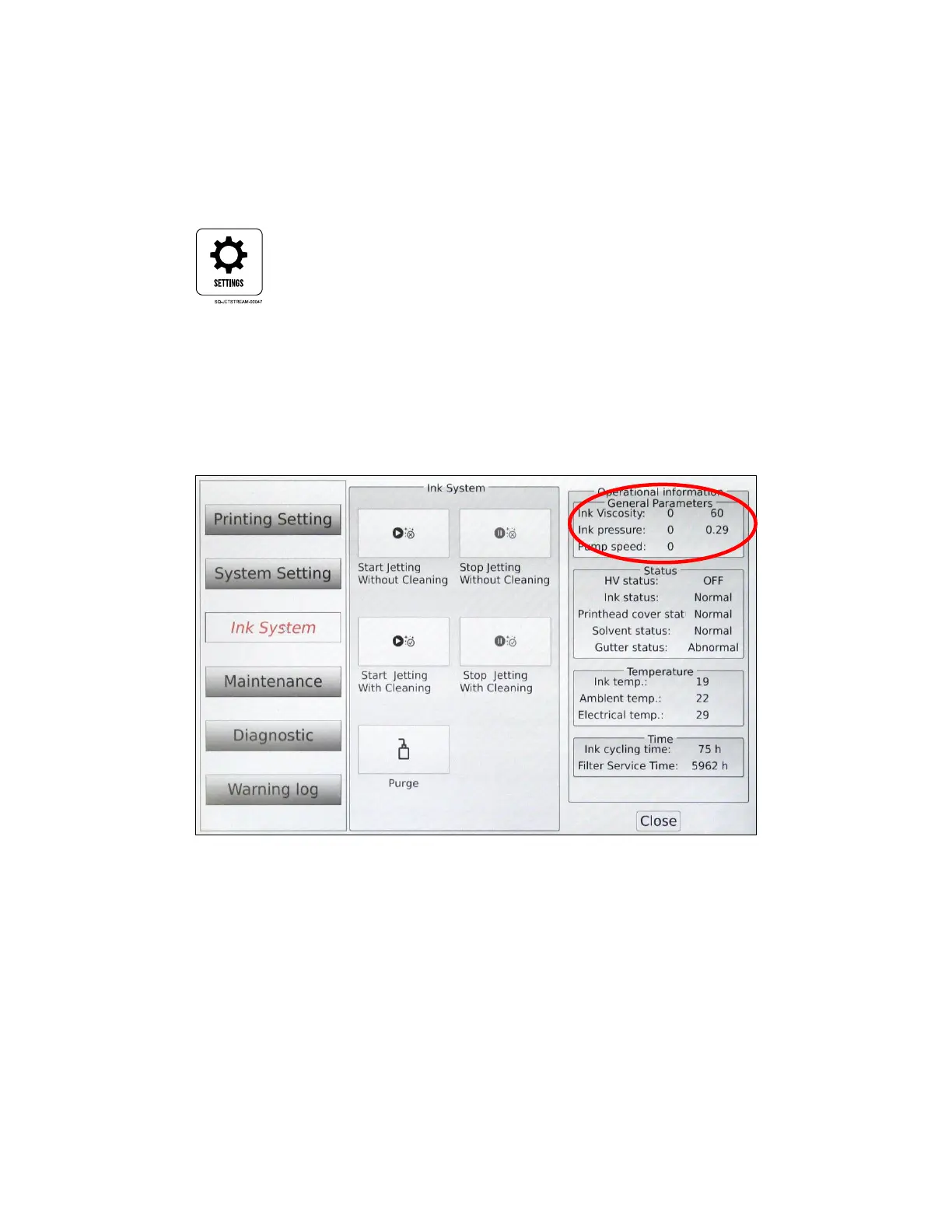
a. Verify that the current ink viscosity is suitable for printing by going to the Settings
screen:
b. Select Ink System. The upper right corner shows information about the ink viscosity.
The current viscosity (left), measured every 3 minutes, should be within 10% of the
target viscosity (right) in order for the viscosity to be suitable for printing.
c. If the current ink viscosity is not at acceptable levels, allow the JetStream to
automatically adjust the levels on its own.
2. Verify proper ink pressure:
a. While still in the Ink System setting, check that the ink pressure (just below
viscosity) is suitable for printing. The current ink pressure (left), should match the
target ink pressure (right).
b. If the ink pressure is not at the correct level, contact your certified Squid Ink
distributor for support.



 To Next Page