Maintenance 173
2006792 Rev B – 200228
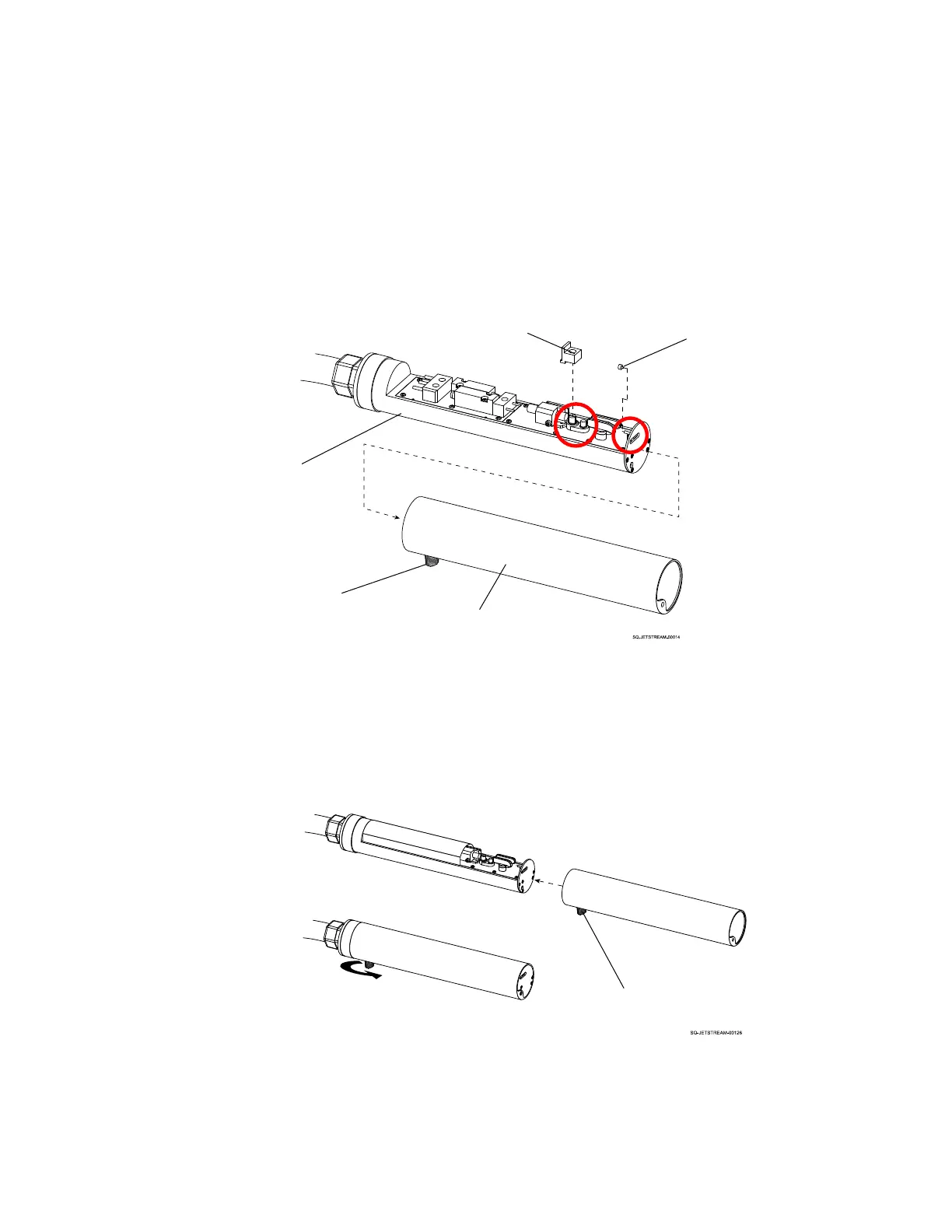
a. Remove the Printhead Cover from the Printhead by unscrewing the Cover Fastener
at the base of the Printhead.
b. Inside the Printhead, replace the black rubber plug on the Gun Body Nozzle by
sliding it downward (perpendicular to the Printhead) and gently rocking it side to side
until it is snug.
c. Replace the black rubber plug on the Gutter Nozzle by sliding it on and gently
pushing toward the nozzle end of the Printhead until it is snug.
d. Replace the Printhead Cover and screw the Fastener at the base of the Printhead.
The Fastener should be perpendicular to the Printhead Orifice.
The JetStream is now ready for shipping or long-term storage.



 To Next Page