Installation and Setup 63
2006792 Rev B – 200228
9. Jet ink through the Printhead
a. Once the system is primed, select Start Jetting.
b. In the dialog box, select Start Jetting With Cleaning. This will send makeup
fluid through the Printhead and then send ink through it.
NOTE: When ink is sent to the Printhead, most or all of the ink does NOT come
out of the Printhead. Instead, inside the Printhead, most of the constant stream of
ink coming out of the Gun Body Nozzle goes directly into the Ink Return Gutter,
which sends it back to the Mixing Tank unused (hence the term “Continuous
inkjet” or “CIJ”). The JetStream can be left running like this for hours on end
without ink coming out of the Printhead. The CIJ system actually benefits from
running as much as possible.
10. Bring the ink to the correct viscosity
The JetStream will now begin automatically calibrating the ink/makeup mixture to
stabilize it at the proper viscosity for printing.
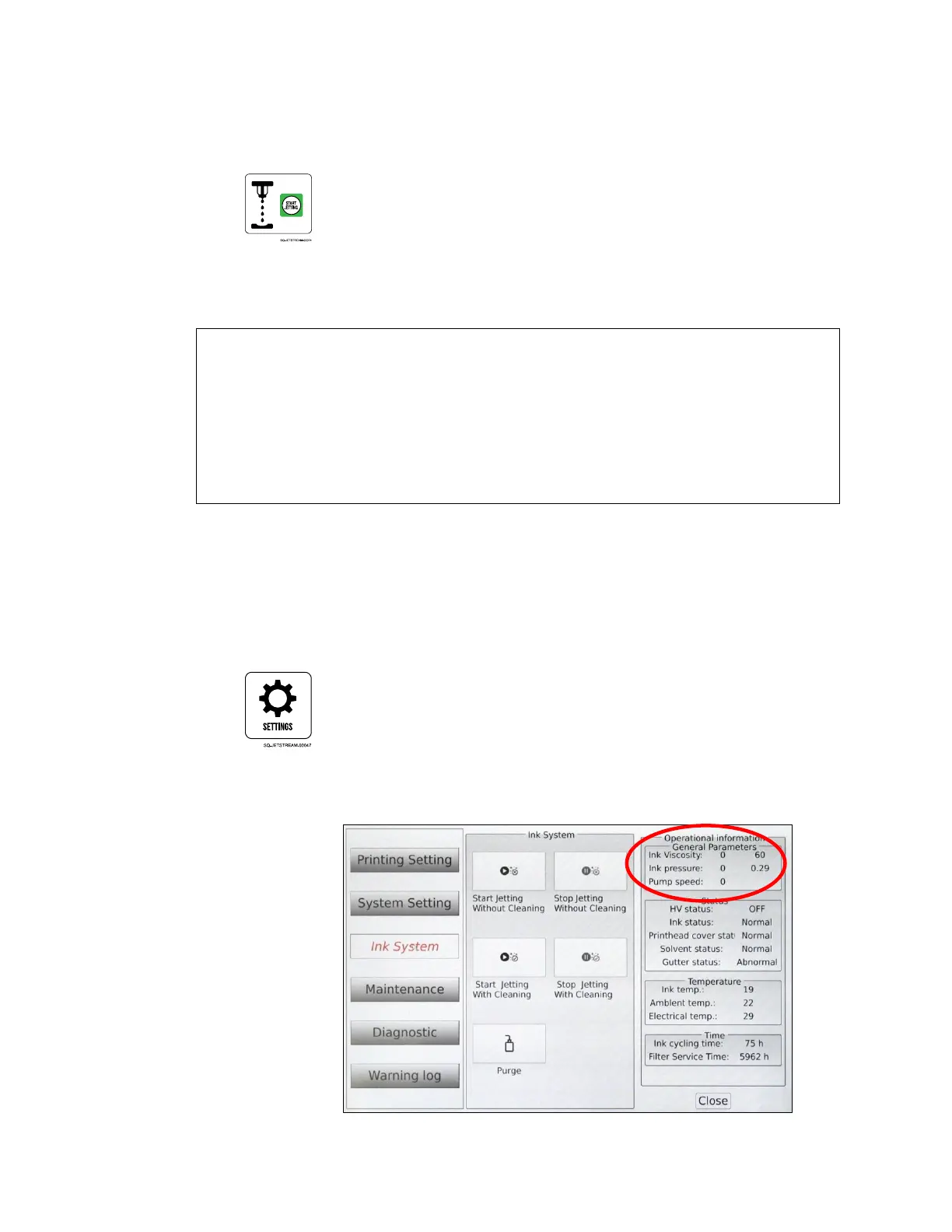
a. To monitor the progress of this ink/makeup stabilization, on the Main screen,”
select Settings
b. Select Ink System.
c. The upper right corner of the screen shows “Operational Information.”
The Ink Viscosity reading on the left is the current ink viscosity, updated every



 To Next Page