Black plate (108,1)
一般Model "A8170GE-A" EDITED: 2011/ 7/ 3
2-20 Keys and doors
& To set double locking system
S02AL01
! Setting system using key
S02AL0101
1. Remove the key from the ignition
switch and have all occupants get out of
the vehicle.
2. Close all of the doors and the rear gate
securely.
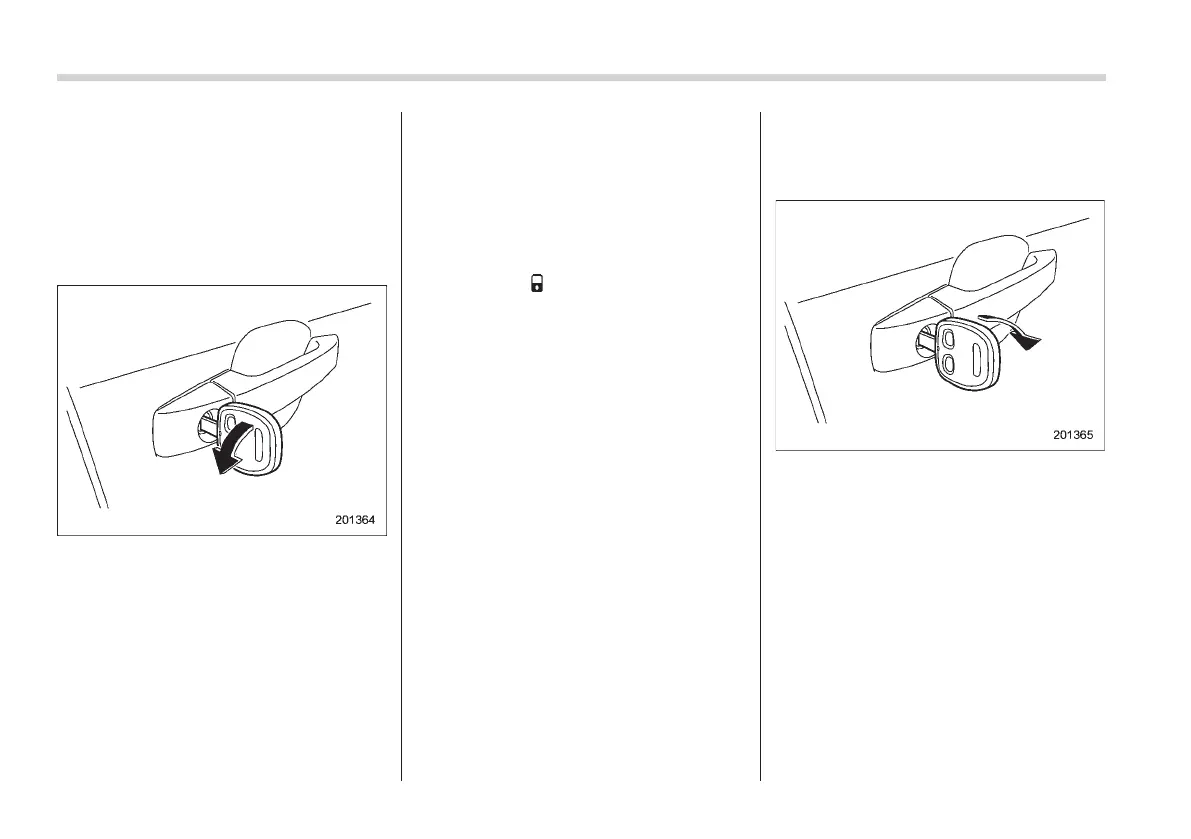
3. Insert the key into the key cylinder of
the driver’s door, then turn it in the locking
direction to set the double locking system.
All of the doors and the rear gate will be
locked.
! Setting system using remote trans-
mitter
S02AL0102
1. Remove the key from the ignition
switch and have all occupants get out of
the vehicle.
2. Close all of the doors and the rear gate
securely.
3. Press the “
” or “LOCK” button on the
access key/transmitter. The hazard warn-
ing flashers will flash once and the double
locking system will be set. All of the doors
and the rear gate will be locked.
NOTE
For models with the keyless access
function, it is possible to set the double
locking system by pressing the door
lock button.
& To cancel double locking
system
S02AL02
! Canceling system using key
S02AL0201
Insert the key into the key cylinder of the
driver’s door, then turn it in the unlocking
direction to cancel the do uble locking
system. All of the doors and the rear gate
will be unlocked.















 To Next Page