Black plate (221,1)
一般Model "A8170GE-A" EDITED: 2011/ 7/ 3
Models with Hands-free system
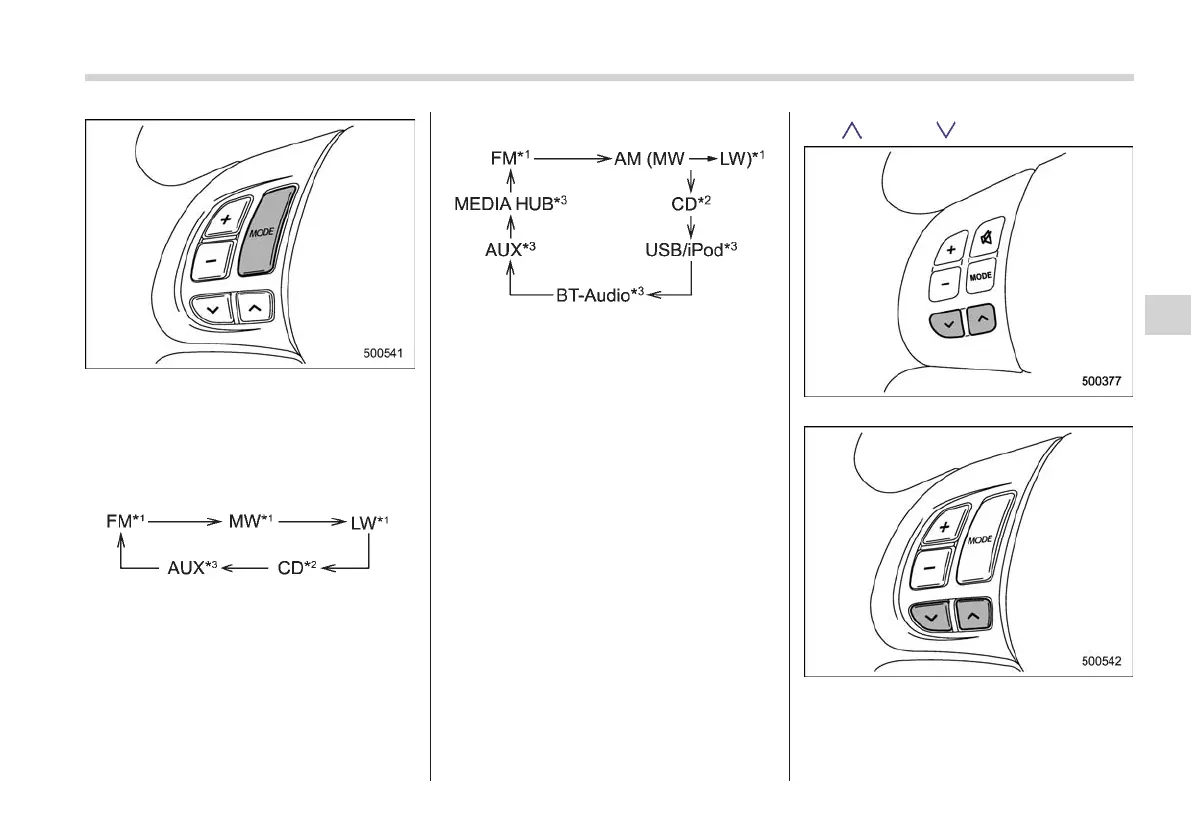
This button is used to select the desired
audio mode. Each time it is pressed, the
mode changes to the next one in the
following sequence:
Type A, B and C audio:
Type D and E audio:
*1: The frequency last received in the selected
waveband will be displayed.
*2: Only when a CD is in the player.
*3: Only when the device is connected.
NOTE
The “MW” and “LW” modes are dis-
played on the type A, B and D audio.
For the type C and E audio those are
displayed as “AM” mode.
! Models with Hands-free system
S05AG0104
Press and hold this button if you wish to
immediately cut the volume to zero.
The audio display will show “MUTE”.
If you press and hold the button again, the
original sound volume will return and
“MUTE” turns off.
& “ ” and “ ” buttons
S05AG02
Models without Hands-free system
Models with Hands-free system
Audio
5-35
– CONTINUED –
5















 To Next Page