Black plate (200,1)
一般Model "A8170GE-A" EDITED: 2011/ 7/ 3
5-14 Audio
FM/AM radio operation
S05AW
& FM/AM selection (type A, B
and D audio)
S05AW01
Type A and B audio
Type D audio
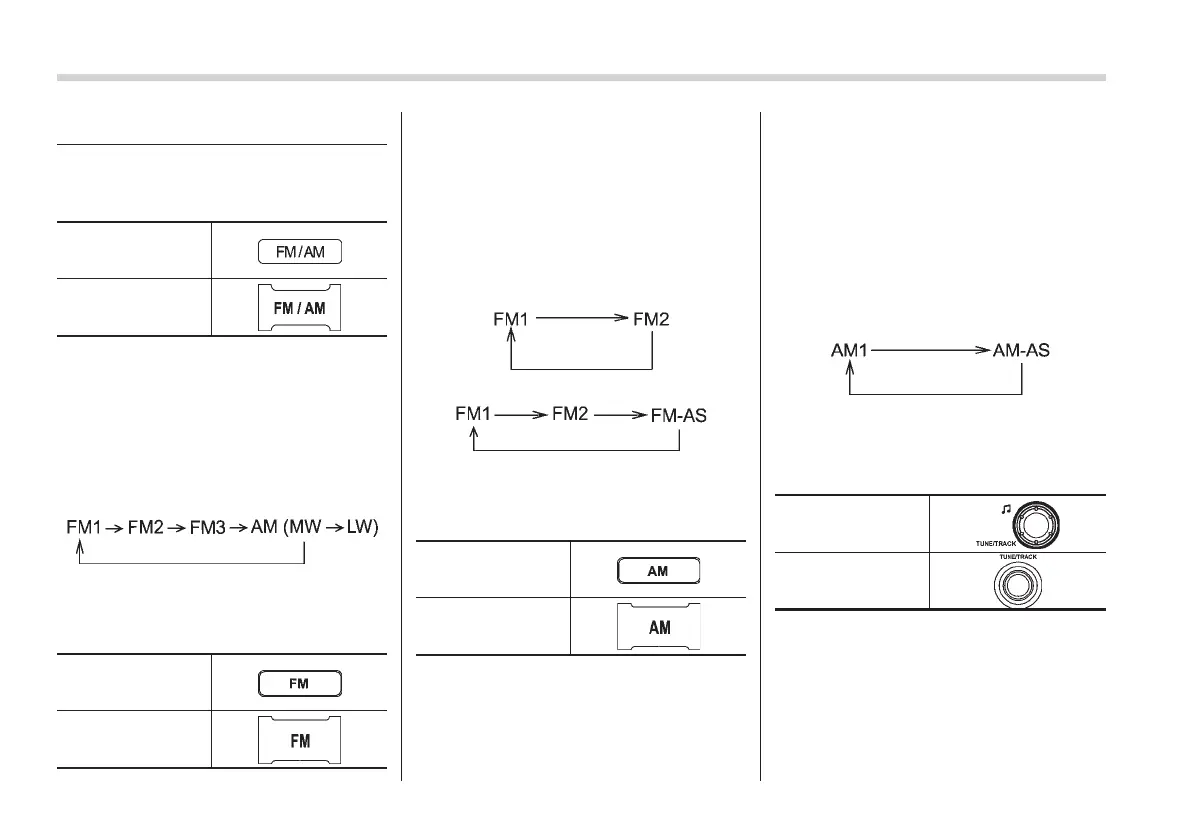
Push the “FM/AM” button when the radio
is off to turn on the radio.
Push the “FM/AM” button when the radio
is on to select the reception mode.
Each brief press of the “FM/AM” button
changes the radio in the following se-
quence starting from the last radio band
you selected.
& FM selection (type C and E
audio)
S05AW05
Type C audio
Type E audio
Push the “FM” button when the radio is off
to turn on the radio.
Push the “FM” button when the radio is on
to select the reception mode.
Each time the “FM” button is briefly
pressed, the radio changes in the follow-
ing sequence starting from the last radio
band that you selected.
Type C audio:
Type E audio:
& AM selection (type C and E
audio)
S05AW06
Type C audio
Type E audio
Push the “AM” button when the radio is off
to turn on the radio.
! Type C audio
S05AW0601
Push the “AM” button when the radio is on
to select AM reception starting from the
last radio band and the last frequency
interval that you selected.
! Type E audio
S05AW0602
Each time the “AM” button is briefly
pressed, the radio changes in the follow-
ing sequence starting from the last radio
band that you selected.
& Tuning
S05AW02
! Manual tuning
S05AW0201
Type A, B and C
audio
Type D and E audio
Turn the “TUNE/TRACK” dial clockwise to
increase the tuning frequency and turn the
“TUNE/TRACK” dial counterclockwise to
decrease it.
Turning the dial changes the frequency by
a 9 kHz (10 kHz*) step in the MW mode, 3
kHz step in the LW mode or 0.05 MHz















 To Next Page