Black plate (201,1)
一般Model "A8170GE-A" EDITED: 2011/ 7/ 3
step in the FM mode.
*: For type C audio: The tuning frequency
interval can be set to either 9 kHz or 10 kHz to
suit the broadcasting area. Refer to “
s05aw020101-
Tuning frequency interval change function for
AM waveband (type C audio)” F5-15
.
! Tuning frequency interval change
function for AM waveband (type C
audio)
S05AW020101
Select the tuning frequency interval (9 kHz
or 10 kHz) that is appropriate for the
broadcasting area w here the ra dio is
used. To select an interval of 9 kHz, press
the “1” preset button for 3 seconds while
pressing the “AM” button. The display will
show “9 kHz STEP”.
To select an interval of 10 kHz, press the
“2” preset button for 3 seconds while
pressing the “AM” button. The display will
show “10 kHz STEP ”.
! Stereo indicator
S05AW0202
The stereo indicator “ST” (type A, B, C and
D audio)/“STEREO” (type E audio) will
illuminate when an FM stereo broadcast is
received.
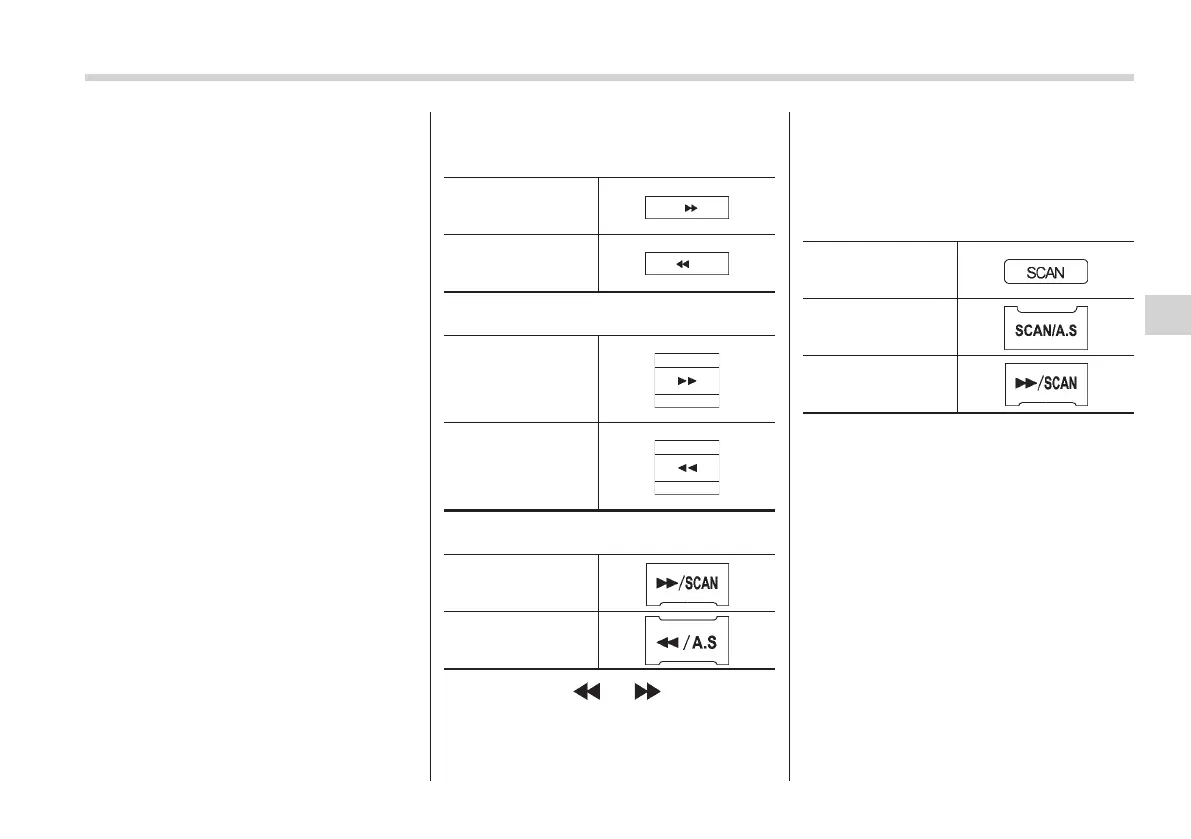
! Seek tuning (SEEK)
S05AW0203
Type A, B and C audio:
Seek up
Seek down
Type D audio:
Seek up
Seek down
Type E audio:
Seek up
Seek down
If you press the “ ” or “ ” button briefly,
the radio will automatically search for a
receivable station and stop at the first one
it finds.
This function may not be available when
radio signals are weak. When this hap-
pens, perform manual tuning to select the
desired station.
! Scan tuning (SCAN)
S05AW0204
Type A, B and C
audio*
1
Type D audio*
1
Type E audio*
2
*1: Press the button briefly.
*2: Press and hold the button.
If you press the “SCAN” button, the radio
will switch to the preset scan mode. In this
mode, the radio scans through the preset
channels until a receivable station is
found. The radio will stop at the station
for 10 seconds while displaying the
frequency, after which scanning will con-
tinue until all of the preset channels have
been scanned.
Automatic scanning may not function
properly if the station reception is wea-
kened by distance from the station or
proximity to tall buildings and hills.
Audio 5-15
– CONTINUED –
5















 To Next Page