Black plate (227,1)
一般Model "A8170GE-A" EDITED: 2011/ 7/ 3
license is not required) and ama-
teur radio stations (a license is
required) are being operated.
(These three types of radio sta-
tions are hereinafter referred to
as “other radio stations.”) Before
using this equipment, be sure to
check if “other radio stations”
are being operated in the vicinity.
If there is detrimental radio inter-
ference from this equipment to
“other radio stations,” move the
equipment to another location as
soon as possible to avoid radio
interference. The frequency band
used by this equipment is in the
2.4 GHz zone. The FH-SS mod-
ulation is employed as a modula-
tion method. The expected inflict-
ing interference distance is less
than 10 m (33 ft). This equipment
uses a full band and can avoid a
band used by a movable body
identification device.
& Using the Hands-free system
S05BE05
! Turning on/off the Hands-free mode
S05BE0501
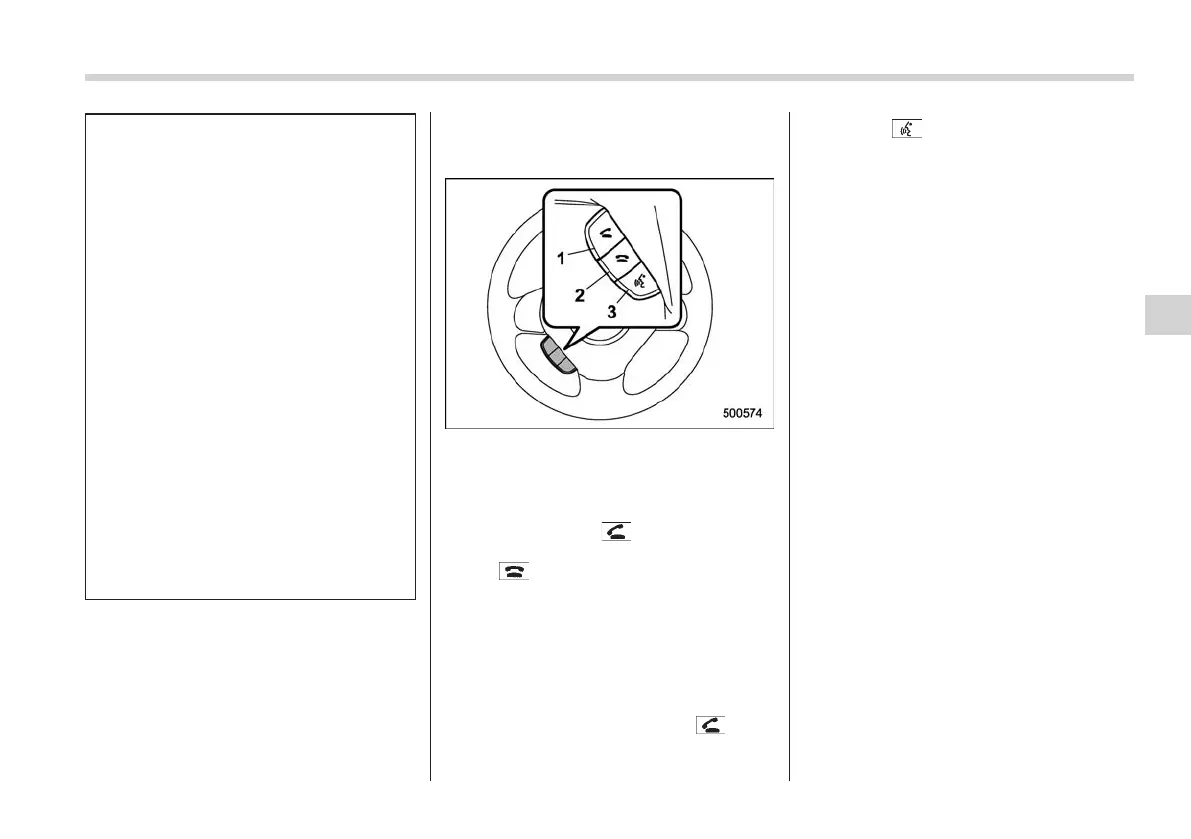
1) OFF hook switch
2) ON hook switch
3) Talk switch
To turn on the Hands-free mode, press the
OFF hook switch
. To turn off the
Hands-free mode, press the ON hook
switch
.
! Preparation for using the Hands-
free system
S05BE0502
Before using the Hands-free system, it is
necessary to register a cell phone in the
system. Perform the following procedure
to register a cell phone.
1. Press the OFF hook switch
.
2. Press the “TUNE/TRACK” dial or the
talk switch
.
3. Select the “RECORD NAME” menu.
4. Say the name to be registered.
5. Select the “CONFIRM” menu. After
“CAR M_MEDIA” is displayed, a pass key
is displayed.
6. Input the displayed pass key into the
cell phone while “PKY: ****” (type D
audio)/“PASS KEY: ****” (type E audio) is
displayed. If you input the correct pass
key, “PAIRED” is displayed and the
registration procedure is finished. If you
input an incorrect pass key, “FAILED” is
displayed and the registration procedure
was not successful.
NOTE
When the ignition switch is turned to
the “Acc” or “ON” position, the regis-
tered cell phone will be automatically
connected to the system.
! Menu list of the Hands-free system
S05BE0510
Turn the “TUNE/TRACK” dial to select a
menu, and then press the dial to enter the
selected menu.
Audio 5-41
– CONTINUED –
5















 To Next Page