Black plate (206,1)
一般Model "A8170GE-A" EDITED: 2011/ 7/ 3
5-20 Audio
! Inserting a disc in a desired posi-
tion
S05AV0201
1. Briefly press the button. If the
magazine in the player has an empty
position where you can insert a disc, the
disc number indicator associated with the
empty position will blink.
The positions in the magazine the indica-
tor of which steadily lights up are already
loaded with discs.
2. Press the disc select button at the
position where you want to insert a disc.
3. When the “LOAD” indicator illumi-
nates, insert the disc. Once you have
inserted the disc, the “LOAD” indicator will
turn off. The disc will then be automatically
drawn in, and the player will begin to play
the first track on the disc.
. If you wish to insert another disc,
repeat the procedure beginning with step
1.
If you do not insert any disc in 15 seconds
after you have pressed the
button,
the player will begin to play back the first
track of the last disc you have inserted.
. While the player is in the loading mode,
if you press the
button, the player
will enter standby mode. Press the
button to start playback.
! Loading all the magazine (full disc
loading mode)
S05AV0202
1. If you continue to press the
button for more than 1.5 seconds, the
player will produce beep sound and will
enter the full disc loading mode.
2. When the disc number indicator
flashes and “ALL LOAD” indicator illumi-
nates, insert a disc within 15 seconds. If a
disc is successfully loaded during this
period, the disc number indicator will stop
blinking and will steadily light.
3. When the loading of a disc is com-
plete, the next disc number indicator will
blink. Then repeat step 2.
4. When the magazine is filled with discs
by repeating steps 2 and 3, the player will
start playback of the discs, beginning with
the one inserted first.
If you fail to insert any disc during each 15
seconds interval, the full disc loading
mode will be canceled, and the player will
start playback of the disc inserted first.
& How to play back a CD
S05AV03
! When there is no CD inserted
S05AV0301
Properly insert a CD. Refer to “s05av01How to
insert a CD (type A, C, D and E audio)”
F5-19 / “
s05av02How to insert a CD(s) (type B
audio)” F5-19.
When a CD is loaded, the player will start
playback of the CD, beginning with the
first track.
! When a CD is in the player (type A
and C audio)
S05AV0302
When the button is pressed, the
player will start playback.
! When there are CDs loaded (type B
audio)
S05AV0303
Press a desired one of the disc select
buttons (from
to ) the disc
number indicator of which steadily lights
up. The player will then start playback of
the selected CD, beginning with the first
track.
If a disc that the player cannot read has
been loaded, the player will display the
message “CHECK DISC”.
! When a CD is in the player (type D
and E)
S05AV0304
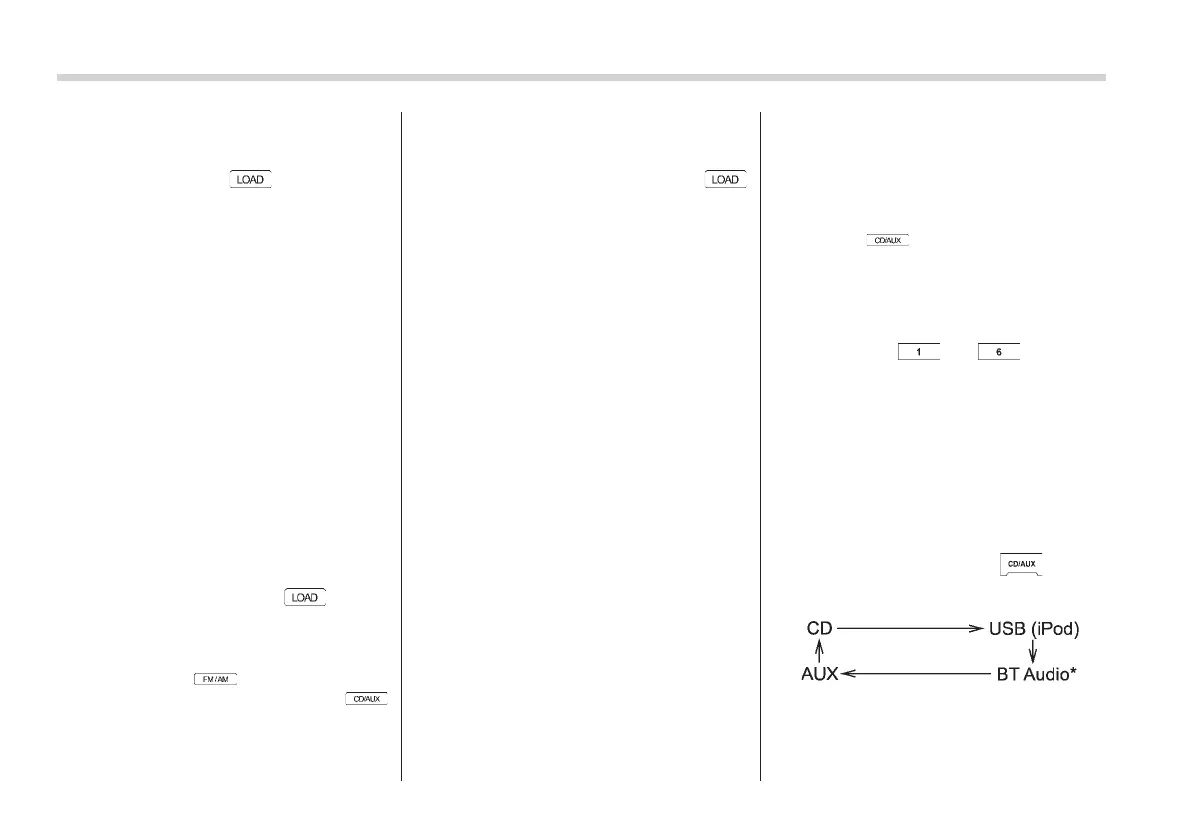
Each brief press of the button
changes the modes in the following
sequence.
*: For type D audio, “BT-A” is displayed.
When the CD mode is selected, the player
will start playback.















 To Next Page