Black plate (242,1)
一般Model "A8170GE-A" EDITED: 2011/ 7/ 3
6-4 Interior equipment
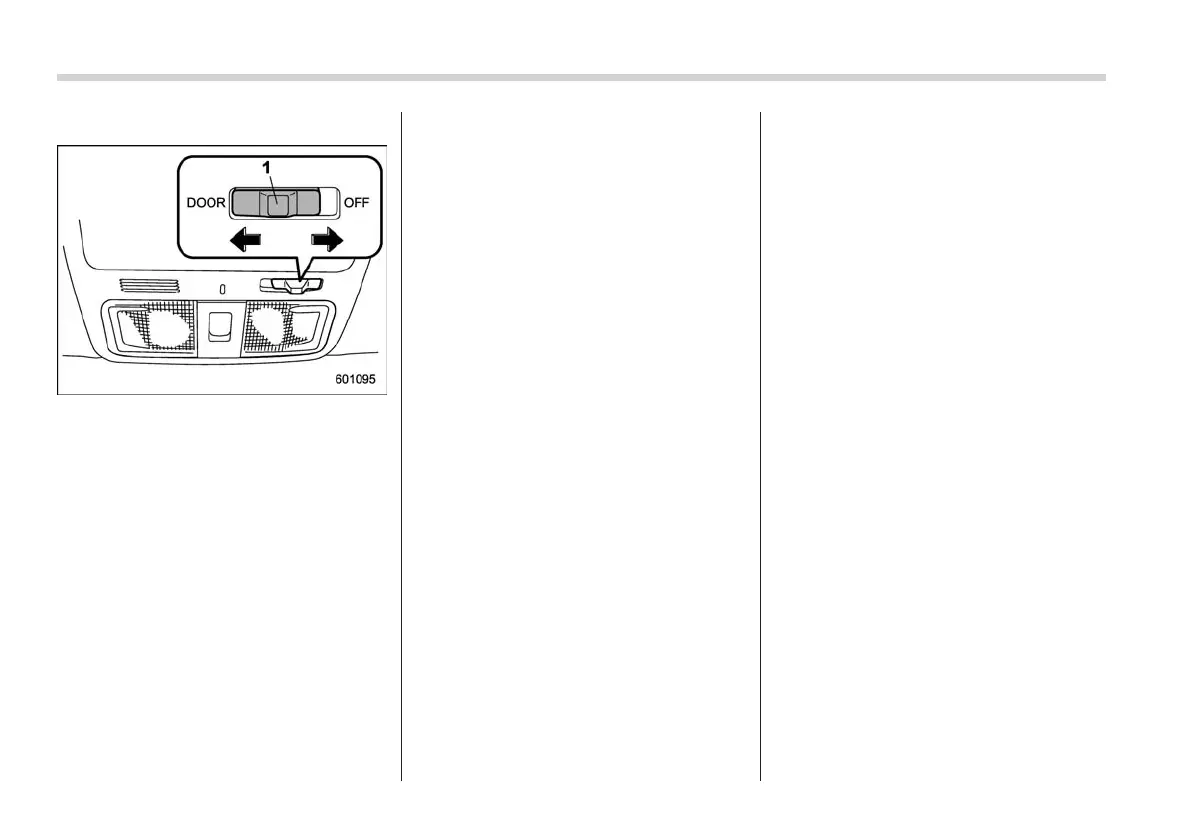
! Door interlock switch
S06AA0602
1) Door interlock switch
Although the map light switches (lenses)
are in the OFF position (manually off), the
map lights can be set to illuminate auto-
matically in conjunction with a door open-
ing, etc. by use of the door interlock
switch. The door interlock switch has the
following positions.
OFF: The map lights do not illuminate
automatically in conjunction with a door
opening. However, the lights can be
turned on manually by pushing the map
light switches (lenses).
DOOR: The map lights illuminate auto-
matically in the following cases.
. Any of the doors other than the rear
gate is opened. (The map lights do not
illuminate when only the rear gate is
opened.)
. The doors are unlocked using the
keyless access function (if equipped).
Refer to “
s02ap01Locking and unlocking with
“keyless access” entry function” F2-11.
. The doors are unlocked using the
remote keyless entry system. Refer to
“
s02aeRemote keyless entry system” F2-16.
. The ignition switch is turned from the
“Acc” position to the “LOCK”/“OFF” posi-
tion.
The automatically illuminated map lights
remain on for several seconds and then
gradually turn off after all doors are
closed. While the lights are on, if any of
the following operations are performed,
the map lights turn off immediately.
. The ignition switch is turned from the
“LOCK”/“OFF” position to the “Acc” or
“ON” position.
. All doors and the rear gate are locked
using the keyless access function (if
equipped).
. All doors and the rear gate are locked
using the remote keyless entry transmitter.
The setting of the period for which the
lights remain on (OFF delay timer) can be
changed as follows.
. Models with genuine SUBARU navi-
gation system:
The setting can be changed using the
navigation monitor. For details, please
refer to the Owner’s Manual supplement
for the navigation system. Also, the setting
can be changed by a SUBARU dealer. We
recommend that you contact your
SUBARU dealer for details.
. Models without genuine SUBARU
navigation system:
The setting can b e changed by a
SUBARU dealer. We recommend that
you contact your SUBARU dealer for
details.















 To Next Page