Web Browser Interface
Instruction Manual: evolution 5000 E5710 and E5720 Encoder Page 5-5
ST.TM.E10074.1
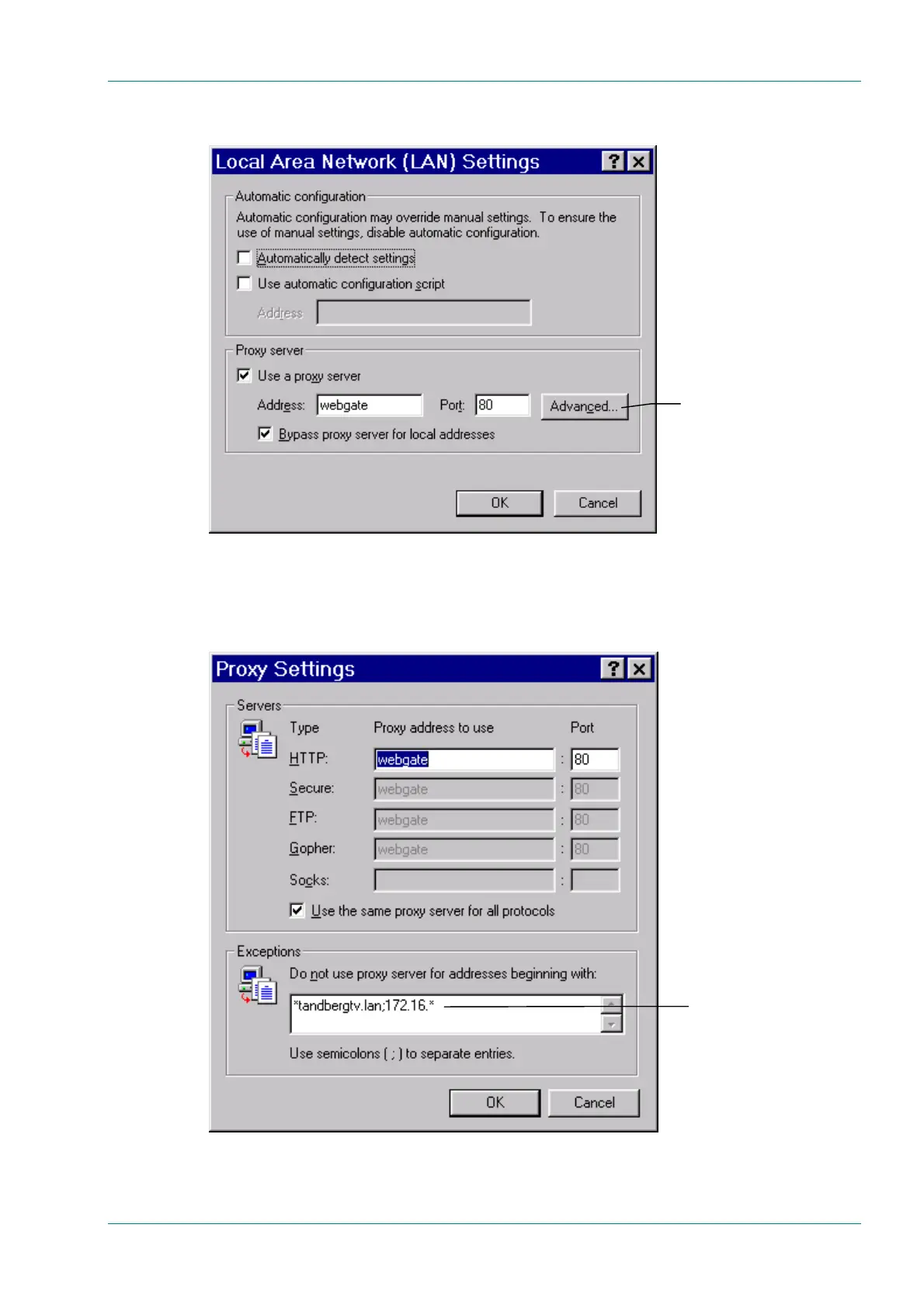
6. Click LAN Settings to open the Local Area Network (LAN)
Settings dialog box (see Figure 5.4).
Figure 5.4: Local Area Network (LAN) Settings Dialog Box
7. Click Advanced to open the Proxy Settings dialog box (see
Figure 5.5).
Figure 5.5: Proxy Settings Dialog Box
Advanced
Type the IP address
of the Encoder



 To Next Page