5.7. Bluetooth® PAN - Connection to the PC
software configuration dialog. Refer to chapter 4.12, p. 74 for further infor-
mation.
Warning Before using the PAN connection to multiple I™
units, make sure their IP addresses are set to different values. Otherwise, the
following error message will appear on the unit’s screen: The system has de-
tected a conflict for statically assigned IP address 192.168.211.2 and with
the system having hardware address xx:xx:xx:xx:xx:xx. The local interface will
remain active but problems may occur. In this case, the unit must be power-
cycled before continued use! s
Warning Setting the unit’s IP address using the PC Software requires a
power cycle before the unit can become active. s
5.7.2 Microsoft Stack
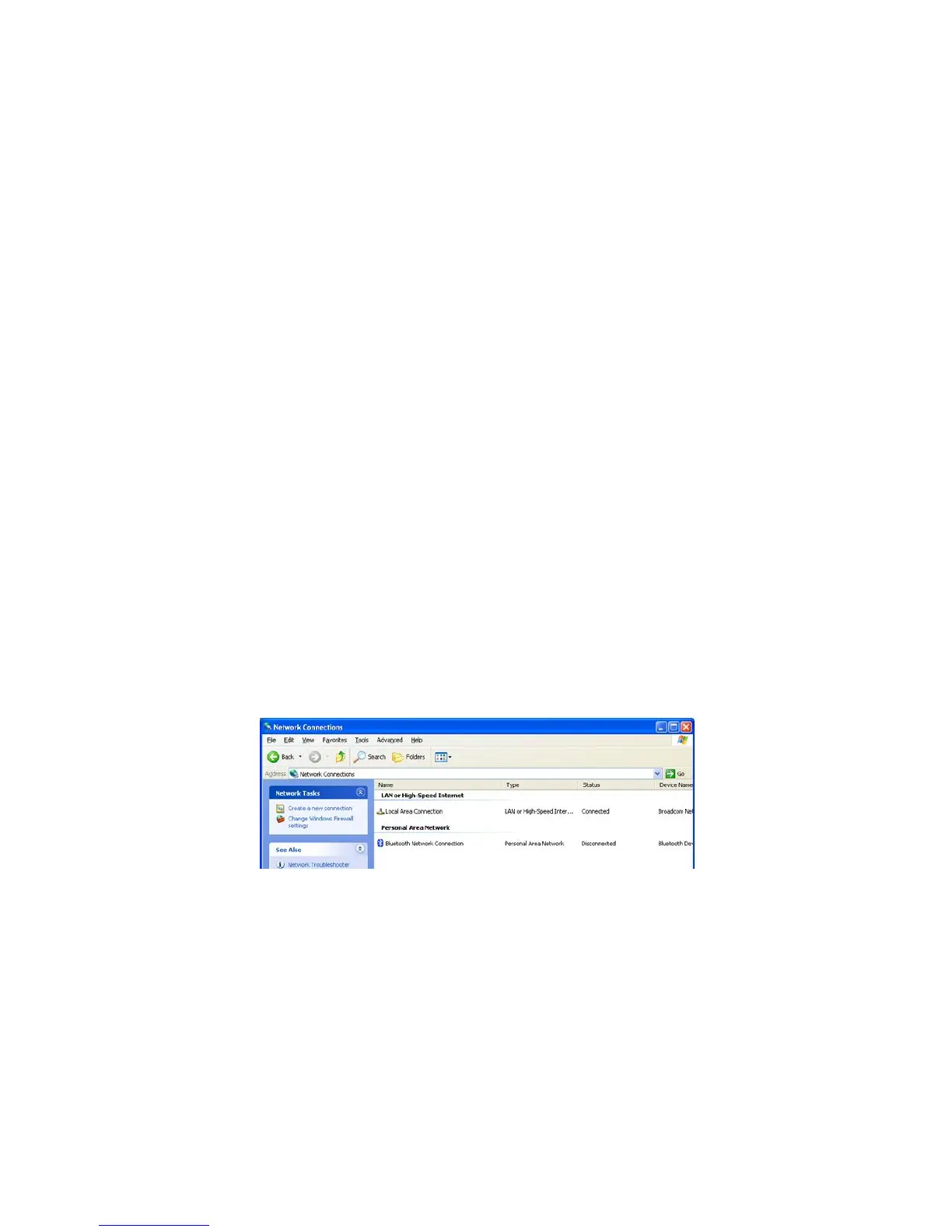
Select and open the Network Connections feature from the Control Panel
option within the Windows operating system.
Figure 5-1. Bluetooth® - Microsoft Stack
If the “Bluetooth Network Connection” option does not appear, then either
the Bluetooth® hardware was not installed or the Bluetooth® device uses a
different stack. In either of these cases, refer to the user manual for the spe-
cific Bluetooth®-PC device.
Double click the “Bluetooth Network Connection” to open the following
window:
Thermo Fisher Scientific Interceptor™/en/5.1(4956)/Feb2010 97










 To Next Page