5.8. Bluetooth® Personal Area Network (PAN) Communications with the PC Software
Warning As soon as the connection is established, the unit is set to stay in
User Attended Mode until the connection is terminated. s
5.8 Bluetooth® Personal Area Network (PAN)
Communications with the PC Software
Warning Establish a connection before continuing here. See chapter 5.7,
p. 96 for details. s
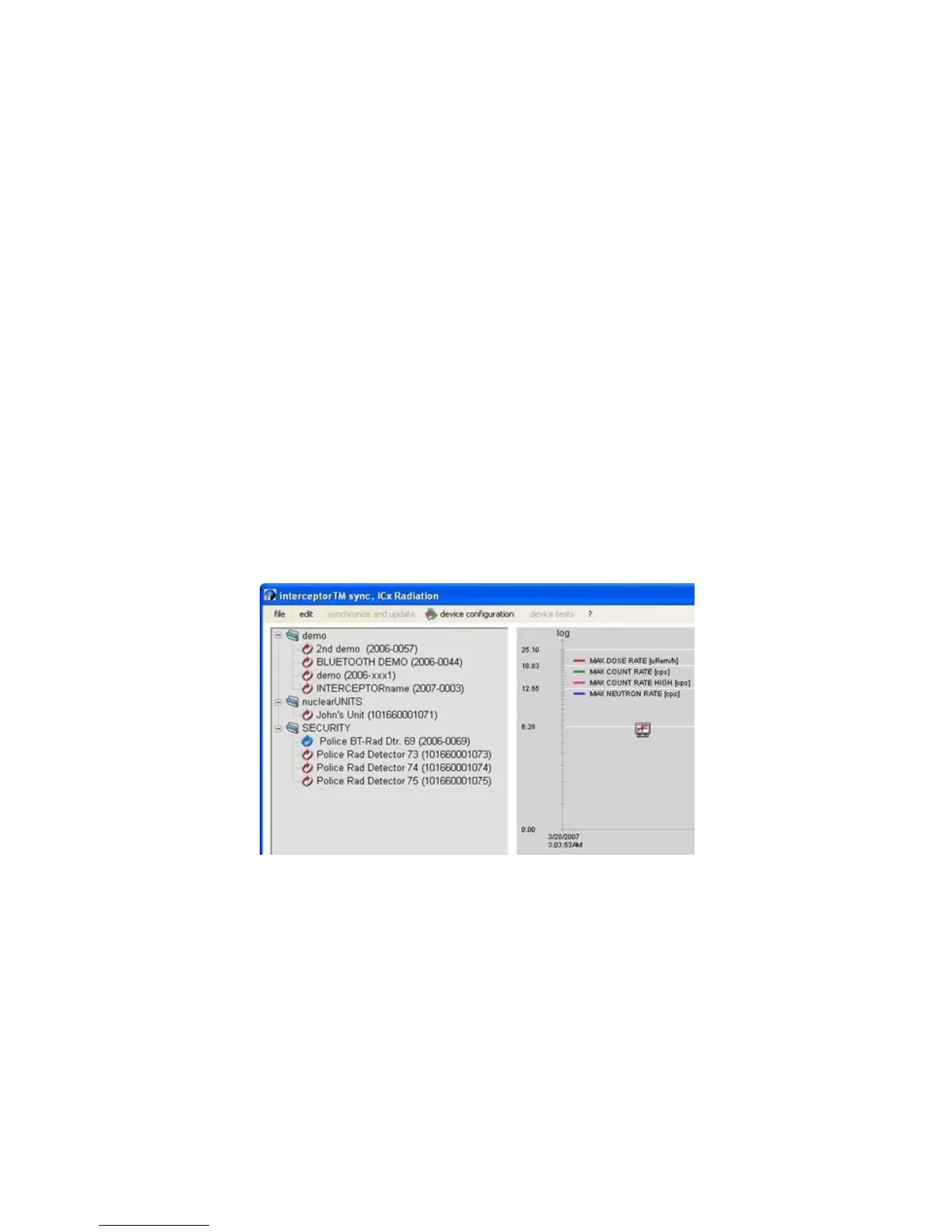
Use the refresh function of the PC software to start the Bluetooth® device
search. This function can be enabled or disabled in the preferences menu. See
chapter 4.9.1, p. 65. The lookup for Bluetooth® connected I™
units typically requires a few seconds. Devices connected using Bluetooth®
are shown with a blue, circling arrow.
Figure 5-11. Bluetooth® - PAN
After this blue, circling arrow appears, the user can use the application in the
same way as when the device is connected using USB.
Warning This application does not automatically detect a disconnection of
a Bluetooth® connected unit. The user must manually “refresh” the applica-
tion. s
Thermo Fisher Scientific Interceptor™/en/5.1(4956)/Feb2010 103










 To Next Page