4. PC Software
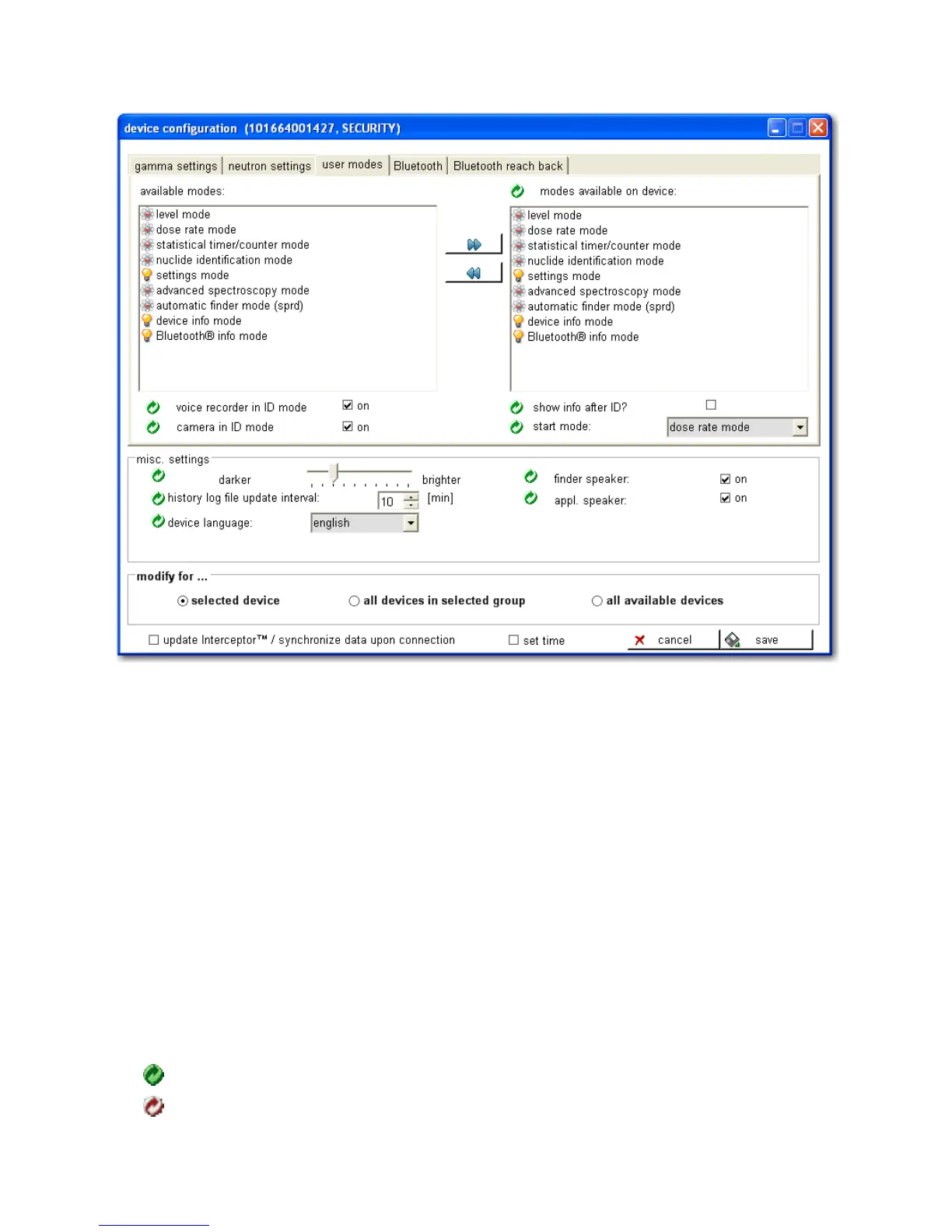
Figure 4-17. PC Software - User Modes Configuration
to the values selected in the right list. The voice recorder, Camera, and show
info check boxes can be enable/disabled on the I™ (if available)
to execute after a ID. If ID is not enabled then voice record and camera will
be available on the main loop. Set the active modes for the device by select-
ing a mode from the left list and pressing the blue, double-right arrow but-
ton between the lists. A mode can be removed from the device by selecting a
right-list mode and pressing the blue, double-left arrow button.
For the User Modes configuration window, the various symbols denote the
following:
Activated Features
Deactivated Features
80 Interceptor™/en/5.1(4956)/Feb2010 ICx Technologies










 To Next Page