3.5. Bluetooth® Reach-Back Mode (Optional)
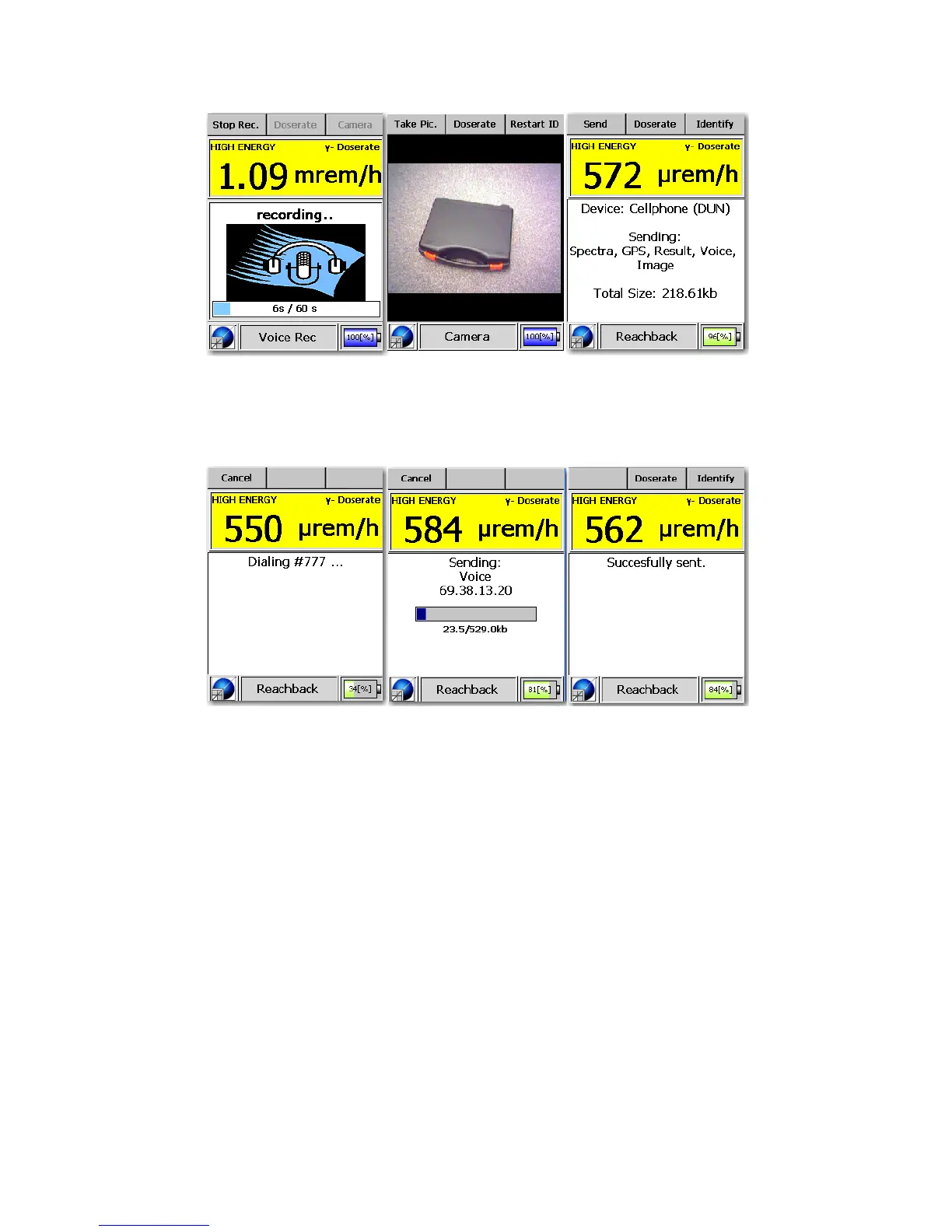
Figure 3-44. Modes of Operation - Bluetooth® GPS Mode (Make a Voice
Record - Make an Image Record - Reach-Back Mode)
Figure 3-45. Modes of Operation - Bluetooth® GPS Mode (Initiating - Data
Transmission - Success)
After completing an isotope identification, you can view extended isotope
descriptions(optional), create voice records (optional) and record image files
(optional) and then press the Reachback button to begin the reach-back pro-
cess.
The reach-back process uses the wireless phone/DUN device to make a dial-
up connection to a reach-back server which will contain a device-specific
routing table. After the information is received by the server, it is emailed
to all addresses contained in the routing table.
The reach-back file package will always contain the identification record re-
Thermo Fisher Scientific Interceptor™/en/5.1(4956)/Feb2010 51










 To Next Page