3.2. User Attended Mode
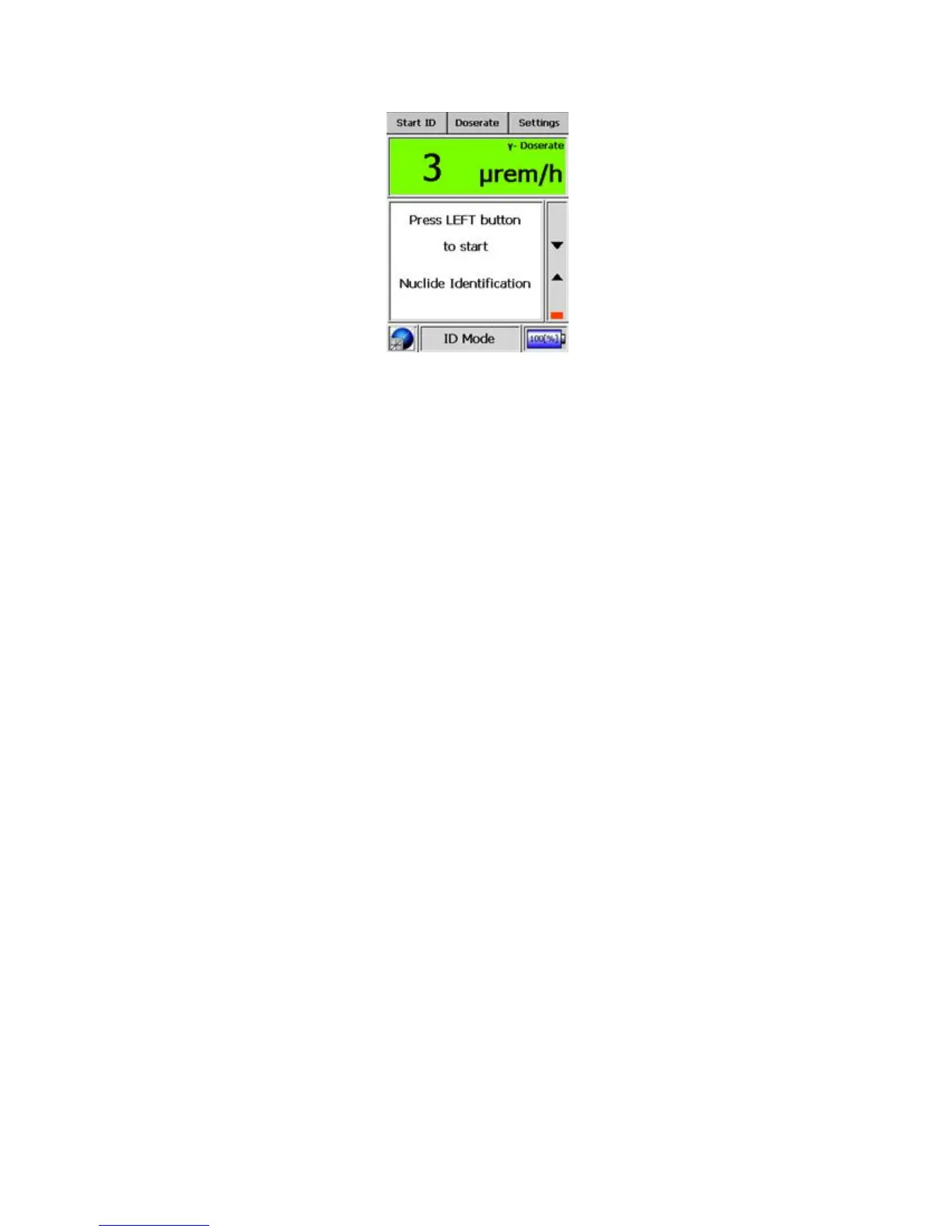
Figure 3-5. Modes of Operation - ID Mode (Start)
minimum time to ID is set to 10s but the requisite number of counts has not
been acquired in the spectrum after 10s, the device will continue the acquisi-
tion until the minimum number of counts has been acquired. The maximum
time for identification is 30 minutes and cannot be changed by the user.
When nuclide identification is in progress, a vertical, red bar appears within
the column on the right side of the display. This “count rate bar” fluctuates
within the two arrows proportionally to the strength of the spectrum count.
Warning For best results make sure that the count rate bar is between the
two arrows. s
Warning Starting the acquisition switches the device into a high power
mode; hence, a maximum identification time has been set to conserve power.
If a period less than 30 minutes has not produced an identification, an identi-
fication will be attempted at 30 minutes elapsed time. s
The results are displayed after sufficient counts have accumulated in the spec-
trum or the unit has reached the maximum ID time of 30 minutes. Both the
results and the spectrum are stored using the acquisition start time as the file-
name. The displayed percentage represents the probability of matching to the
measured spectrum. The displayed time represents the elapsed time for the
results.
Thermo Fisher Scientific Interceptor™/en/5.1(4956)/Feb2010 27










 To Next Page