3. Operating the INTERCEPTOR™
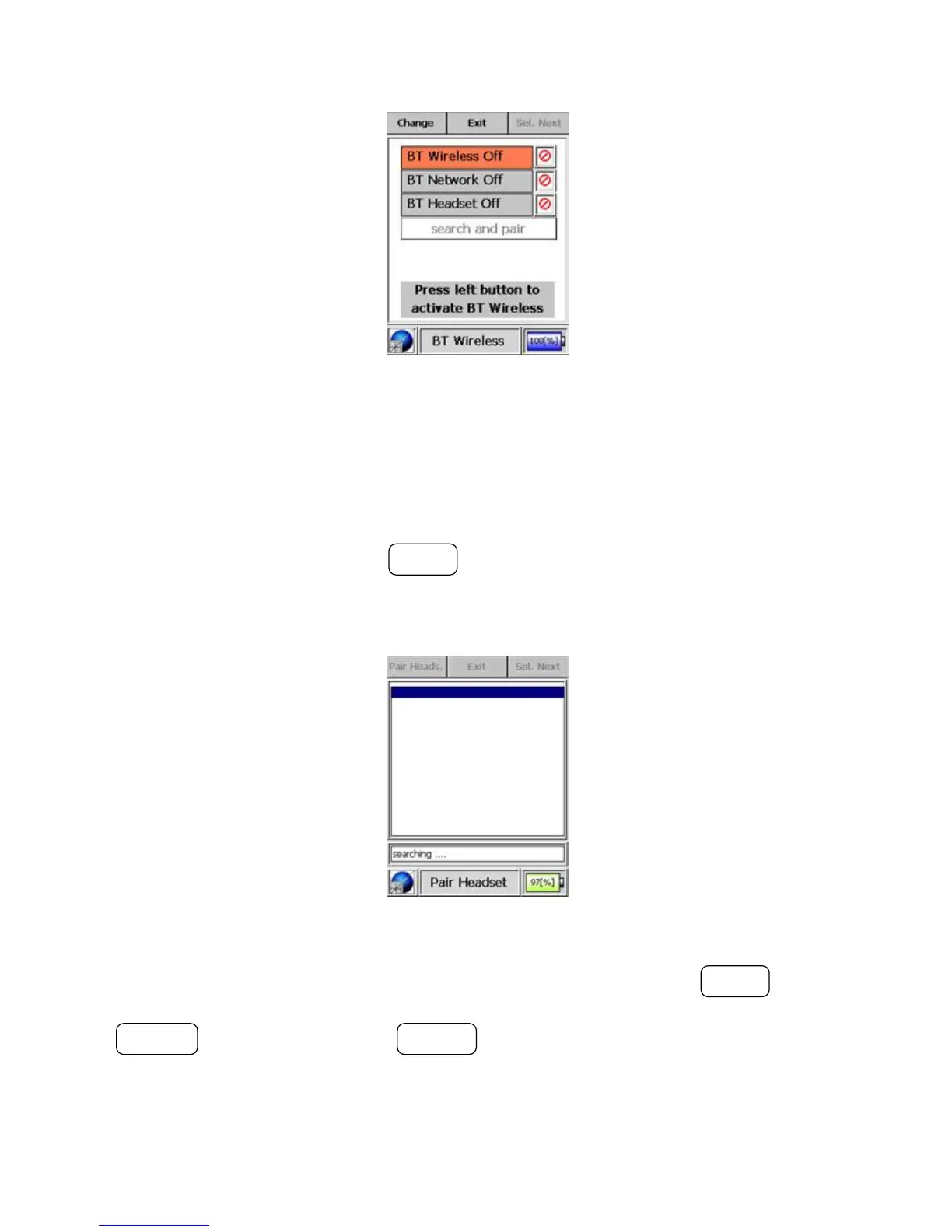
Figure 3-34. Modes of Operation - Bluetooth® Mode (Disabled)
Warning Search and pair will be disabled whenever the battery strength is
below 10% unless the unit is charging. s
To search for and pair a headset or DUN device, select the control “search
and pair”, and then press the MODE button. The I™ will search
for devices equipped with Bluetooth® technology that are in pairing mode
and within range.
Figure 3-35. Modes of Operation - Bluetooth® Mode (Searching)
The user can toggle through the list of available devices via the MODE but-
ton. The user can pair the I™ with a device by pressing the
ACTION button. Pressing the POWER button exits the search and pair mode
without pairing.
You can pair the I™ with only one headset at a time. The device
44 Interceptor™/en/5.1(4956)/Feb2010 ICx Technologies










 To Next Page