2. Usage and Maintenance
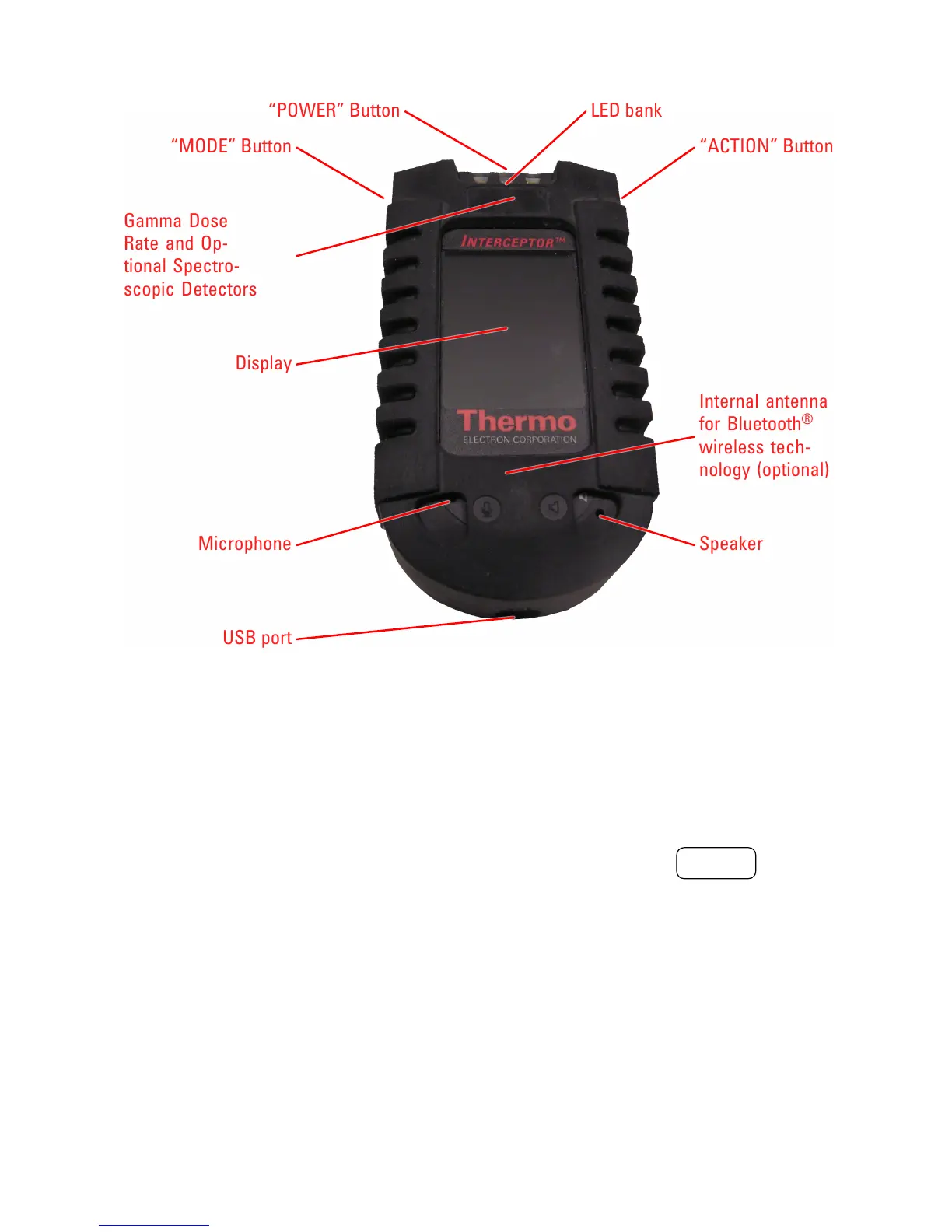
LED bank
Gamma Dose
Rate and Op-
tional Spectro-
scopic Detectors
Microphone Speaker
Internal antenna
for Bluetooth
®
wireless tech-
nology (optional)
Display
USB port
“ACTION” Button
“POWER” Button
“MODE” Button
Figure 2-1. Front view of the INTERCEPTOR™.
• In User Attended Mode (UAM), the buttons are used to switch
modes and execute functions displayed in the corresponding left
or right top corners of the display.
2. The center button (denoted “2”) is referred to as the “ POWER ” button
and is used to:
• Power up the device by holding this button until all LEDs illumi-
nate.
• Power down the device by pressing and holding this button for
at least 5 seconds or until all LEDs illuminate and the display
indicates the device is shutting down.
• In User Attended Mode (UAM), lock and unlock the keyboard
when the device is in Finder or Doserate mode by pressing and
4 Interceptor™/en/5.1(4956)/Feb2010 ICx Technologies










 To Next Page