5.7. Bluetooth® PAN - Connection to the PC
5.7.3 IVT Corporation BlueSoleil
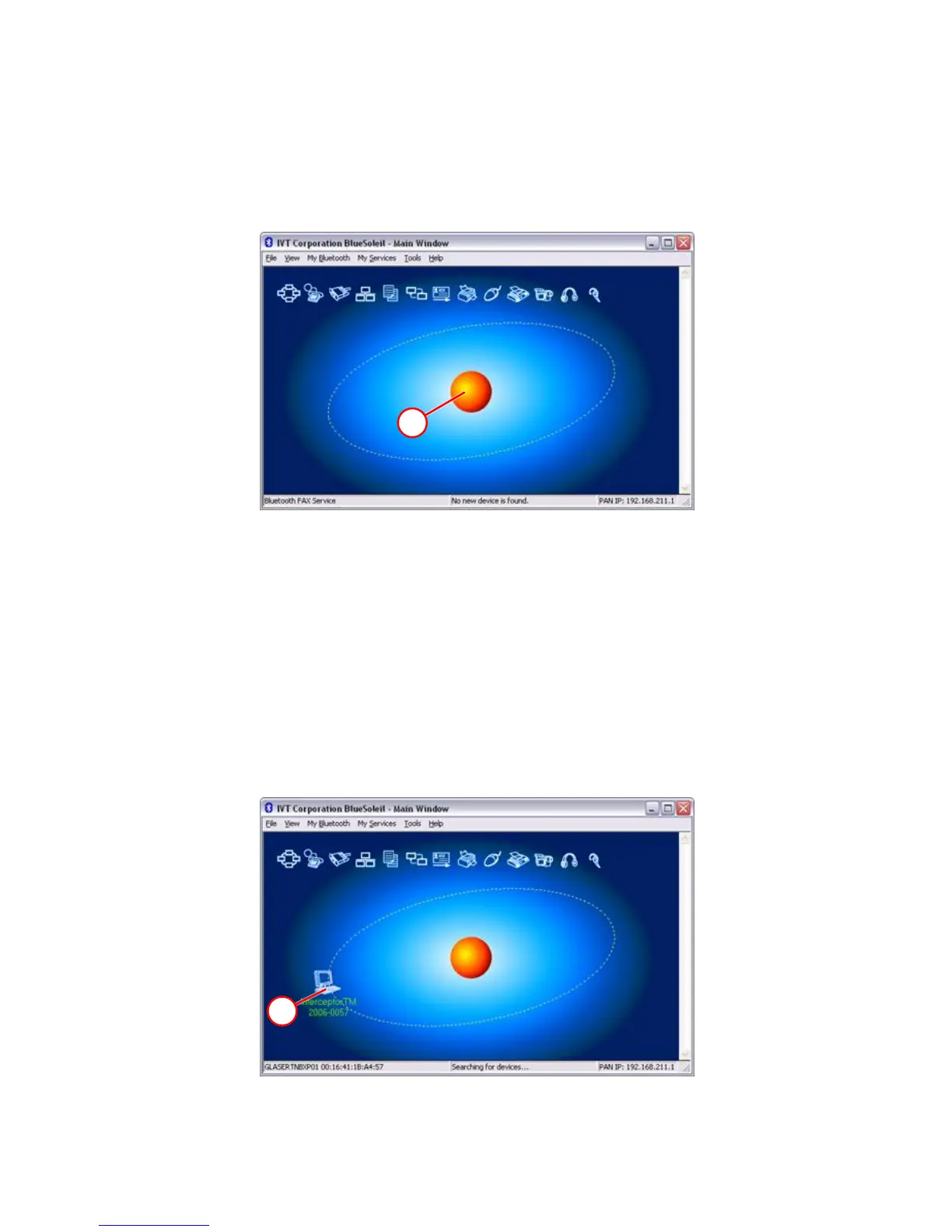
Open the BlueSoleil application.
A
Figure 5-7. Bluetooth® - IVT BlueSoleil
Make sure the I™ is in User Attended Mode, and that it is in
range of the PC Bluetooth® antenna.
Either press F5, or double click A to start the device search. Alternatively, the
user may select View > Refresh Devices in the upper-left corner of the menu
bar. If the relevant I™ unit was found, the following screen
should appear. It may take several seconds until the search is complete.
B
Figure 5-8. Bluetooth® - IVT BlueSoleil
Thermo Fisher Scientific Interceptor™/en/5.1(4956)/Feb2010 101










 To Next Page