5. Communication Using Bluetooth® Technology
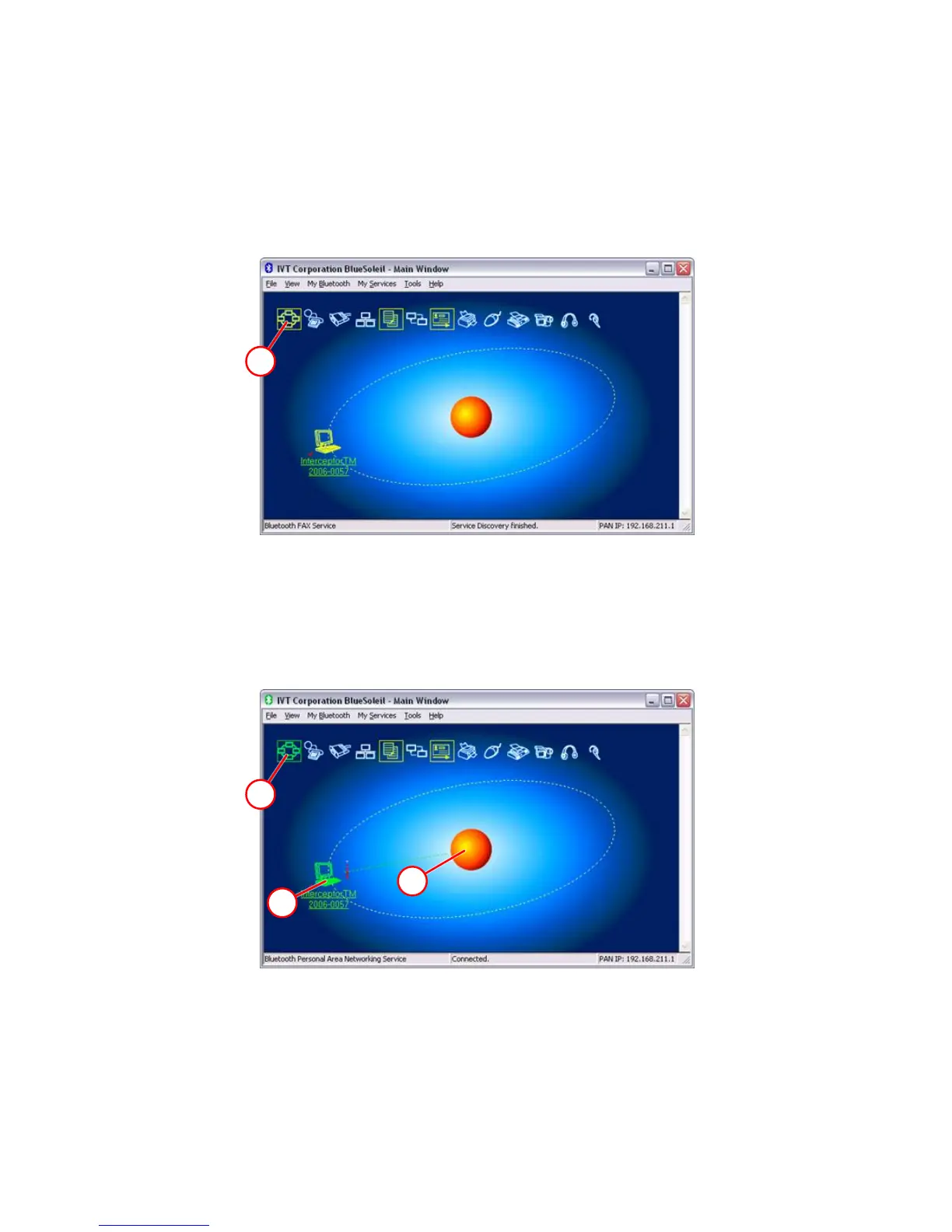
Select the desired device B and pair it, i.e. using the context menu. Then
double click B to start the service discovery. A successful service discovery
should show the following screen (PAN, OBEX File Transfer Services and
OBEX File Push enabled unless they were turned off using the PC software).
C
Figure 5-9. Bluetooth® - IVT BlueSoleil
Double click C to establish the PAN connection. The following screen should
show. It will also give the information about the link strength.
A
B
C
Figure 5-10. Bluetooth® - IVT BlueSoleil
The red bars beside the I™ entry indicate the link quality. The
scale is designed to match Class 1 devices, and thus a 50% or higher indica-
tion represents a very good connection to the Class 2 I™ radio.
102 Interceptor™/en/5.1(4956)/Feb2010 ICx Technologies










 To Next Page