5. Communication Using Bluetooth® Technology
5.9 Bluetooth® File Transfer Service (OBEX FTP)
The I™ unit is capable of providing Bluetooth® File Transfer
Service. This service permits direct access to the storage location of recorded
spectra, the associated results files, images and voices messages. The user can
access this service from every Bluetooth® client supporting this profile.
Warning If the I™ enters the Unattended Surveillance Mode
while using the Bluetooth® File Transfer Service, communication between
the PC and unit will cease. s
Since the Microsoft stack does not provide a client for Bluetooth® File Trans-
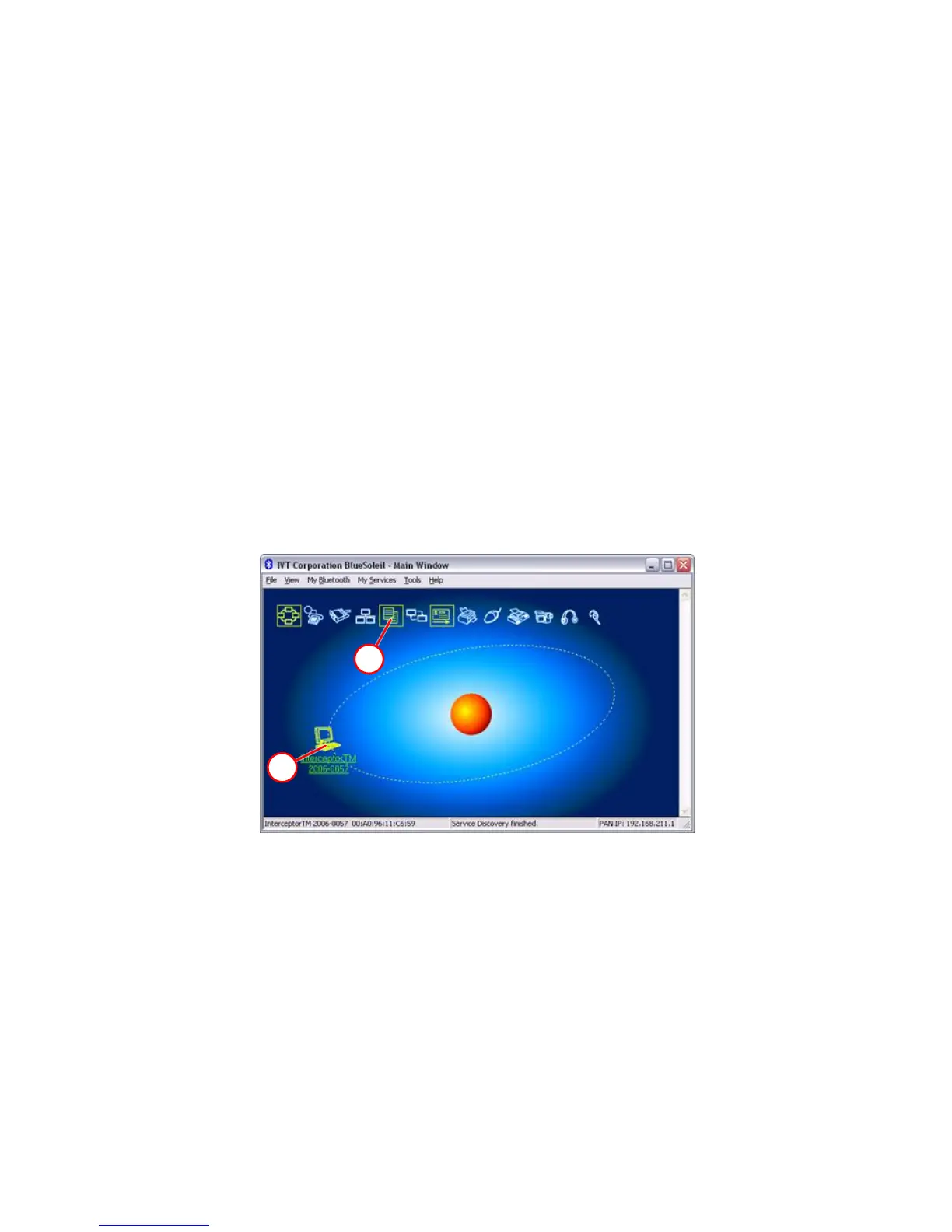
fer Service, the next depiction is only an example using IVT Corporation
BlueSoleil.
B
D
Figure 5-12. Bluetooth® - OBEX FTP
Select the desired device by right-clicking on B, and pair it by selecting “Pair
Device”. Double-click B to verify all provided services shown, and then
double-click D. D opens the File Transfer Service client window.
This window shows the I™ data directory. This data can be
copied or moved to the PC or another device for further analysis. To en-
sure that the PC Software database contains everything recorded by the unit,
never directly delete files from the INTERCEPTOR™.
104 Interceptor™/en/5.1(4956)/Feb2010 ICx Technologies










 To Next Page