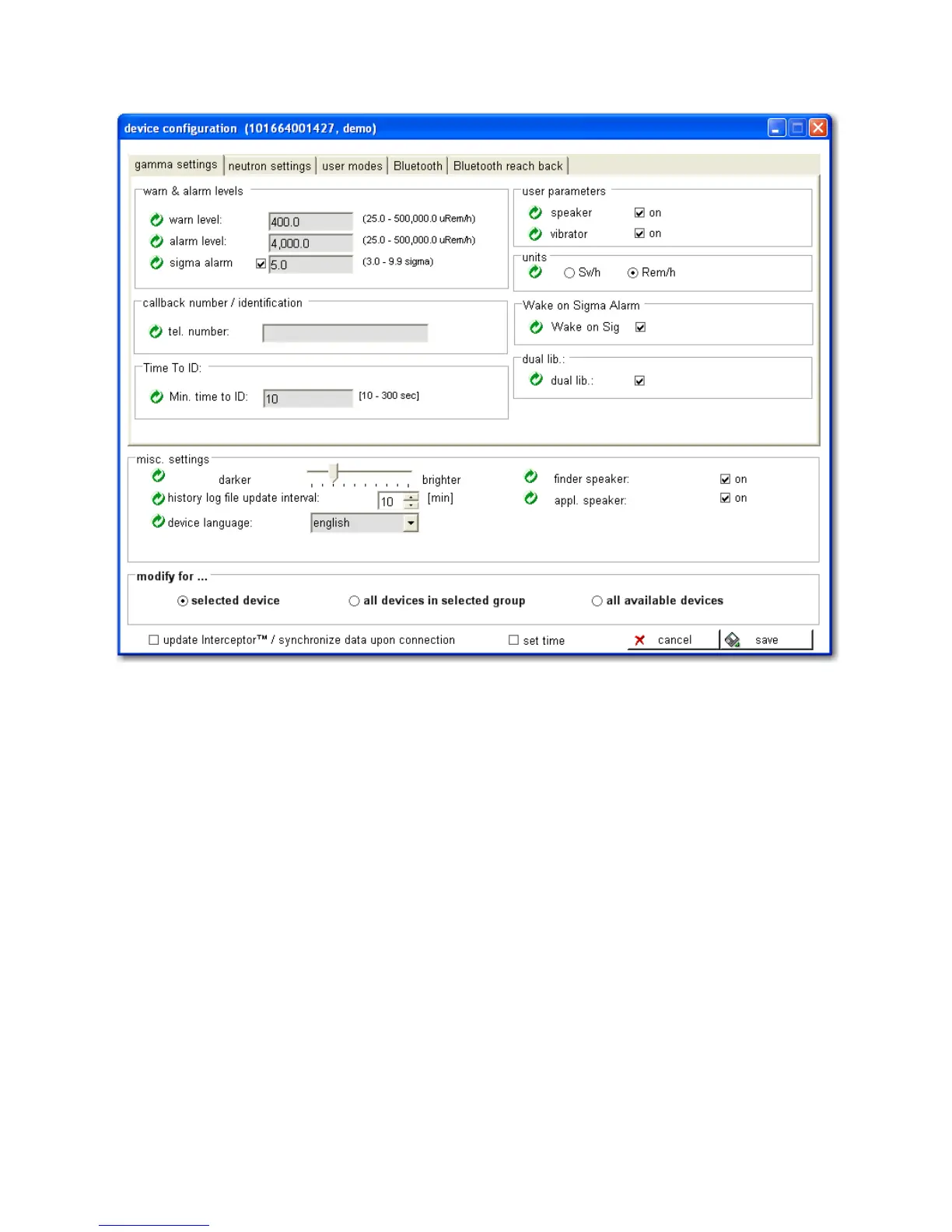
4.12. Device Configuration
Figure 4-12. PC Software - Gamma Configuration
All parameters are stored in a local database to further facilitate usage. This
allows the user to set all parameters without connecting the device. The al-
tered parameters will be transferred to the device upon the next (manual or
automatic) synchronization.
Note that when modifying all available devices or all devices within a group,
the following message box appears. This notifies the user that should multiple
devices be selected containing both the basic and the advanced setups, then
the advanced setups on those devices within the selection will revert back to
basic, factory default values.
After acknowledging this message box by pressing “yes”, there may appear a
message box similar to the following.
Thermo Fisher Scientific Interceptor™/en/5.1(4956)/Feb2010 75










 To Next Page