Chapter 6
61
UM10350_PCNC770_Manual_0916A
PathPilot Interface
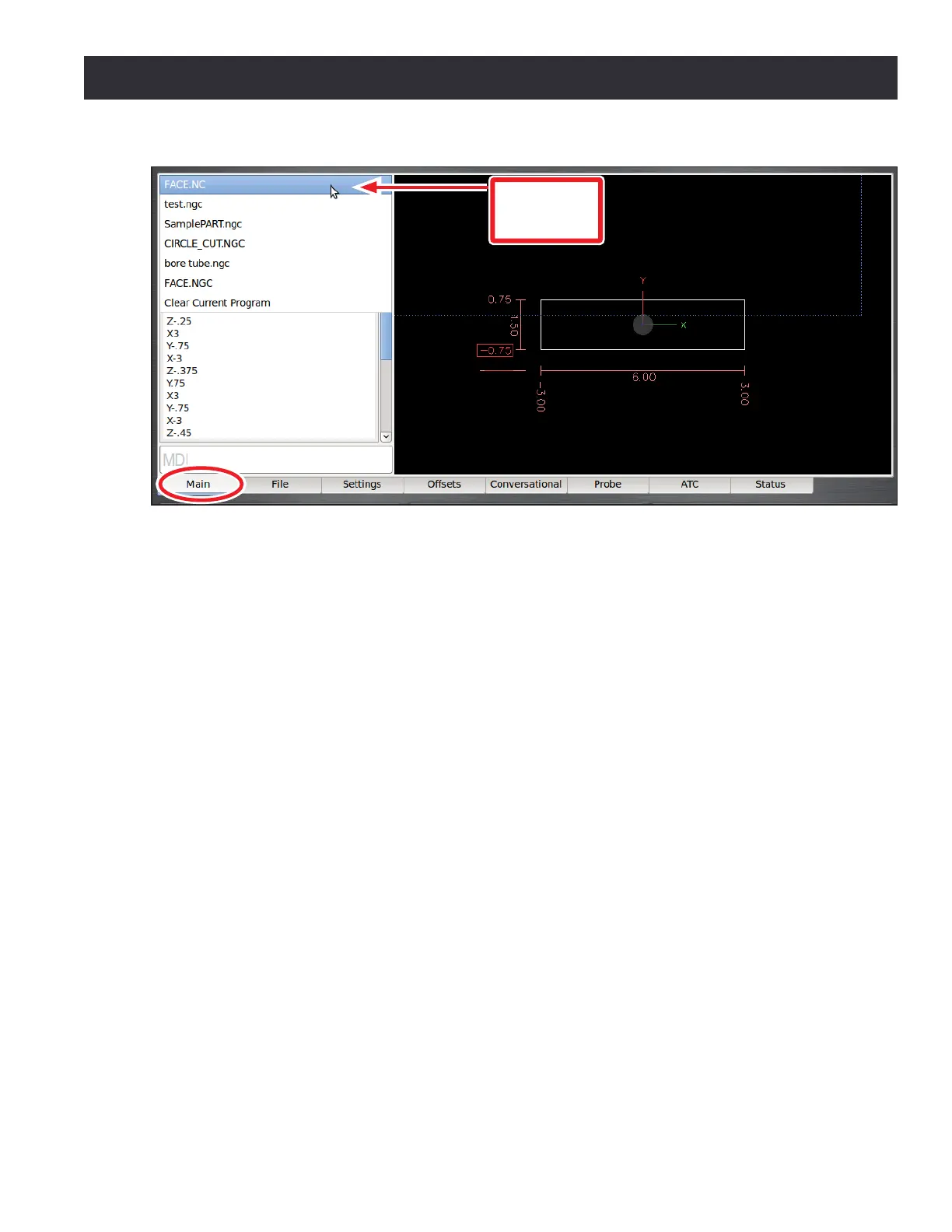
Recent Files Drop-down Menu – The top le poron of the Main screen has a Recent Files
Drop-down Menu that displays the currently loaded G-code le (see Figure 6.9). Clicking on it
displays the names of the last ve les that have been loaded into the control. Selecng any one
of those les from the drop-down menu loads that le. The last selecon on this drop down (Clear
Current Program) closes the current G-code program.
G-code Window – The G-code window displays the G-code in the currently loaded le. You may
use the scroll bars to scroll down to see the enre le. The start line (the line at which the G-code
program is execung) is highlighted in green. This usually is the rst line of the code; to change
this, place the mouse pointer over the preferred start line, right click, and choose the Set Start Line
opon.
Keep in mind that, when using the Set Start Line opon, the operator is responsible for ensuring
that the mill is in the proper state before the code executes. The mill reads backwards through the
beginning of the le to do things like set the appropriate G5x acve work oset, G61/64 seng, and
other modal states, but it will not turn the spindle or coolant on.
To start from the middle of a program, make sure any preparatory moves (e.g. turning the spindle
and coolant on) are taken care of manually before pressing Cycle Start and aer using set start line.
Double clicking the G-code window will make expand the G-code window and shrink the tool path
display. To return the display to the original size, double click the G-code window again.
When running a G-code program in single block mode, there may be as many as three lines of
G-code highlighted, each with a dierent color. The green line indicates the start line, which is the
rst line in the program unless this has been changed with the Set Start Line feature. The blue line
indicates the line of code that is currently execung, the brown highlight indicates the move that
will occur the next me the Cycle Start buon is pressed.
Figure 6.9
Recent Files
Drop-down
Menu



 To Next Page