Chapter 6
62
UM10350_PCNC770_Manual_0916A
PathPilot Interface
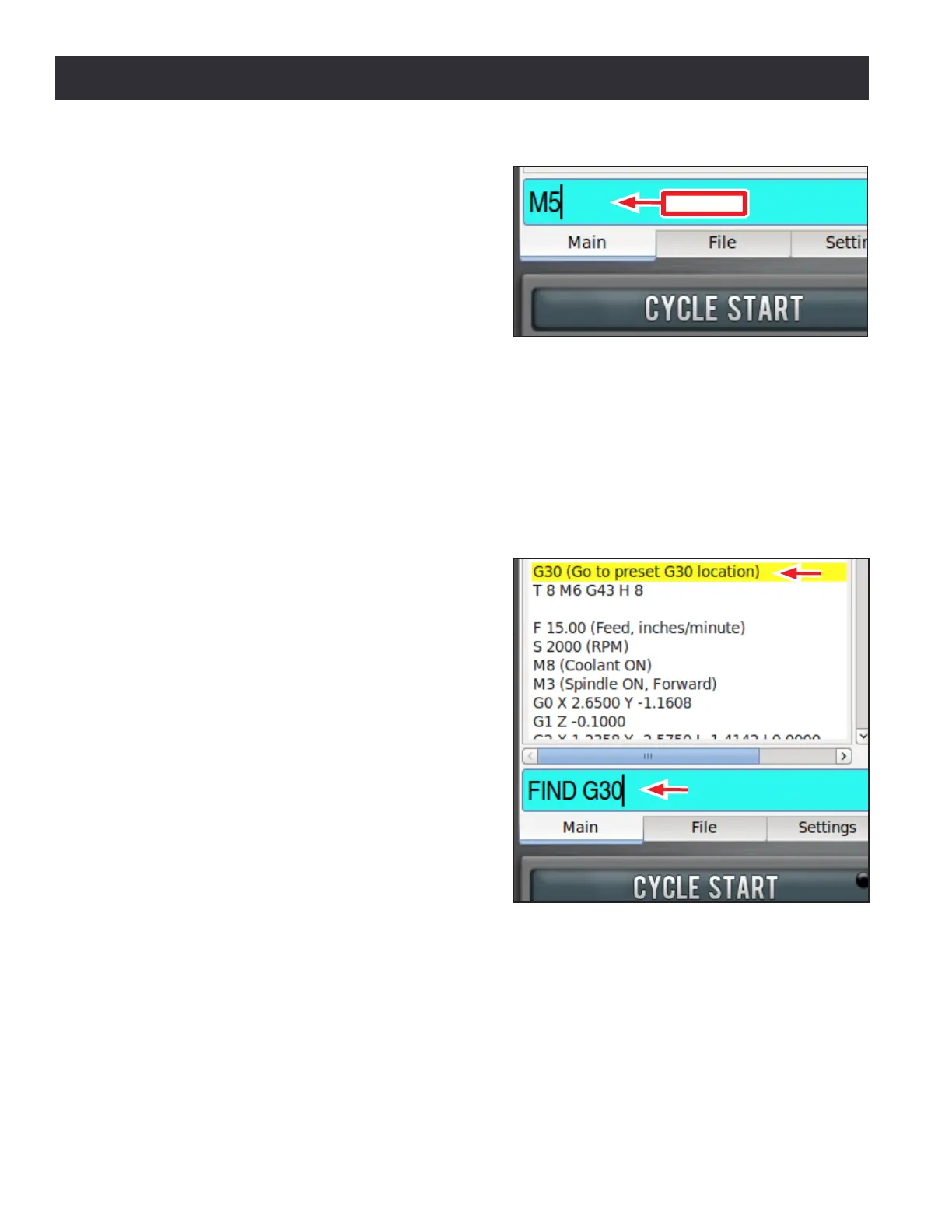
MDI Line – When running a G-code part program,
commands to the mill are read from a le. It is
oen convenient to send G-code commands to
the mill directly. This can be done by typing a
command into the Manual Data Input line (MDI
Line), as shown in Figure 6.10. This gure also
shows the MDI Line aer a command (M5) has
been typed but not yet executed by pressing
Enter. To use the MDI Line, click the mouse in the
bar marked MDI; the line is highlighted. Type the
desired command in the highlighted line. Use the Backspace, Delete, Le and Right arrow keys to
correct typing errors. Press Enter to execute the command; press Esc to abandon it and close the
MDI Line. Recent commands are stored for reuse. You can choose one of these to copy into the MDI
Line using the Up and Down arrow keys (aer clicking in the MDI Line). Up to 100 commands are
saved between sessions; even aer a power cycle, the command history is available.
NOTE: All keystrokes go in the MDI Line when open, so it’s not possible to jog the axes.
MDI has the ability to search text of a G-code le
for specic numbers, codes, or items of interest
like tools, feeds, and speeds. Type FIND followed
by the text to be searched in the MDI Line (see
Figure 6.11). Pressing Enter nds the next instance
of the searched text; pressing Enter while holding
down the Shi key nds the previous instance.
If found, PathPilot scrolls to the line containing
the searched text and highlights it in yellow (see
Figure 6.11). When the search reaches the end of
the G-code le, it wraps and starts again from the
beginning. Change the starng point of the search
by clicking on any line in the G-code window.
Figure 6.10
MDI Line
Figure 6.11


 To Next Page
 Loading...



