UTT Technologies User Management Menu
http://www.uttglobal.com Page 103
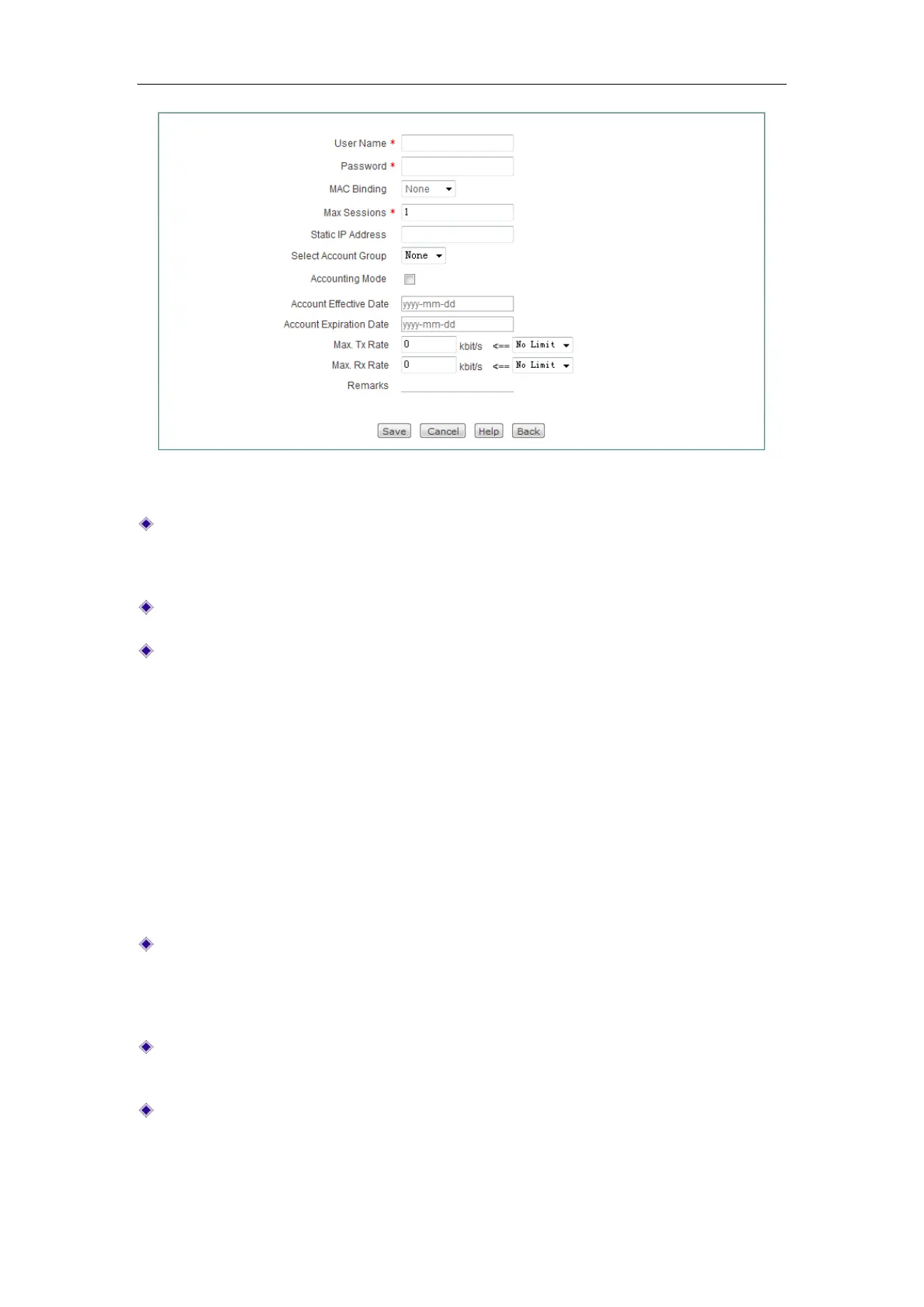
Figure 9-13 PPPoE Account Settings
User Name: Specify a unique user name of the PPPoE account. It should be
between 1 and 31 characters long. The PPPoE server will use
User Name and
Password to identify the PPPoE client.
Password: Specify the password of the PPPoE account.
MAC Binding: Specify the type of PPPoE account and MAC address binding. The
available options are
None, Auto and Manual.
None: If selected, a PPPoE client with any MAC address can use the current
PPPoE account to dial up.
Auto: If selected, the Device will automatically bind the PPPoE account to the
MAC address of the user who uses this account to establish a PPPoE
session firstly. After that only this user can use the account.
Manual: If selected, you can configure up to four MAC addresses that are
bound to the account. Only the users with one of these MAC addresses can
use the account.
MAC Address: Specify the MAC address that is bound to the current PPPoE
account. If you select
Manual from the MAC Binding drop-down list, this
parameter will be displayed. In this case, you should enter a MAC address that is
bound to the account in the text box.
Max. Sessions: Specify the maximum number of PPPoE sessions that can be
created by using the current PPPoE account.
Static IP Address: Specify a static IP address that is assigned to the user who
uses the current PPPoE account. It must be a valid IP address in the range of
address pool configured in the
PPPoE > Global Settings page.



 To Next Page