UTT Technologies Firewall Menu
http://www.uttglobal.com Page 150
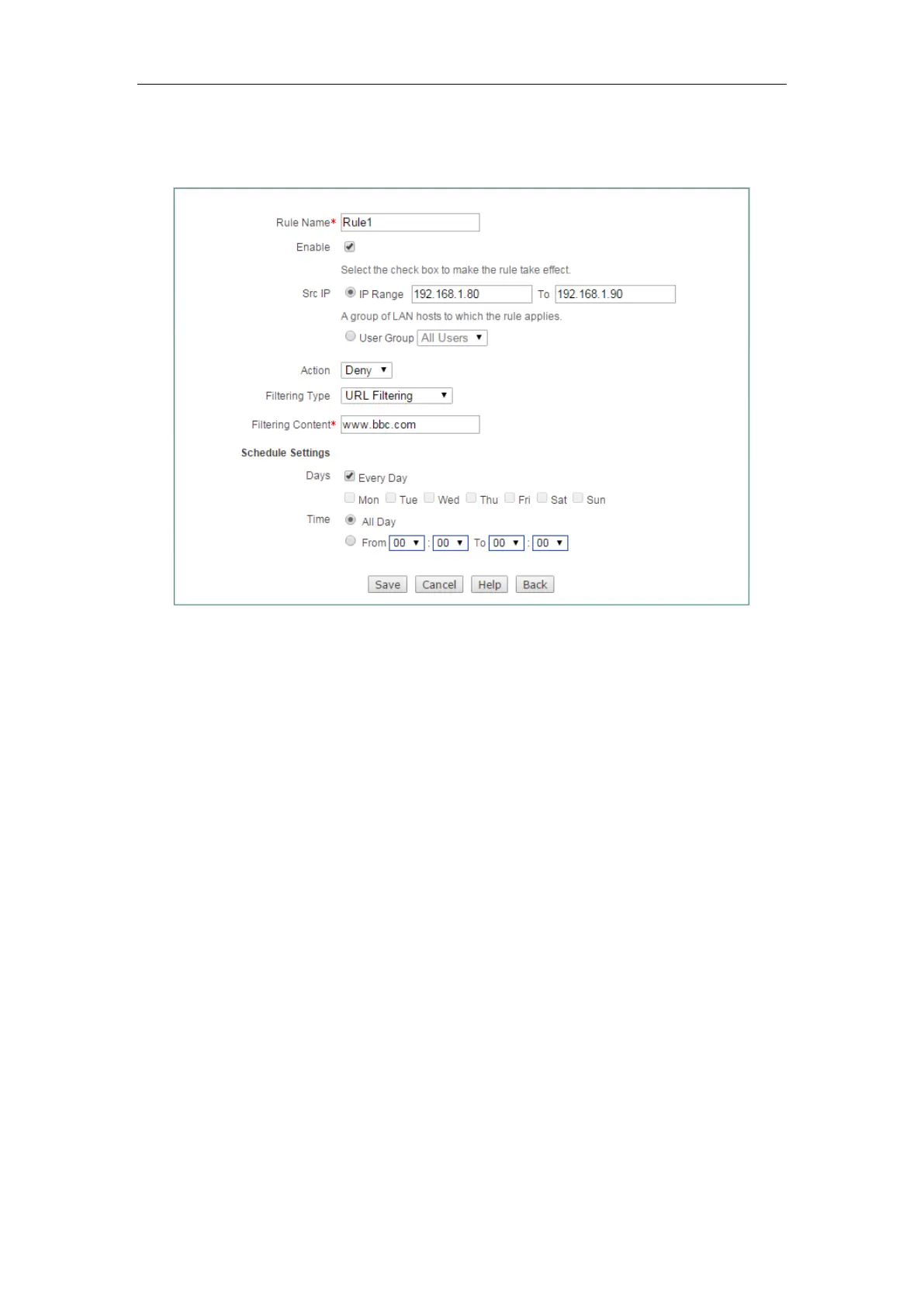
Enter
www.bbc.com
at Filtering Content textbox, lastly click the Save button to save
the settings.
Figure 12-11 Access Control _Example 2_step 1
Step 2 Configuring Access Control Rule 2
Go to Firewall > Access Control page. Set the Src IP from 192.168.1.80 to
192.168.1.90, select
Deny from the Action, select URL Filtering from Filtering Type,
Enter
www.cnn.com at Filtering Content textbox, lastly click the Save button to save
the settings.



 To Next Page