UTT Technologies Firewall Menu
http://www.uttglobal.com Page 149
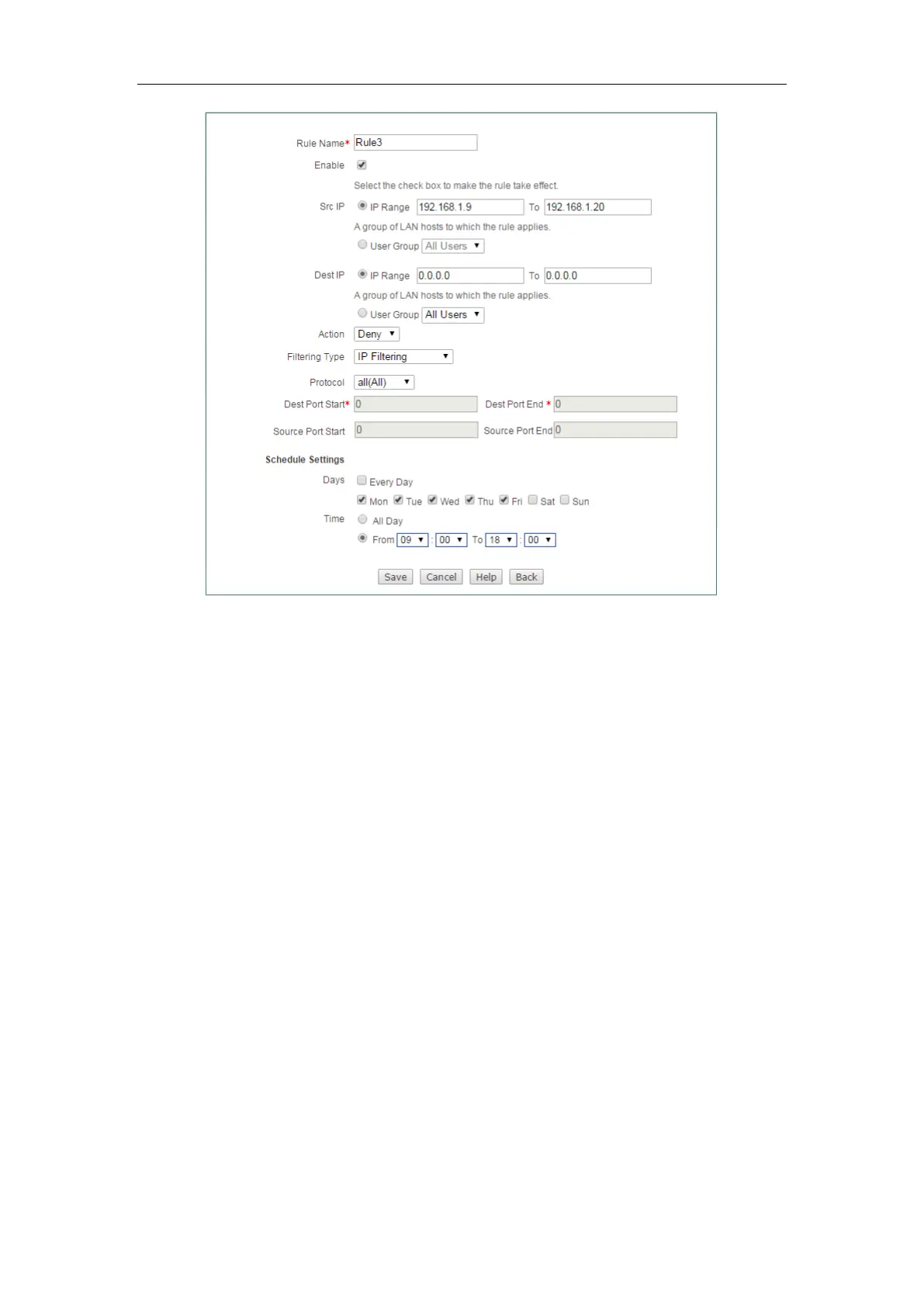
Figure 12-10 Access Control _Example 1_step 3
12.2.1.5.2 Example Two
Requirements
A company uses the Device as a network access device. The requirements are as
follows:
Block the users at IP address between 192.168.1.80 to 192.168.1.90 access to
http://www.bbc.com (IP address is 29.58.246.93) and http://www.cnn.com (IP address
is 157.166.255.18).
Analysis
We need to create two access control rules to meet requirements:
Rule 1: Deny them access to http://www.bbc.com.
Rule 2: Deny them access to http://www.cnn.com.
Configuration Procedure
Step 1 Configuring Access Control Rule 1
Go to Firewall > Access Control page. Set the Src IP from 192.168.1.80 to
192.168.1.90, select
Deny from the Action, select URL Filtering from Filtering Type,



 To Next Page