UTT Technologies VPN Menu
http://www.uttglobal.com Page 160
13.2.2.1 Global Settings
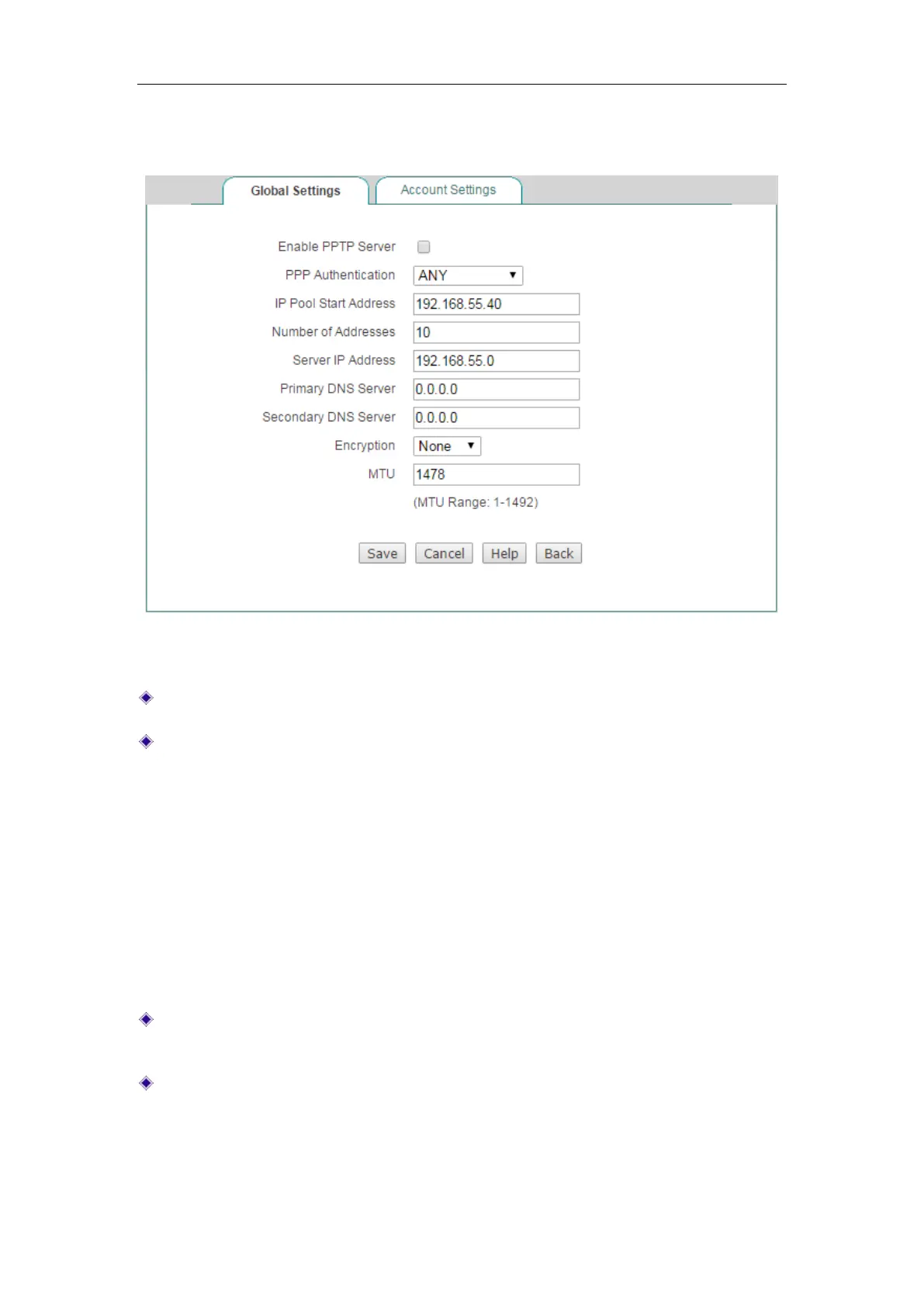
Figure 13-3 PPTP Server_Global Settings
Enable PPTP Server: Select to enable PPTP Server.
PPP Authentication: Specify the PPP authentication mode of the PPTP tunnel.
The available options are
PAP, CHAP , MS-CHAPV2 and ANY.
PAP: Password Authentication Protocol.
CHAP: Challenge Handshake Authentication Protocol.
MS-CHAPV2: The Microsoft version of the Challenge-Handshake
Authentication Protocol.
ANY: The Device will automatically negotiate it with the remote VPN
appliance.
IP Pool Start Address: Specify the starting IP address assigned from the VPN
address pool.
Number of Address: Specify the maximum number of IP addresses that can be
assigned from the VPN address pool.



 To Next Page