UTT Technologies VPN Menu
http://www.uttglobal.com Page 161
Server IP Server: Specify the IP addresses of the VPN Server. This address
should be on the same network segment with the VPN address pool but not
including.
Primary / Secondary DNS Server: When the device is setup to as the PPTP
server, it can assign DNS address to the client to access the Internet.
Encryption: Select the way of data encryption mode. Note when you choose
MS-CHAPV2 as PPP authentication mode, you must select MPPE as data
encryption mode.
MTU: Specify the largest packet size permitted for network receive. During dialing,
The Device will automatically negotiate it with the remote VPN appliance when
dialing. Unless special application, please leave the default value of 1478 bytes.
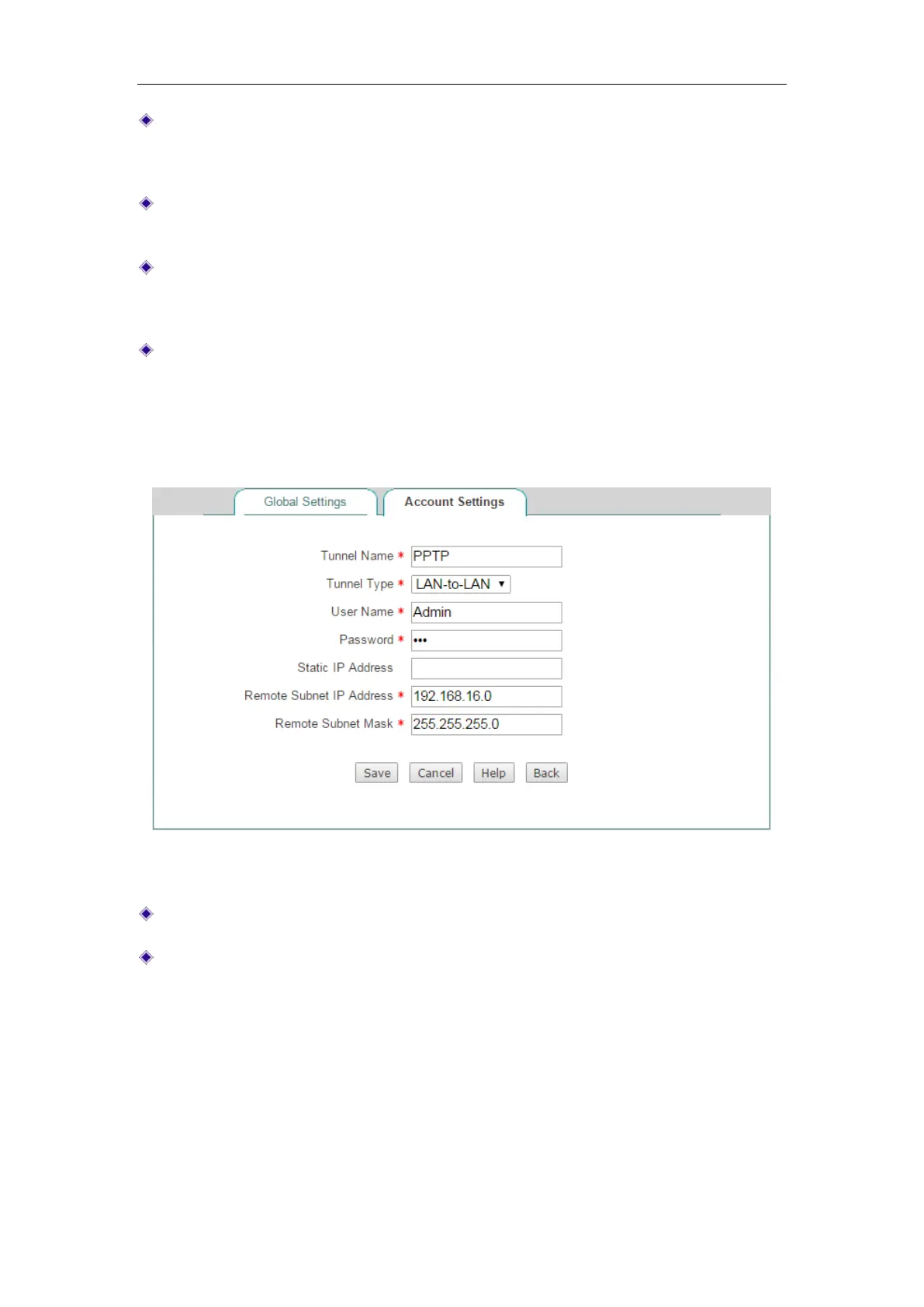
13.2.2.2 Account Settings
Figure 13-4 PPTP Server_Account Settings
Tunnel Name: Specify the name of this tunnel.
Tunnel Type: Specify the type of the PPTP tunnel.
LAN-to-LAN: If selected, two LAN sites can securely connect with each other
over public networks like the Internet. All traffic from one LAN destined for the
other one is tunneled, without individual hosts having to use VPN clients. In
this case, either a Device or compatible VPN appliance can act as a PPTP
client.
Mobile User: If selected, the remote individual users can securely connect
the server over public networks like the Internet. In this case, a laptop or
desktop computer will act as a PPTP client.



 To Next Page