UTT Technologies VPN Menu
http://www.uttglobal.com Page 184
13.3.7.2 Answer-Only and Originate-Only
If the local gateway has a dynamically assigned IP address (PPPoE or DHCP), and
the remote endpoint has a static IP address, you can choose
Originate-Only as the
connection type and
Answer-Only as the connection type on the other side. In this
case, both IPSec endpoints should use aggressive mode for phase 1 IKE negotiation.
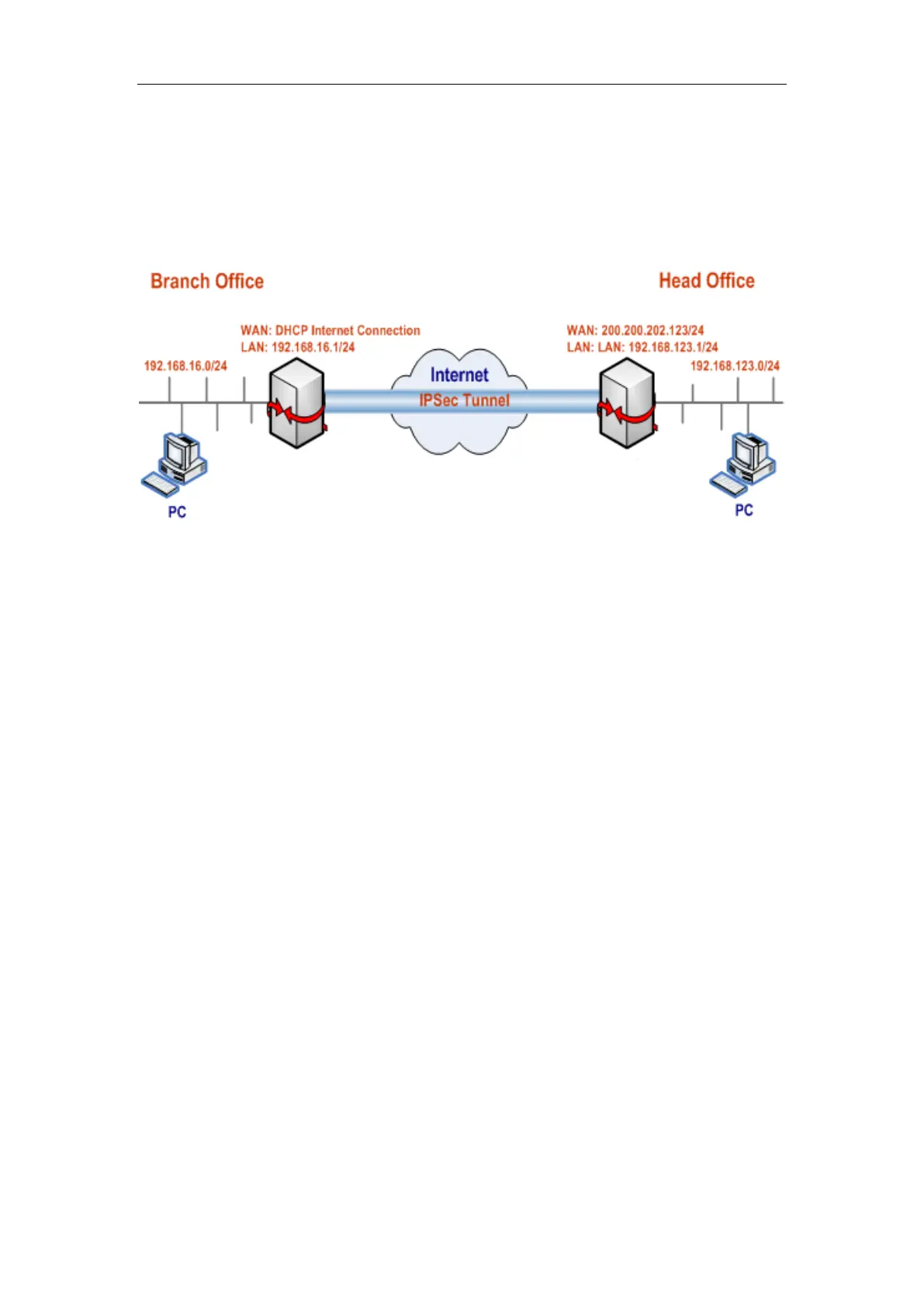
Figure 13-19 Network Topology_Answer-Only and Originate-Only
In this scenario, we deploy two enterprise wireless router at a company: one is located
at the head office and connected to the Internet with a static IP address; the other is
located at the branch office and connected to the Internet with a dynamic IP address
(DHCP Internet connection).
Now we want to establish an IPSec tunnel between them, and use the following
proposals (i.e., encryption and authentication algorithms): the phase 1 proposals are
left at their default values, and the preferred phase 2 proposal is esp-aes192; in
addition, the preshared key is testing, the originator’s ID type is Email address and
value is hiper@utt.com.cn, and the IP addresses are as follows:
The Device at the head office:
WAN Interface IP Address: 200.200.202.123/24
LAN Interface IP Address: 192.168.123.1/24
The Device at the branch office:
WAN Interface IP Address: Dynamic (DHCP)
LAN Interface IP Address: 192.168.16.1/24
1) Configuring the Device at the head office
Go to the VPN > IPSec > IPSec Settings page, make the following settings (leave the
default values for the other parameters), and then click the
Save button.



 To Next Page