UTT Technologies Appendix A FAQ
http://www.uttglobal.com Page 199
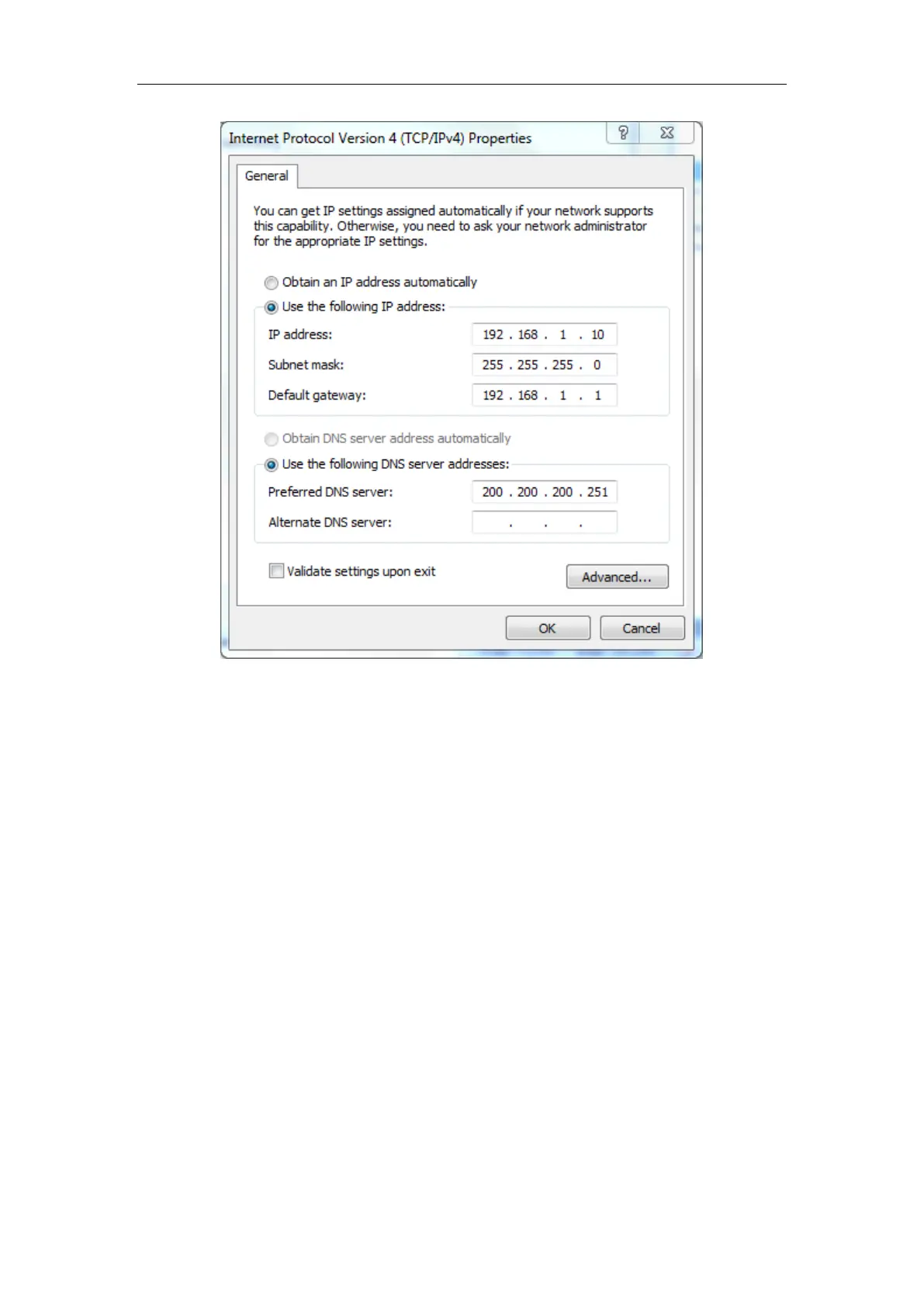
Figure Appendix- 1 Manually configuring TCP/IP
Step 5 Click OK in the Internet Protocol Version 4 (TCP/IPv4)
dialogue, this will
return you to the
Local Area Connection Properties dialogue. Click OK again.
Till now you have finished configuring the TCP/IP properties.
Method II: Automatically Configuring TCP/IP with DHCP
To ensure that the host can obtain an IP address and other TCP/IP parameters
automatically from the Device, you should enable the Device’s DHCP server function
in
Application > DHCP Server page.
Step 1 On the Windows taskbar, click Start > Control Panel > Network and
Connection > Local Area Connection, right-click Local Area Connection, and
choose
Properties.
Step 2 In the Properties dialogue, double-click Internet Protocol Version 4
(TCP/IPv4).
Step 3 In the Internet Protocol Version 4 (TCP/IPv4) dialogue, select the Obtain an
IP address automatically radio button, and select the Obtain DNS server



 To Next Page